Acer vs ViewSonic Monitors: Which Should You Buy? (November 2026)
For most desk work, the Acer 27in FHD IPS 120Hz wins on size and contrast, while the ViewSonic VS2447M is the better small-desk pick. In this Acer vs ViewSonic monitor comparison, screen size and panel brightness decide more than the brand name.
On this page (9 sections)
- The quick verdict: Acer vs ViewSonic monitor
- The two brands side by side
- Screen size and pixel density decide your desk fit
- Brightness and eye comfort for long workdays
- Refresh rate and motion for scrolling and video
- Ports, speakers and desk connectivity
- Build, stand and mounting for a tidy desk
- Which brand fits your room and habits?
- The verdict: which monitor should you buy?
For most desk work, the Acer 27in FHD IPS 120Hz is the better buy. It gives you a 27-inch IPS screen at 120Hz, and that combination covers documents, video calls and evening gaming on one display.
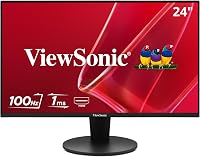
The ViewSonic VS2447M is the smarter choice when your desk is small, your room is bright or you want speakers built in.
An Acer vs ViewSonic monitor comparison quickly shows that the two brands chase different desk needs. Acer leans on larger panels and high refresh rates, while ViewSonic pushes brightness, adjustability and built-in audio in compact sizes.


The quick verdict: Acer vs ViewSonic monitor
Pick Acer for a bigger screen and a faster refresh; pick ViewSonic for a brighter, more adjustable small display. The Acer 27in FHD IPS 120Hz leads on size and motion smoothness.
The ViewSonic VS2447M leads on brightness and stand comfort.
The two brands sell panels that look similar on paper. The differences show up in the details: 27 inches against 24, 120Hz against 120Hz, and 250 nits against 300 nits.
Screen size decides the most for desk work. A 27-inch 1080p panel fits two documents side by side more comfortably than a 24-inch screen.
The trade-off is pixel density, since 1080p spread over 27 inches looks softer than the same resolution on 24.
If you want the bigger canvas, the Acer is the clear winner. If you work in a tight corner or a sunlit room, the ViewSonic earns its place.
The two brands side by side
Acer and ViewSonic both build IPS panels in the 24 to 27 inch range, but the models here split on size, brightness and audio. Here is how the four monitors line up on the specs that matter for desk work.
| Feature | Acer 27in FHD (KB272 G0bi) | ViewSonic VS2447M | Acer KB242Y | ViewSonic VX3276-MHD |
|---|---|---|---|---|
| Screen size | 27 in | 24 in | 23.8 in | 32 in |
| Resolution | 1920 x 1080 | 1920 x 1080 | 1920 x 1080 | 1920 x 1080 |
| Panel | IPS | IPS | IPS | IPS |
| Refresh rate | Up to 120Hz | 120Hz variable | Up to 120Hz | 75Hz |
| Brightness | 250 nits | 300 nits | 250 nits | 250 cd/m2 |
| Ports | HDMI, VGA | HDMI, VGA | HDMI, VGA | HDMI, DisplayPort, VGA |
| Speakers | None | Dual 2W | None | Dual speakers |
| Stand | Tilt | Height adjustment | Tilt | Standard |
| Adaptive sync | FreeSync | FreeSync | FreeSync | G-Sync Compatible |
Acer's strongest cards are the 120Hz refresh rate and the 27-inch IPS size at an office-friendly tier. ViewSonic answers with 300 nits on the VS2447M, speakers on two models and a height-adjustable stand.
The 32-inch VX3276-MHD looks impressive in the table. Its 75Hz refresh rate and 1080p resolution at that size make it the weakest fit for close desk work here, so it sits lower.
Screen size and pixel density decide your desk fit
Choose 27 inches for a main desk and 24 inches for a tight corner or a second screen. Bigger panels help you keep more windows open.
Smaller panels keep text sharper at the same 1080p resolution.
The Acer KB272 G0bi measures 24.07 inches wide and 17.44 inches tall on its stand. The ViewSonic VS2447M measures 21.2 inches wide and 16.2 inches tall.
That width gap of nearly 3 inches matters when you sit close to the screen.
At 1080p, a 27-inch panel spreads each pixel wider than a 24-inch one. Text stays readable, but fine detail looks crisper on the smaller screen.
Designers and coders often prefer the tighter pixel pitch.
The ViewSonic VX3276-MHD pushes 1080p to 32 inches. That size suits movies and presentations from across a room.
For spreadsheets at arm's length, the pixels look large and the screen demands more head movement.
If desk space is tight, the monitors that fit a small desk guide covers stand footprints and mounting ideas. Measure your desk depth before you buy a 27-inch screen, since the Acer needs about 8.3 inches of depth on its stand.
Brightness and eye comfort for long workdays
The ViewSonic VS2447M wins on brightness with 300 nits against 250 nits on both Acers. A brighter panel holds up better beside a window or under strong overhead lights.
All three IPS panels handle wide viewing angles well. ViewSonic lists SuperClear IPS on the VS2447M and a blue light filter plus flicker-free tech.
Acer calls its equivalent eye-protect technology.
Brightness matters most when daylight hits the screen. At 250 nits, the Acer KB272 G0bi and KB242Y do fine in a controlled room.
In a sunlit home office, the 300-nit ViewSonic stays readable without you squinting.
Eye comfort is more than nits. A height-adjustable stand lets you set the screen at eye level, which reduces neck strain.
The VS2447M includes height adjustment. The Acer KB272 G0bi and KB242Y offer tilt only.
If you plan long sessions, pair either brand with a wall mount or a desk arm. The Acer KB272 G0bi and KB242Y both list wall-mount support.
The VS2447M uses a 100 x 100mm VESA pattern. Check your mount plate before ordering.
Refresh rate and motion for scrolling and video
Acer and ViewSonic both reach 120Hz on their newer 24 and 27 inch models, which makes scrolling and cursor movement smoother than 60Hz. The 32-inch ViewSonic is the outlier at 75Hz.
The Acer KB272 G0bi and KB242Y run up to 120Hz with Adaptive-Sync, listed as FreeSync compatible. The ViewSonic VS2447M also runs a 120Hz variable refresh rate.
That spec helps video playback and light gaming as much as it helps spreadsheets.
A faster refresh rate reduces the smearing you notice when you drag a window or scroll a long page. Acer pairs its 120Hz panels with a 1ms VRB response time.
ViewSonic lists 1ms MPRT on the VS2447M.
Neither brand's office models are gaming-first displays. Still, the 120Hz panels feel more responsive in everyday use.
The VX3276-MHD at 75Hz is fine for movies but trails on fast scrolling.
If you also game, compare the refresh rate and sync support before brand loyalty. The Dell vs Samsung monitor comparison covers how sync tech and panel type shift the choice for mixed work and play.
Ports, speakers and desk connectivity
ViewSonic wins on built-in audio and port variety, while Acer keeps connectivity simple. The VS2447M and VX3276-MHD both include dual 2W speakers.
The Acer models rely on your own headphones or desk speakers.
Ports decide how easily the monitor joins your setup. The Acer KB272 G0bi and KB242Y offer HDMI and VGA.
The ViewSonic VS2447M matches that with HDMI and VGA plus audio in and out.
The ViewSonic VX3276-MHD adds DisplayPort to HDMI and VGA. That gives you one more way to connect a laptop or desktop, which helps if your HDMI port is already in use.
VGA is the older analog input. It still works for basic office PCs, but HDMI carries a cleaner digital signal.
Most modern laptops connect over HDMI or USB-C, so plan an adapter if your machine lacks the right port.
Built-in speakers save desk space and cable clutter. They suit video calls and casual listening.
If audio quality matters, the dual 2W speakers are modest, and a small desk speaker set will sound better.
Build, stand and mounting for a tidy desk
ViewSonic gives you a height-adjustable stand on the VS2447M; the Acer models tilt only. That difference shapes how comfortable a long day feels at the desk.
A monitor at the wrong height pushes you to crane your neck. Height adjustment lets you raise the screen to eye level without stacking books under it.
The VS2447M includes that adjustability out of the box.
The Acer KB272 G0bi and KB242Y list tilt adjustment only. You can still get a good angle, but the screen height is fixed by the stand.
A wall mount or desk arm solves that, and both Acers support wall mounting.
Weight matters if you plan to use an arm. The Acer KB272 G0bi weighs 4.99 kg and the KB242Y weighs 3.5 kg.
The ViewSonic VS2447M weighs 6.2 pounds. Check your arm's load rating against the model you pick.
Bezels affect a multi-screen setup. Acer uses a frameless, zero-frame design on both its models.
ViewSonic uses a 3-sided frameless bezel on the VS2447M. Either brand lines up well when you run two screens.
Which brand fits your room and habits?
Acer fits a roomy desk where you want one large main screen; ViewSonic fits a compact, bright space where adjustability and audio matter. Decide by the desk, not by the logo on the bezel.
The Acer 27in FHD IPS 120Hz is the best pick for most readers. Its 27-inch panel gives you room for two windows, and its 120Hz refresh rate keeps scrolling smooth.
At 250 nits it prefers a controlled light level.
The ViewSonic VS2447M is the best pick for small desks and bright rooms. Its 24-inch panel takes less width, its 300 nits hold up in daylight and its height-adjustable stand protects your posture.
Who should buy the Acer?
Buy Acer if you want the largest screen for the money and you have the desk depth to support it. The KB272 G0bi's 27 inches and 120Hz refresh rate suit a main workstation for documents, calls and light gaming.
The KB242Y suits a second screen or a starter desk on a budget. It keeps the 120Hz IPS formula in a 23.8-inch frame and weighs just 3.5 kg.
If you already run one Acer, adding a matching one is easy.
Skip Acer if you work beside a window and can't control the light. The 250-nit panels will look washed out next to the 300-nit ViewSonic.
Who should buy ViewSonic?
Buy ViewSonic if your desk is narrow or your room is bright. The VS2447M's 300-nit panel, height-adjustable stand and dual speakers cover calls and video without extra gear.
The VX3276-MHD suits a living room or a wide desk where you watch video and work from farther back. Its 32-inch screen and DisplayPort input make it a flexible media display.
Its 75Hz refresh rate and coarse 1080p pixels make it the weakest close-work choice here.
Skip ViewSonic's 32-inch model if sharp text at close range is your priority. The smaller Acer or the VS2447M will read better on a document.
The verdict: which monitor should you buy?
Buy the Acer 27in FHD IPS 120Hz for a main desk, or the ViewSonic VS2447M when space and light are tight. That is the short answer to the Acer vs ViewSonic monitor question for desk work.
The Acer wins on size and motion smoothness. Its 27-inch 1080p IPS panel and 120Hz refresh rate make it the stronger everyday workstation for most people.
The 99% color gamut helps too, since color stays consistent as you move around the screen.
The ViewSonic VS2447M wins on brightness and adjustability. Pick it if your desk is small, your room gets daylight or you want speakers without extra cables.
Its height-adjustable stand also makes long sessions easier.
For a budget Acer, the KB242Y keeps the 120Hz IPS formula at a lower tier. For a big-screen ViewSonic, the VX3276-MHD suits movie nights more than close work.
Whichever brand you pick, match the size to your desk depth and the brightness to your room. If Acer isn't quite right, the guide to whether LG monitors are good covers another brand with a similar office focus.
Measure your space, check your ports and buy the model, not the badge.
Frequently asked questions
Is Acer or ViewSonic better for office work?
Neither brand is better as a whole; the model is. The Acer 27in FHD IPS 120Hz gives you a larger 27-inch screen and a 120Hz refresh for a main desk, while the ViewSonic VS2447M offers a brighter 300-nit 24-inch panel with height adjustment for smaller spaces.
Are Acer monitors good for long work sessions?
The Acer KB272 G0bi and KB242Y both use IPS panels and Acer's eye-protect technology for comfortable viewing. Pick one with a stand you can adjust or plan a wall mount, since the Acer tilt-only stand limits height changes.
Do ViewSonic monitors have built-in speakers?
The VS2447M and VX3276-MHD both include dual 2W speakers, so you can take calls or watch video without separate speakers. The Acer KB272 G0bi and KB242Y have no built-in audio, so plan for headphones or desk speakers.
What refresh rate should a work monitor have?
100Hz to 120Hz is a good target for desk work because scrolling and cursor movement look smoother than at 60Hz. The Acer KB272 G0bi and VS2447M reach 120Hz, while the VX3276-MHD tops out at 75Hz.
Can I mount these monitors on an arm?
The Acer KB272 G0bi and KB242Y list wall-mount support. The VS2447M uses a 100 x 100mm VESA pattern.
The VX3276-MHD also supports wall mounting, so a desk arm is possible if you add the right VESA plate.