ViewSonic vs Dell Monitors: Which Brand to Buy? (November 2026)
Dell wins the ViewSonic vs Dell monitors comparison for most office desks, thanks to a height-adjustable stand and stronger eye comfort certification on its 24-inch model. ViewSonic's VS2447M is the better buy when you want built-in speakers and a cheaper way to get a smooth 120Hz panel.
On this page (9 sections)
Dell wins the ViewSonic vs Dell monitors comparison for most office desks, thanks to a height-adjustable stand and stronger eye comfort certification on its 24-inch model. ViewSonic's VS2447M is the better buy when you want built-in speakers and a cheaper way to get a smooth 120Hz panel.
Both brands sell 24-inch 1080p screens at similar prices, so the decision comes down to the stand, the panel smoothness and the ports. This comparison puts four models side by side: two from each brand.
 Best for speakers and smooth scrolling
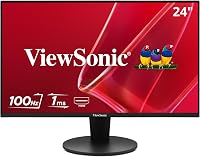
ViewSonic VS2447M 24 Inch 1080p Computer Monitor

ViewSonic vs Dell monitors: the quick verdict
Buy Dell for a work desk and ViewSonic for a budget multimedia screen. Dell's edge is the S2425HSM's four-way stand and TÜV 4-star eye comfort certification, which matter more than raw refresh rate for people who sit at a screen all day.
The ViewSonic VS2447M is not far behind. It brings a 120Hz variable refresh rate panel, dual 2W speakers and height adjustment, and its 3000:1 contrast ratio beats the Dell S2425HSM's 1500:1.
If you are weighing brands more broadly, our guide to whether Dell monitors are good for a home office covers the wider Dell range.
Where each brand puts its effort
Dell puts money into ergonomics and certification. The S2425HSM adjusts in four directions and carries a 4-star TÜV eye comfort rating, and even the cheaper SE2426H gets a 3-star rating.
ViewSonic puts money into the panel and audio. The VS2447M runs at 120Hz, includes two 2W speakers and adds VGA for older office PCs.
The 32-inch VX3276-MHD shows the same instinct: a big panel and three input types rather than a fancy stand.
The two brands side by side
Dell wins on the stand and eye comfort; ViewSonic wins on refresh rate and audio. The table below lines up the two 24-inch models that most people will actually compare.
| Product | Best for | Panel | Refresh rate | Stand | Our score |
|---|---|---|---|---|---|
| ViewSonic VS2447M 24 Inch 1080p Computer Monitor | speakers and smooth scrolling | IPS, 1920 x 1080 | 120Hz | Height adjustment | 9.6 |
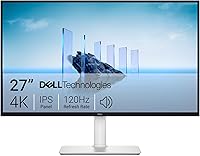
| Dell S2425HSM | all-day eye comfort | IPS-type LCD, 1920 x 1080 | 144Hz | Height, tilt, pivot, swivel | 8.4 |
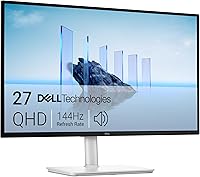
| Dell SE2426H | tight budgets | IPS, 1920 x 1080 | 144Hz | Tilt only | 8.0 |
| ViewSonic VX3276-MHD | a large screen on a budget | IPS, 1920 x 1080 | 75Hz | 6.9 |
The ViewSonic VS2447M lists a 120Hz variable refresh rate with 1ms MPRT and FreeSync. The Dell S2425HSM runs at 144Hz with 1ms MPRT and FreeSync too, so it is the faster panel on paper.
That speed gap matters less for office work than the stand. A monitor that only tilts forces you to stack books or buy an arm, while a height-adjustable stand lets you set the screen at eye level.
How the specs translate to daily use
Both screens sit at 1920 x 1080 on a 16:9 panel, so documents and browser windows look the same on either. Both list 300-nit brightness, so neither has a clear edge in a bright room.
The gap shows up in contrast. ViewSonic lists 3000:1 on the VS2447M and Dell lists 1500:1 on the S2425HSM, which gives the ViewSonic deeper blacks in a dark room.
The ViewSonic also lists 178-degree viewing angles for shared-screen viewing.
Size and weight on the desk
The ViewSonic VS2447M measures 21.2 inches wide and 6.2 pounds. The Dell S2425HSM measures 21.17 inches wide and 11.1 pounds, so it is the heavier of the two and sits deeper on the desk.
That weight comes with the sturdier four-way stand. If your desk is shallow or you move the monitor between rooms, the lighter ViewSonic is easier to handle.
If it stays put, the extra heft of the Dell is not a problem.
Which stand suits your desk?
The Dell S2425HSM wins here because it adjusts for height, tilt, pivot and swivel. That range covers most desk setups without extra hardware.
The ViewSonic VS2447M adjusts for height, which is the single most useful movement. It also has a 100 x 100mm VESA mount, so you can swap in an arm later.
The Dell SE2426H and ViewSonic VX3276-MHD only tilt. If you already own a monitor arm or a riser, that limitation costs you little.
If you don't, the S2425HSM is the safer buy.
Stand comparison at a glance
| Model | Height | Tilt | Pivot | Swivel | VESA |
|---|---|---|---|---|---|
| ViewSonic VS2447M | Yes | Yes | No | No | 100 x 100mm |
| Dell S2425HSM | Yes | Yes | Yes | Yes | Not listed |
| Dell SE2426H | No | Yes | No | No | Not listed |
| ViewSonic VX3276-MHD | No | Yes | No | No | Wall mount |
The S2425HSM's pivot matters if you read long documents or code in portrait. Swivel helps when two people share the screen or you swing it toward a sofa.
The mounting question
Only the ViewSonic VS2447M lists a clear VESA figure at 100 x 100mm. That matters if you plan to put the screen on an arm or a wall bracket, because the mount is the one part of a monitor you cannot change later.
The two Dell models here do not list a VESA pattern, so plan on using their own stands.
Which panel and refresh rate fits your work?
ViewSonic's VS2447M and both Dells hit 120Hz or 144Hz, while the 32-inch ViewSonic drops to 75Hz. Smooth motion helps with scrolling and video, not just gaming.
The Dell S2425HSM leads at 144Hz with a 1500:1 contrast ratio. The ViewSonic VS2447M follows at 120Hz with 3000:1, which gives it deeper blacks for movies.
The Dell SE2426H matches 144Hz but uses a 1000:1 contrast ratio. The ViewSonic VX3276-MHD runs at 75Hz and spreads 1080p across 32 inches, so text looks softer than on a 24-inch screen.
What the contrast figures mean in practice
Contrast ratio is the gap between the brightest white and the darkest black. The ViewSonic VS2447M's 3000:1 is the highest in this group, so dark scenes in films and games keep more detail.
The Dell SE2426H's 1000:1 suits bright office work but shows flatter blacks in a dim room. The S2425HSM's 1500:1 and the VX3276-MHD's 1200:1 sit in between.
Panel type and colour coverage
The ViewSonic VS2447M and Dell SE2426H both list IPS panels. The SE2426H lists 72 percent colour gamut coverage and the S2425HSM lists 99, so the S2425HSM covers more of the colour range.
None of these models targets photo or video editors, so treat them as everyday office panels rather than studio displays.
When 1080p starts to look soft
On a 24-inch screen, 1080p is sharp at normal desk distance. On the 32-inch VX3276-MHD, the same resolution covers far more area, so pixel edges become visible up close.
If you sit close and read a lot of text, stay at 24 inches for 1080p. If you lean back and watch video, the extra size is easier to live with.
Which brand does better eye comfort?
Dell wins on certification, while ViewSonic covers the basics without a TÜV rating. Eye comfort matters most when you stare at a screen for eight hours.
Dell's S2425HSM carries TÜV 4-star eye comfort certification and the SE2426H carries TÜV 3-star. Both reduce blue light while keeping color quality, according to Dell.
ViewSonic's VS2447M lists Flicker-Free and Low Blue Light, and the anti-glare surface cuts reflections. The VX3276-MHD adds the same two features plus ViewMode presets for text and web reading.
If sore eyes are your main complaint, the Dell certifications are the more concrete signal. If you just want less glare near a window, both brands handle that.
What the TÜV star ratings actually tell you
The star rating comes from TÜV Rheinland testing, and more stars mean stricter limits on blue light and flicker. A 4-star rating sits above a 3-star one, so the S2425HSM has the stronger claim on paper.
ViewSonic lists Flicker-Free and Low Blue Light without a third-party star count. That does not mean the screen is harsh.
It means you have less outside verification to lean on when you compare the two.
Which has the better ports and speakers?
ViewSonic wins on speakers and legacy ports; Dell keeps things simple with HDMI only. The right mix depends on what you plug in.
The ViewSonic VS2447M offers HDMI, VGA, audio in and audio out, plus dual 2W speakers. That VGA port matters if you still run an older office desktop.
The Dell S2425HSM includes dual 3W speakers and HDMI connectivity, and its 3W speakers are louder on paper than ViewSonic's 2W pair. The Dell SE2426H has no speakers and HDMI only.
Ports by model
| Model | HDMI | VGA | DisplayPort | Audio in/out | Speakers |
|---|---|---|---|---|---|
| ViewSonic VS2447M | Yes | Yes | No | Yes | Dual 2W |
| Dell S2425HSM | Yes | No | No | Not listed | Dual 3W |
| Dell SE2426H | Yes | No | No | Not listed | None |
| ViewSonic VX3276-MHD | Yes | Yes | Yes | Not listed | Not listed |
The ViewSonic VX3276-MHD is the only model here with DisplayPort. That helps if your laptop or dock prefers DisplayPort over HDMI.
If you take video calls at your desk, built-in speakers save you from buying a soundbar, and the S2425HSM's 3W pair is the stronger option on paper. Every model here includes an HDMI cable in the box.
The ViewSonic VS2447M's audio in and out ports let you feed sound from a source and pass it on to headphones.
For a dual-screen setup, check that your laptop or dock has enough HDMI outputs. Our guide to Acer vs Dell monitors covers how Dell's port choices compare with another common office brand.
Who should buy ViewSonic?
Buy ViewSonic when you want speakers, smooth scrolling and a height-adjustable stand at a budget tier. The VS2447M is the model to get.
It suits students, home office workers and casual gamers who want one screen to do a bit of everything. The 120Hz panel makes scrolling and video playback feel fluid, and the 2W speakers handle calls without extra gear.
Skip the ViewSonic VS2447M if you read in portrait or share your screen often. Its stand doesn't pivot or swivel, so the Dell S2425HSM is the better fit for those habits.
The ViewSonic VX3276-MHD only makes sense when desk width is free and you want a big screen for movies. Its 75Hz panel and soft 1080p at 32 inches keep it out of serious work setups.
ViewSonic vs Dell for gaming
For casual gaming, the VS2447M's 120Hz FreeSync panel is the ViewSonic pick. The Dell S2425HSM goes higher at 144Hz and adds pivot for portrait play, so it edges ahead if gaming shares the desk with work.
The VX3276-MHD's G-Sync Compatible listing and 75Hz panel suit slower games and video more than fast shooters.
Who should buy Dell?
Buy Dell when your desk setup changes through the day or you want certified eye comfort. The S2425HSM is the model for most people.
It suits anyone who shares a screen, switches between sitting and standing, or reads long documents in portrait. The four-way stand covers all of that without buying an arm.
The Dell SE2426H is the budget Dell. It keeps the 144Hz IPS panel and FreeSync but drops to a tilt-only stand and no speakers.
Pick it if you already have a riser or arm and want to save money. Our look at Dell vs Samsung monitors shows how Dell's stand and panel choices stack up against another big office name.
Dell vs ViewSonic for a shared desk
A shared desk favors the Dell S2425HSM because swivel and height adjustment let two people set their own position. ViewSonic's height-only stand is less flexible for two users.
Dell also pairs its monitors with Dell Display and Peripheral Manager, a single app for adjusting display settings across a Dell workspace. ViewSonic lists its ViewMode presets on the VX3276-MHD for switching between game, movie, web and text settings.
Dell also lists a 3-year limited warranty on the S2425HSM description, matching ViewSonic's 3-year coverage on its monitors.
Which brand wins overall?
Dell wins the ViewSonic vs Dell monitors comparison for most readers, and the S2425HSM is the model to buy. Its four-way stand and TÜV 4-star eye comfort certification make long desk days easier.
Choose the ViewSonic VS2447M instead if speakers, VGA and a smooth 120Hz panel matter more than a pivoting stand. It is the better fit for a budget multimedia desk.
The decision rule is simple: pick Dell when your screen position changes or your eyes tire, and pick ViewSonic when you want audio and motion without extra gear. For a broader brand check, our guide to whether ASUS is a good monitor brand helps you compare a third option before you commit.
Frequently asked questions
Is ViewSonic or Dell better for a home office?
Dell is the safer pick for a home office because the S2425HSM offers a four-way adjustable stand and TÜV 4-star eye comfort certification. ViewSonic's VS2447M is the better value when you want built-in speakers and a 120Hz panel for less money.
Do Dell monitors have better stands than ViewSonic?
On these models, yes. The Dell S2425HSM adjusts for height, tilt, pivot and swivel, while the ViewSonic VS2447M only offers height adjustment and the Dell SE2426H and ViewSonic VX3276-MHD only tilt.
A four-way stand matters if you share a desk or sit at different angles.
Can I use either brand as a second screen?
Both brands work as a second screen. ViewSonic's VS2447M has a 3-sided frameless bezel and 100 x 100mm mounting, and the Dell SE2426H has thin bezels that line up neatly in a dual setup.
Match resolution and refresh rate across both screens so windows move smoothly between them.
Which ViewSonic and Dell models have built-in speakers?
The ViewSonic VS2447M has dual 2W speakers and the Dell S2425HSM has dual 3W speakers. The Dell SE2426H and ViewSonic VX3276-MHD rely on external speakers or headphones, so plan for audio if you take calls at your desk.