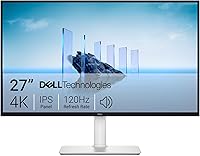
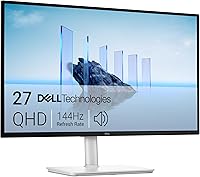
ASUS vs Dell Monitors: Which Brand to Buy? (November 2026)
Pick ASUS for color-critical creative work and Dell for a cheap, easy everyday screen. In this ASUS vs Dell monitor comparison, the ASUS ProArt PA278QV is the best all-round work monitor, while the Dell SE2426H wins on simplicity.
On this page (7 sections)
Pick ASUS for color-critical creative work and Dell for a cheap, easy everyday screen. In this ASUS vs Dell monitor comparison, the ASUS ProArt PA278QV is the best all-round work monitor, while the Dell SE2426H wins on simplicity.
Both brands cover a lot of ground. ASUS sells budget panels, gaming screens and professional displays under one name.
Dell builds business-focused monitors that are easy to set up and easy to live with.
The right ASUS vs Dell monitor choice depends on your desk, your tasks and how much screen sharpness you actually need. Below we compare three real models and explain who should buy each.


ASUS vs Dell monitors side by side
ASUS offers the sharper, more feature-heavy screens in this comparison; Dell offers the simplest and least expensive one. The ASUS TUF VG27AQ3A is a 27-inch QHD gaming monitor, the ASUS ProArt PA278QV is a 27-inch QHD creative display, and the Dell SE2426H is a 24-inch 1080p office screen.
| Feature | ASUS TUF VG27AQ3A | ASUS ProArt PA278QV | Dell SE2426H |
|---|---|---|---|
| Screen size | 27 in | 27 in | 23.8 in |
| Resolution | 2560 x 1440 | 2560 x 1440 | 1920 x 1080 |
| Panel | Fast IPS | IPS | IPS |
| Refresh rate | 180Hz | Not the focus | 144Hz |
| Color coverage | 130% sRGB | 100% sRGB, 100% Rec. 709 | 72% |
| Adaptive sync | FreeSync Premium, G-Sync compatible | FreeSync | FreeSync |
| Stand adjustment | Basic | Tilt, pivot, swivel, height | Tilt only |
| Speakers | Built-in | Built-in | Not included |
The table makes the split clear. Both ASUS models give you a 1440p panel at 27 inches, which is the sweet spot for sharp text and roomy windows.
The Dell keeps to 1080p at 23.8 inches and keeps the price down.
Our score weighs specs, features and how well each product fits what you're shopping for. The TUF model scores 9.6, the ProArt scores 8.1 and the Dell scores 8.
That ranking fits buyers who want one monitor for both work and play.
Look past the headline rows and the pattern holds. Every ASUS screen here pairs 1440p with a wide color claim and adaptive sync, while the Dell trades those extras for a smaller, cheaper panel.
The ASUS pair also ship with more in the box, and the Dell package is limited to the monitor, stand, power cable and a single HDMI cable. Neither approach is wrong.
The table simply shows two different sets of priorities, and your daily tasks decide which set you need.
Which panel and resolution suits your desk?
Go 1440p at 27 inches if you stare at text and spreadsheets all day; 1080p at 24 inches is fine for lighter use. Resolution is the single biggest difference between these ASUS and Dell monitors.
At 27 inches, a 2560 x 1440 panel packs in more pixels than a 1080p screen of the same size. Text looks crisper and you can keep two windows open without shrinking them.
The ASUS TUF VG27AQ3A and the ASUS ProArt PA278QV both use that 1440p resolution.
The Dell SE2426H runs 1920 x 1080 at 23.8 inches. At that size the pixel density is still comfortable for email, browsing and video calls.
It just can't match the extra desktop space of a 1440p panel.
Panel type matters too. All three use IPS technology, which gives wide viewing angles and consistent color when you look from the side.
The ASUS TUF model uses a Fast IPS panel with a 1ms response time, aimed at fast motion.
If your desk is shallow, a 24-inch screen sits more comfortably. On a deeper desk, a 27-inch 1440p monitor fills the view without forcing you to move your head much.
Measure the space before you order, since a 27-inch stand takes more room. The ASUS TUF unit uses a 100 x 100 mounting pattern, so you can move it onto an arm if the bundled stand is too wide for your desk.
Brightness and contrast separate the three as well. The Dell is rated at 300 nits with a 1,000:1 contrast ratio.
The ASUS TUF lists a 1000:1 contrast ratio and a high brightness figure, and its HDR-10 support is built to lift bright and dark areas in games and video. The ProArt stays at 350 nits and pairs its IPS panel with an anti-glare coating.
None of these screens is a TV replacement, but the ASUS pair handles mixed lighting and glare a little more comfortably in a bright room.
For a closer look at how ASUS compares as a brand, our guide on whether ASUS is a good monitor brand breaks down its budget, gaming and professional lines.
Which brand is better for color and creative work?
ASUS is the better pick for photo and video work among these models. The ASUS ProArt PA278QV is built around color accuracy, while the Dell SE2426H focuses on everyday comfort.
ASUS says the ProArt PA278QV is Calman Verified and rated Delta E under 2, with 100% sRGB and 100% Rec. 709 coverage.
Those figures target people editing photos and video who need colors to match across devices. A factory color report comes in the box.
The TUF VG27AQ3A covers 130% of the sRGB range, which makes colors pop for games and media. That wider gamut is not the same as calibrated accuracy, but it gives vivid results.
The Dell SE2426H covers 72% of the color range. That's normal for a budget office screen and fine for documents, spreadsheets and video calls.
It isn't aimed at color-critical editing.
If color accuracy decides your purchase, the ProArt model is the obvious ASUS pick. For a broader look at how Dell handles color and office use, read our piece on whether Dell monitors are good for a home office.
Creative work vs office work
Photo and video editing reward wide color coverage and a calibrated panel. The ProArt PA278QV fits that job better than either alternative here.
The bundled color pre-calibration report and the ProArt Preset and Palette controls let you tune brightness, color and black levels to match a project without buying separate calibration gear on day one.
Office work rewards comfort and clarity. The Dell's TÜV Rheinland 3-star eye comfort rating reduces blue light, and the ASUS TUF's flicker-free panel and blue light filter help during long sessions too.
The ProArt adds its own flicker-free backlight and blue light filter, so all three put some eye care on the table. The difference is that Dell leads with comfort as its main feature, while ASUS leads with color and speed.
How do the stands and ports compare?
The ASUS ProArt has the most adjustable stand and the widest port selection; the Dell keeps things simple. Setup and ergonomics often decide which monitor you keep using happily.
The ProArt PA278QV has a fully adjustable stand with tilt, pivot, swivel and height adjustment. You can raise it to eye level and turn it upright for long documents.
It also includes DisplayPort, HDMI, DVI-D and Mini DisplayPort inputs plus a USB hub, so a laptop, desktop and storage drive can share the screen. Four USB 3.2 Gen 1 Type-A ports sit on the hub, and the box includes an audio cable and both a DisplayPort cable and a DisplayPort-to-miniDP cable.
The ASUS TUF VG27AQ3A has HDMI and DisplayPort inputs and a 100 x 100 mounting option for an arm or wall bracket. Its built-in speakers mean you don't need separate speakers for basic audio.
The package includes a DisplayPort cable, a power adapter and cord, an L-shaped screwdriver and the warranty card.
The Dell SE2426H offers tilt adjustment only. If you want height adjustment, plan on a monitor arm or a stand riser.
It has HDMI connectivity and comes with an HDMI cable in the box. Its two component outputs cover a single HDMI path, so it is best treated as a one-cable screen.
A height-adjustable stand is worth more than most spec sheets suggest. It lets you keep the top of the screen near eye level, which reduces neck strain over a long day.
The ProArt wins that comparison clearly.
Warranty coverage differs as well. The ProArt includes three years standard plus two more with online registration, while the TUF and Dell carry standard warranty cards without the same extension.
For a screen you plan to keep for years, that longer coverage is a real tiebreaker.
If you're weighing Dell against another brand with more features, our Dell vs Samsung monitor comparison covers how the two approach panels and ports.
Which monitor is best for gaming and mixed use?
The ASUS TUF VG27AQ3A is the strongest gaming monitor here. Its 180Hz refresh rate and adaptive sync features make fast motion smoother than the other two screens.
The TUF model combines a 180Hz refresh rate with FreeSync Premium, G-Sync compatibility and AdaptiveSync. ELMB Sync lets low motion blur work alongside variable refresh rates, which helps cut ghosting and tearing in fast games.
HDR-10 support improves contrast in bright and dark scenes.
The Dell SE2426H also has a 144Hz refresh rate and 1ms MPRT, so it isn't slow. At 1080p, though, it shows fewer pixels than the ASUS 1440p panels.
For competitive gaming on a budget, that's a reasonable trade. Its FreeSync support covers variable refresh on compatible graphics cards.
The ProArt PA278QV includes FreeSync but isn't built around high refresh rates. Its strength is color and adjustability, not frame rates.
A buyer who edits during the week and games at the weekend will feel the gap in fast shooters.
For a single screen that covers work by day and games at night, the TUF VG27AQ3A is the easiest recommendation. The 1440p resolution keeps documents sharp and the 180Hz panel keeps games smooth.
If you also stream or record, the wider 130% sRGB coverage gives your footage more color than the Dell panel manages.
Who should buy ASUS and who should buy Dell?
Buy ASUS if you want sharper resolution or better color; buy Dell if you want a low-cost screen for basic tasks. Each brand has a clear buyer in this comparison.
Pick ASUS for mixed work and play
The ASUS TUF VG27AQ3A suits a home desk that sees spreadsheets, video calls and games. You get 1440p sharpness and a fast panel without buying two monitors.
The built-in speakers and the single-cable DisplayPort setup keep the desk simple.
Pick ASUS for creative projects
The ASUS ProArt PA278QV suits photographers, video editors and designers who need consistent color. The adjustable stand and USB hub help keep a tidy desk.
The bundled color report means you can start editing without guessing at the panel's calibration.
Pick Dell for a second screen or a tight budget
The Dell SE2426H suits a simple home office, a second display or a spare desk. At 24 inches and 1080p, it handles everyday tasks without stretching the budget.
Its thin bezels also make it a tidy partner beside a laptop. For more Dell alternatives at this end of the market, see our Acer vs Dell monitors comparison.
Verdict: which brand should you buy?
For most people, buy ASUS, and the TUF VG27AQ3A is the best ASUS vs Dell monitor pick overall. It gives you 1440p sharpness and a 180Hz panel for work and games, and it carries the highest score here at 9.6.
Choose the ASUS ProArt PA278QV if color accuracy for photo or video work matters more than refresh rate. Its 100% sRGB and Rec.
709 coverage, factory color report and four-way stand make it the more serious work tool. Choose the Dell SE2426H if you want a low-cost 1080p screen for email, browsing and calls.
The deciding factors are resolution, color needs and stand adjustment. Buy ASUS when you want more pixels or wider color coverage.
Buy Dell when a simple, affordable screen covers what you do. Either way, match the panel to your desk and your daily tasks before you order.
Frequently asked questions
Is ASUS or Dell better for a work monitor?
Dell is the easier buy for basic office work because its screens are simple and affordable. ASUS is better when you need sharper resolution, faster refresh rates or stronger color coverage, as the ASUS models here show.
Is ASUS a good monitor brand?
ASUS makes monitors across budget, gaming and professional lines, and its ProArt and TUF ranges cover very different buyers. Check the exact model's panel, resolution and ports rather than judging the whole brand.
Which is better for photo editing, ASUS or Dell?
ASUS is the stronger choice for photo editing among these models, since the ProArt PA278QV targets 100% sRGB and 100% Rec. 709 coverage with factory calibration claims.
The Dell SE2426H covers 72% of the color range and focuses on everyday use.
Is a 1440p ASUS monitor better than a 1080p Dell monitor for work?
A 1440p screen shows more detail and fits more content on screen, so the ASUS 1440p models suit long documents and detailed editing. The Dell SE2426H's 1080p panel is fine for email, browsing and video calls at 24 inches.
Do ASUS and Dell monitors include speakers?
The ASUS TUF VG27AQ3A includes built-in speakers, while the Dell SE2426H relies on your computer or separate speakers. Check each model's audio features before buying if you want sound without extra hardware.