Acer vs Dell Monitors: Which Brand to Buy? (November 2026)
Choose Dell for an office setup and Acer for a low-cost desk or a light gaming mix. In the Acer vs Dell monitors decision, Dell's stand adjustability and eye-comfort claims matter more at a desk, while Acer's panel specs suit tighter budgets.
On this page (8 sections)
Choose Dell for an office setup and Acer for a low-cost desk or a light gaming mix. In the Acer vs Dell monitors decision, Dell's stand adjustability and eye-comfort claims matter more at a desk, while Acer's panel specs suit tighter budgets.
Dell's desk range here gives you height, pivot and swivel adjustment plus TÜV eye-comfort certification. Acer answers with bigger panels and frameless bezels for less money.
The Dell SE2426H and both Acer models are 24-inch 1080p IPS screens with FreeSync, while only Acer offers a 27-inch option. The gap shows up in the stand, the speakers and how much screen you get for the money.
 Best for a big screen on a budget
Acer 27in FHD 1920x1080 IPS 120Hz Gaming

Acer vs Dell monitors: which brand fits your desk?
Dell fits a shared or long-session office desk; Acer fits a personal desk where screen size leads. The Acer vs Dell monitors choice starts with how much you will adjust the screen and how long you sit in front of it.
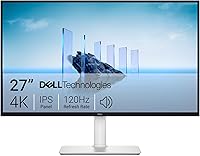
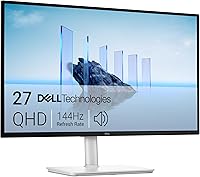
Dell's S2425HSM is the clear office pick of this group. It has a height-adjustable stand with tilt, pivot and swivel, two built-in 3W speakers and a 1500:1 contrast ratio.
Acer's KB272 G0bi is the pick when you want the most screen for your money. Its 27-inch IPS panel runs at 120Hz with FreeSync, but the stand only tilts.
What the two brands stand for
Dell leans toward workplace comfort. Its business monitors usually ship with ergonomic stands, eye-comfort certification and manageability software such as Dell Display and Peripheral Manager.
Acer leans toward reach. Its KB line packs high refresh rates and frameless designs into budget screens, often with only a basic tilt stand.
Neither brand is better in every case. The right pick depends on whether you will adjust height and pivot, or whether you just want a wide, smooth picture.
The two brands side by side
The table below lines up the four models in this comparison. Read across the rows to see where Dell spends its extra cost and where Acer spends its own.
| Product | Best for | Screen size | Resolution | Refresh rate | Our score |
|---|---|---|---|---|---|
| Acer 27in FHD 1920x1080 IPS 120Hz Gaming | a big screen on a budget | 27 in | 1920 x 1080 | 120Hz | 9.7 |
| Dell S2425HSM | long desk sessions | 23.8 in | 1920 x 1080 | 144Hz | 8.4 |
| Dell SE2426H | a simple second screen | 23.8 in | 1920 x 1080 | 144Hz | 8.0 |
| Acer KB242Y | a tight desk corner | 23.8 in | 1920 x 1080 | 120Hz | 7.3 |
The pattern is easy to spot. Dell puts money into the stand and eye comfort; Acer puts it into panel size and refresh rate.
Dell's two models top out at 23.8 inches. Acer's KB272 goes to 27 inches for a wider desktop.
One row worth pausing on is response time. The Dell pair lists 1ms MPRT, while the Acer pair lists 1ms VRB.
Both are fast-panel claims that make motion look cleaner than a standard office monitor, so neither brand gives up ground here.
Which stand will you actually adjust?
Dell wins on stand adjustment; Acer's models only tilt. If you sit for hours, the height and pivot adjustment in the S2425HSM is the single biggest comfort difference in this group.
The Dell S2425HSM adjusts for height, tilt, pivot and swivel. You can raise the screen to eye level and turn it upright for a document or a long page.
The Dell SE2426H, the Acer KB272 G0bi and the Acer KB242Y all tilt only. You set the angle but not the height, so the screen sits at whatever level the stand provides.
When height adjustment matters most
It matters when your desk and chair leave the screen above or below eye level. A fixed-height monitor pushes you to look up or down all day.
It matters less if you already use a monitor arm. The Acer KB272 G0bi and KB242Y both support wall mounting, so an arm can replace the stand and free the desk.
If you plan to mount either Acer screen, factor in the arm's weight rating. The KB272 G0bi weighs 4.99 kg, and the arm has to carry that plus the screen's leverage.
The KB242Y is lighter at 3.5 kg, so it suits smaller arms and lighter brackets.
The KB272's cabinet measures 24.07 inches wide and 8.27 inches deep, while the KB242Y is 21.21 inches wide and 4.53 inches deep. The deeper KB272 base needs more desk depth or a firmer arm.
Pivot and swivel for two-screen desks
Pivot is useful when you read long documents or code. Swivel helps when you share the screen with someone sitting beside you.
The Dell S2425HSM covers both. The SE2426H tilts only, so a second screen beside it sits at a fixed angle.
For a two-screen desk, pair models with the same size and resolution. A 24-inch and a 27-inch screen side by side make windows jump between sizes as your cursor moves across.
If one screen has to turn upright and the other stays flat, put the pivoting model on the document side and keep the tilt-only screen for the main view.
Which screen size suits your room?
Acer gives you 27 inches for a wide desktop; Dell stays at 24 inches for closer seating. Pick by viewing distance first, then by how much desk width you can spare.
The Acer KB272 G0bi is 27 inches across with a 1920 x 1080 resolution. That is fine for a desk where you sit about an arm's length away and mostly read documents and web pages.
The Dell S2425HSM and SE2426H, plus the Acer KB242Y, are 23.8 inches at the same resolution. Text looks a little sharper because the same number of pixels sits in a smaller space.
When 27 inches is the better size
Go 27 inches when you spread several windows across the screen. A spreadsheet on one side and a document on the other fit more comfortably.
Go 27 inches when the screen doubles as a video display across the room. The extra size helps at a distance.
Skip 27 inches if your desk is shallow. At 1080p, a 27-inch panel puts pixels further apart than a 24-inch one, so some people notice slightly softer text up close.
The KB272's pixel pitch is 0.311mm, against 0.275mm on the KB242Y, which is why the smaller screen reads a little tighter.
When 24 inches is the better size
Go 24 inches for a laptop-plus-monitor setup on a normal desk. The screen stays close enough that 1080p looks crisp.
Go 24 inches when you plan two screens. Two 23.8-inch monitors side by side fit most desks without pushing you back.
Go 24 inches when the monitor sits under a shelf or in a corner. The smaller cabinet leaves more room for speakers, a lamp or a notebook.
If size is the main question, our comparison of the Dell S2725QC vs Dell U2725QE shows how Dell handles bigger, higher-resolution panels.
Which brand is easier on the eyes?
Dell markets its eye comfort more openly, and both brands include blue-light and flicker features. The practical test is brightness against your room.
The Dell S2425HSM is TÜV-certified for eye comfort at 4-star level and lists anti-glare and flicker-free features. It runs at 300 nits.
The Dell SE2426H carries TÜV Rheinland 3-star eye comfort certification. It also runs at 300 nits and uses an IPS panel with 178-degree viewing angles.
Both Acer models list eye-protect technology and IPS panels at 250 nits. That is 50 nits dimmer than the Dell pair.
Brightness and glare in a real room
A brighter panel holds up better beside a window. At 300 nits, the Dell pair has more headroom before glare wins.
At 250 nits, the Acer pair suits a room with blinds or a desk away from direct sun. If you work facing a window, expect to control the light more carefully.
An anti-glare coating helps too. The Dell pair lists it; the Acer pair relies on the panel and your room lighting.
Blue light and long sessions
Dell's TÜV certification is a third-party check on blue-light reduction and flicker. It gives you a stated benchmark rather than a marketing phrase.
Acer's eye-protect mode does the same basic job. You turn it on in the monitor menu and accept a warmer color tone.
Neither feature replaces breaks from the screen. Stand up and look across the room now and then, whatever the certification says.
Which brand is better for color work?
None of these four models is a color-critical screen; Dell's SE2426H has the narrowest gamut of the group. If your work depends on accurate color, both brands push you to a higher line.
The Acer KB272 G0bi and KB242Y list a 99 percent color gamut. The Dell S2425HSM also lists 99 percent.
The Dell SE2426H lists a 72 percent color gamut. That covers everyday documents and web work but falls short for photo editing or print matching.
For design, photo or video work, look past both KB and SE lines. Dell's U series and Acer's pro-oriented ranges are the ones built for wide-gamut color.
If office color accuracy matters to you, our look at whether Dell monitors are good for a home office covers what the business lines offer.
How do the brands handle audio and ports?
Dell's S2425HSM is the only model here with built-in speakers, and all four keep connectivity simple. Plan your audio and cable setup before you choose.
The Dell S2425HSM has two 3W speakers built in. That covers video calls and casual listening without a separate soundbar.
The other three models have no built-in speakers. You will need speakers or headphones for calls and media.
Ports on each model
The Acer KB272 G0bi and KB242Y both list HDMI and VGA. VGA is useful for an older office PC or a projector-style setup.
The Dell S2425HSM and SE2426H list HDMI only. The S2425HSM ships with an HDMI 1.4 cable in the box; the SE2426H includes an HDMI cable too.
One HDMI port means one cable at a time. For a laptop and a desktop, plan a small HDMI switch or use the laptop's own screen when the desktop is running.
Cables and what comes in the box
Each of the four ships with an HDMI cable, a power cable and the stand. That keeps the first setup simple.
Check the cable length against your desk layout. The Dell S2425HSM includes a 1.80 m HDMI cable and the SE2426H a 1.8 m one.
If you run the monitor on an arm or a wall bracket, keep the cable routing in mind. A short cable plus a raised screen can leave the port under strain.
Which brand should you buy?
Buy Dell if the monitor sits at a desk you use every day; buy Acer if screen size matters more than stand comfort. The Acer vs Dell monitors answer changes with the room.
For most office desks, the Dell S2425HSM is the pick. Its height, tilt, pivot and swivel stand, built-in speakers and 4-star eye comfort make it the easier screen to sit behind for a full day.
The Acer KB272 G0bi is the pick for a big 27-inch screen on a budget. The frameless bezel and 120Hz panel suit a mixed desk and light gaming setup, and an arm fixes the tilt-only stand.
Pick Dell if you...
- Sit at the screen for most of the workday and want height and pivot adjustment.
- Want built-in speakers for calls without a separate soundbar.
- Plan two screens and want matching 24-inch panels with thin bezels.
Pick Acer if you...
- Want the widest screen your budget allows.
- Have a shallow desk or plan to mount the monitor on an arm.
- Mix office work with light gaming and value the refresh rate.
The final call
Start with the stand, not the badge. If you will adjust height and pivot every day, Dell earns its place.
If you just want a wide, smooth picture and will set the angle once, Acer gives you more screen for the money.
For the wider brand picture, our comparison of Dell vs Samsung monitors for work and our look at whether ASUS is a good monitor brand for office work cover the other names in this category. Read those before you settle on a brand for a full office refresh.
Frequently asked questions
Is Acer or Dell better for office work?
Dell is the better office brand overall, because its desk-focused models pair 144Hz panels with full stand adjustment and TÜV eye-comfort certification. Acer makes sense when screen size and a frameless look matter more than a height-adjustable stand.
Are Acer monitors good quality?
Acer's IPS panels are a solid value choice. The Acer KB272 G0bi and KB242Y both use IPS panels with FreeSync and 120Hz refresh, so text stays sharp and motion looks smooth.
Their tilt-only stands are the main compromise next to Dell's adjustable designs.
Do Dell monitors have better stands than Acer monitors?
In this comparison, yes. The Dell S2425HSM adjusts for height, tilt, pivot and swivel, while the Dell SE2426H and both Acer models only tilt.
That height adjustment is what lets you set the screen at eye level and avoid looking down all day.
Which brand is better for a dual-monitor desk?
Dell's thin-bezel SE2426H and the S2425HSM's pivot mode suit two-screen desks well. Acer's frameless KB242Y also works as a compact second screen.
Match panel size and resolution across both monitors so windows and text look consistent.
Can I mount an Acer monitor on an arm?
The Acer KB272 G0bi and KB242Y both support wall mounting, so a monitor arm or wall bracket can replace the stand. That solves the tilt-only stand limit and frees desk space.
Check the arm's weight rating against the monitor's weight before you buy.
Which is better for gaming, Acer or Dell?
Both brands cover gaming well in this group. Acer offers 120Hz and FreeSync on the KB272 and KB242Y, while the Dell S2425HSM and SE2426H push to 144Hz with FreeSync.
Pick by stand comfort and screen size rather than brand name alone.