Best 32 Inch Monitor for Home Office: Top 9 Picks (October 2026)
The best 32 inch monitors for a home office include the Dell S3225QS for an adjustable 4K desk, the Samsung ViewFinity S7 32 (S70H) for a 4K VA workspace, and the Samsung ViewFinity S7 32 (S71H) for a 4K IPS panel.
On this page (4 sections)
The Dell S3225QS is the best 32 inch monitor for most home offices because it combines 4K resolution with height and tilt adjustment. The Samsung ViewFinity S7 S71H is a strong alternative if you prefer an IPS panel, while the LG 32UR500K-B adds built-in stereo speakers.
A 32-inch screen gives you room for documents, spreadsheets and browser windows, but it takes up more desk space than a smaller display. For most office work, start by comparing resolution and viewing distance, then check the stand and ports.
If you are still deciding on screen size, read our guide to whether a 32-inch monitor is too big for office work and the comparison of 27 vs 32 inch monitors for work.
Our picks at a glance
-
1

-
2

-
3

Which 32 inch monitor is best for a home office?
The Dell S3225QS is our top pick for its 4K screen and adjustable stand, while the other choices fit different priorities such as IPS viewing angles, speakers or multiple inputs. Our score weighs specs, features and buyer feedback against what you're shopping for.
| Product | Best for | Resolution | Panel | Connections | Our score |
|---|---|---|---|---|---|
| Dell S3225QS | an adjustable 4K desk | 3840 x 2160 | VA | HDMI, DisplayPort | 8.6 |
| Samsung ViewFinity S7 32 (S70H) | a 4K VA workspace | 3840 x 2160 | VA | 8.3 | |
| Samsung ViewFinity S7 32 (S71H) | a 4K IPS panel | 3840 x 2160 | IPS | 8.0 | |
| LG 32UR500K-B | built-in stereo speakers | 3840 x 2160 | VA | HDMI, DisplayPort, headphone | 7.9 |
| ASUS VP327Q | wide viewing angles | 3840 x 2160 | IPS | 2 HDMI, DisplayPort | 7.7 |
| LG 32U701B-B | reading and screen layouts | 3840 x 2160 | VA | HDMI, DisplayPort 1.4 | 7.6 |
| Samsung 32 Flat (S32B304) | basic Full HD work | 1920 x 1080 | LCD | 7.2 | |
| Sceptre 32 4K | multiple video inputs | 3840 x 2160 | IPS | 2 HDMI, 2 DisplayPort | 7.0 |
| ViewSonic VX3276-MHD | a Full HD IPS screen | 1920 x 1080 | IPS | HDMI, DisplayPort, VGA | 6.9 |
The best 32 inch monitors for a home office
These 9 picks are listed from highest to lowest score. Choose the feature that solves a real desk need, and check that the monitor's footprint fits your work area.
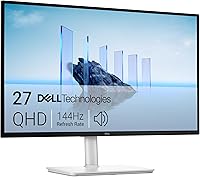
Dell S3225QS: Best for an adjustable 4K desk
- 32 in 4K UHD
- VA panel
- Height and tilt adjustment
- HDMI and DisplayPort
A 4K screen with height and tilt adjustment gives you room to set up a large desktop workspace. Built-in speakers and ComfortView Plus add practical extras.
Pros
- 4K UHD resolution
- Height and tilt adjustment
- Built-in speakers
Cons
- VA panel rather than IPS
- Stand depth is about 8.73 in
The Dell S3225QS is a good starting point if you want one large 4K display for daily office work. Its VA panel has a stated 1500:1 contrast ratio, and Dell lists 99% sRGB and 95% DCI-P3 coverage.
The stand supports height adjustment and tilt adjustment, so you can set the screen position around your chair and desk. HDMI and DisplayPort cover common desktop and laptop connections, while built-in speakers can handle basic audio without separate desk speakers.
Dell says ComfortView Plus reduces blue light emissions to 35% or less without sacrificing color accuracy. The monitor also supports FreeSync Premium up to 120 Hz, which may matter if you use the same screen for games after work.
At 28.05 in wide and 8.73 in deep, it needs a substantial desk area. Measure available width and depth before choosing a 32-inch display.
Samsung ViewFinity S7 32 (S70H): Best for a 4K VA workspace
- 32 in 4K UHD
- VA panel
- Eye Saver Mode
- HDMI and DisplayPort
This ViewFinity model pairs 4K resolution with a VA panel and Samsung Display Manager tools for split screen, KVM and picture adjustments.
Pros
- 4K UHD resolution
- Eye Saver Mode
- Samsung Display Manager tools
Cons
- 60 Hz refresh rate
- No stand adjustment details provided
The Samsung ViewFinity S7 S70H suits a desk where you want 4K resolution and a VA panel. Its listed contrast ratio is 3000:1, and the 60 Hz refresh rate is a straightforward fit for regular office tasks.
Samsung Display Manager provides access to split-screen setup, brightness adjustment, KVM and picture-in-picture or picture-by-picture controls. Those tools may be useful if you switch between devices or want to arrange windows across the screen.
Eye Saver Mode reduces blue light, and the monitor includes HDMI and DisplayPort. Its stated dimensions are about 28.21 in wide and 7.88 in deep, so check whether the base and screen fit comfortably on your desk.
Choose this version for its VA panel and Samsung's on-screen work tools. If viewing angles are your priority, compare it with the IPS S71H below.
Samsung ViewFinity S7 32 (S71H): Best for a 4K IPS panel
- 32 in 4K UHD
- IPS panel
- Eye Saver Mode
- HDMI and DisplayPort
Choose this version if you want a 4K IPS panel with a stated 178-degree viewing angle. Eye Saver Mode and HDMI and DisplayPort support round out the work setup.
Pros
- 4K UHD IPS panel
- 178-degree viewing angle
- Eye Saver Mode
Cons
- 60 Hz refresh rate
- No stand adjustment details provided
The Samsung ViewFinity S7 S71H is the IPS option in this Samsung pair. Its stated 178-degree viewing angle can help when you view the screen from different positions or share it with someone beside you.
The 4K UHD display has a 60 Hz refresh rate, HDR10 and HDMI and DisplayPort connections. Samsung also includes Eye Saver Mode, which reduces blue light and prevents screen flickering.
The S71H measures about 28.2 in wide and 9.59 in deep. That depth is worth checking if your desk is shallow or you plan to use a monitor arm.
Pick the S71H when you prefer an IPS panel and wide viewing angles. For more on the resolution tradeoff, see our guide to whether 1440p is worth it over 1080p for office work.
LG 32UR500K-B: Best for built-in stereo speakers

- 32 in 4K UHD
- VA panel
- Built-in stereo speakers
- OnScreen Control
The 4K VA screen includes built-in stereo speakers and OnScreen Control for workspace splitting and basic settings. Its stand adjusts for tilt.
Pros
- 4K UHD resolution
- Built-in stereo speakers
- Tilt adjustment
Cons
- No height adjustment details provided
- OnScreen Control requires software installation
The LG 32UR500K-B is a practical choice if you want built-in sound with a 4K screen. It has two stereo speakers with Waves MaxxAudio, and OnScreen Control can split the display or adjust basic monitor settings after you install the software.
Its VA panel supports 4K UHD resolution and HDR10. LG also lists up to 90% DCI-P3 color gamut expression, which gives you a concrete color figure to compare with other screens.
The stand adjusts for tilt, and the available connections include two HDMI ports, DisplayPort and a headphone connection. Its dimensions are about 28.1 in wide and 8.8 in deep.
Choose this LG when speakers and tilt matter more than a height-adjustable stand. If you need the screen at a specific eye level, plan for a riser or a compatible mounting setup.
ASUS VP327Q: Best for wide viewing angles

- 31.5 in 4K UHD
- IPS panel
- 178-degree viewing angle
- Dual HDMI and DisplayPort
This 31.5-inch IPS monitor offers a stated 178-degree viewing angle, dual HDMI ports, DisplayPort and built-in speakers.
Pros
- 4K UHD IPS panel
- Dual HDMI ports
- Built-in speakers
Cons
- No height adjustment details provided
- Stand dimensions need desk planning
The ASUS VP327Q is a 31.5-inch 4K monitor with an IPS panel and a stated 178-degree viewing angle. It pairs that panel with HDR10 and 99% sRGB coverage, giving you a clear set of specifications to compare for mixed office and creative work.
Dual HDMI ports and DisplayPort let you connect more than one source. The monitor also has built-in stereo speakers, flicker-free technology and low blue light filters.
The product information gives no height-adjustment detail, so check the included stand's range if positioning is important to you. Its listed dimensions are unusual, with a 28.1 in depth figure, so verify the measurements and setup requirements before ordering.
This is a reasonable option if you want IPS viewing angles and multiple inputs. Consider the Samsung S71H as well if desk depth and screen placement are key factors.
LG 32U701B-B: Best for reading and screen layouts

- 32 in 4K UHD
- VA panel
- Reader Mode
- LG Switch screen layouts
Reader Mode adjusts tones and brightness for reading, while LG Switch supports screen layouts and desktop controls. The stand tilts for positioning.
Pros
- 4K UHD resolution
- Reader Mode
- Tilt adjustment
Cons
- No built-in speakers specified
- No height adjustment details provided
The LG 32U701B-B combines a 4K VA panel with features aimed at reading and arranging desktop work. Reader Mode shifts the screen to warmer tones and optimized brightness, while LG Switch supports up to 11 split-screen layouts.
The monitor has HDMI and DisplayPort 1.4 connections, HDR10 and up to 99% sRGB coverage. Its stand adjusts for tilt, and Flicker Safe is intended to minimize invisible screen flicker.
At about 28.1 in wide and 10.1 in deep, it calls for a desk with room behind the screen. The product information does not specify built-in speakers, so plan separate audio if you need sound.
Choose this model if screen layouts and reading controls appeal to you. For a 4K option with built-in speakers, compare the LG 32UR500K-B.
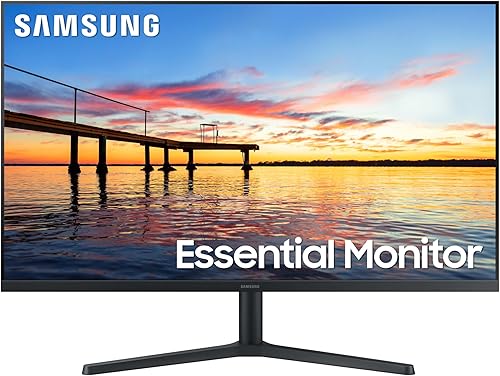
Samsung 32 Flat (S32B304): Best for basic Full HD work
- 32 in Full HD
- 75 Hz refresh rate
- Eye Saver Mode
- HDMI and DisplayPort
A basic 32-inch Full HD screen with a 75 Hz refresh rate, Eye Saver Mode and Flicker Free. Its lower resolution means less detail than the 4K picks.
Pros
- 75 Hz refresh rate
- Eye Saver Mode
- HDMI and DisplayPort
Cons
- Full HD resolution on a 32 in screen
- No stand adjustment details provided
The Samsung 32 Flat S32B304 is the basic Full HD choice in this group. Its 1920 x 1080 resolution has fewer pixels than the 4K monitors above, so fine text and small details may look less sharp across a 32-inch screen.
It supports a 75 Hz refresh rate, AMD FreeSync, Flicker Free and Eye Saver Mode. HDMI and DisplayPort make it suitable for common desktop and laptop connections.
The three-sided borderless design can suit a multi-monitor setup, but this is still a large Full HD display. Choose it when basic resolution is enough for your tasks and the screen size matters more than fine detail.
If you are choosing between Full HD and a sharper option, read our guide to 1440p versus 1080p for office work.
Sceptre 32 4K: Best for multiple video inputs

- 32 in 4K UHD
- IPS panel
- 2 HDMI and 2 DisplayPort
- Built-in speakers
This 4K IPS monitor has two HDMI and two DisplayPort inputs, plus built-in speakers. Its VESA mount pattern gives you another placement option.
Pros
- 4K UHD resolution
- Four video inputs
- Built-in speakers
Cons
- No stand adjustment details provided
- Brightness controls may need setup
The Sceptre 32 4K is useful if your desk setup needs several video inputs. It has two HDMI and two DisplayPort connections, a 4K IPS panel and built-in speakers.
Its stated refresh rate is up to 70 Hz, and the monitor includes blue light shift and flicker-free features. A 100 x 100 mm VESA mount pattern gives you the option to use a compatible wall mount or monitor arm.
The data gives no height or tilt adjustment details for the stand, so check how you plan to position it. The stated width is 24.19 in, which differs from many other 32-inch models here; confirm the physical dimensions for your setup.
Choose it for its port selection and 4K resolution. Compare the stand and connection needs with the ASUS VP327Q before deciding.
ViewSonic VX3276-MHD: Best for a Full HD IPS screen

- 32 in Full HD
- IPS panel
- 75 Hz refresh rate
- HDMI, DisplayPort and VGA
This Full HD IPS screen offers three connection types and ViewMode presets for tasks such as text, web and movies. Flicker-Free and a Blue Light Filter are included.
Pros
- IPS panel
- HDMI, DisplayPort and VGA
- 75 Hz refresh rate
Cons
- Full HD resolution on a 32 in screen
- No height adjustment details provided
The ViewSonic VX3276-MHD is a 32-inch Full HD IPS monitor with a 75 Hz refresh rate. Its ViewMode presets include options for text, web, movies, games and monochrome content.
HDMI, DisplayPort and VGA give it a broad mix of connections, while Flicker-Free and a Blue Light Filter are included for viewing comfort. The slim bezel design may also suit a two-screen desk, although the display still has Full HD resolution.
For office work with small text, compare its 1920 x 1080 resolution with the 4K options above. Our guide to 27 vs 32 inch monitors for work can also help you decide whether a larger Full HD screen fits your needs.
What should you check before choosing a 32 inch office monitor?
For a 32-inch work monitor, prioritize resolution, desk depth, viewing angle and stand adjustment. Those details affect daily use more directly than extra gaming features if your main tasks are documents, spreadsheets and video calls.
Is 4K a good resolution for a 32 inch monitor?
4K is a strong fit for a 32-inch screen if you want sharper text and more detail than Full HD. The Dell S3225QS, Samsung S7 models, LG 32UR500K-B, ASUS VP327Q, LG 32U701B-B and Sceptre 32 4K all offer 3840 x 2160 resolution.
Full HD models can still work for basic tasks, but they spread fewer pixels over the same screen size. If you want a middle option, compare the tradeoffs in our 1440p monitor guide.
How much desk depth does a 32 inch monitor need?
A 32-inch monitor needs enough depth for the stand, a comfortable viewing distance and your keyboard or other desk gear. The models here list depths from about 7.88 in to 10.1 in, though the ViewSonic dimensions are presented in a different order.
Measure your actual desk and check the monitor dimensions before buying. A monitor arm can change the footprint, but confirm mount compatibility and leave room to adjust the screen.
Does panel type matter for office work?
Panel type matters most when you view the screen from an angle or share it with someone nearby. The ASUS VP327Q and Samsung S71H list IPS panels and 178-degree viewing angles, while several other 4K models use VA panels.
Use panel type as one part of the decision. Resolution, stand position, ports and the way you arrange windows also shape how useful a monitor feels for work.
Should a 32 inch monitor have an adjustable stand?
An adjustable stand helps you set screen height and angle without adding separate desk gear. The Dell S3225QS offers height and tilt adjustment, while the LG 32UR500K-B and LG 32U701B-B specify tilt adjustment.
Several models do not provide stand adjustment details in the information here. If you need a specific screen height, check the stand range or plan for a compatible mount before you choose.
Which 32 inch monitor should you choose for your home office?
Choose the Dell S3225QS for a 4K display with height and tilt adjustment, the Samsung S71H for an IPS panel and wide viewing angle, or the LG 32UR500K-B if built-in speakers are useful. For a basic Full HD screen, compare the Samsung S32B304 and ViewSonic VX3276-MHD, and weigh their lower resolution against your text and detail needs.
For a smaller desk, use our 24-inch home office monitor guide to compare a more compact screen size.
Our top 3 picks at a glance
-
1
-
2
-
3
Frequently asked questions
Is a 32-inch monitor good for a home office?
A 32-inch monitor can suit a home office if your desk has enough depth and you want a large single screen. At this size, 4K gives more detail than Full HD, which can matter for text and several open windows.
Measure your desk and viewing distance before choosing.
Is 4K worth it on a 32-inch monitor?
4K is a useful fit for many 32-inch work monitors because it packs more pixels into the same screen area than Full HD. That can make text and fine details look sharper, though you may need to adjust scaling for comfortable reading.
Compare your operating system's scaling options before buying.
Should you choose an IPS or VA 32-inch monitor?
Choose IPS if you value the wide viewing angles stated for models such as the Samsung S71H and ASUS VP327Q. VA models here include the Dell S3225QS and Samsung S70H.
Panel type is one factor; resolution, desk fit, connections and stand adjustment also affect the choice.
Is a 32-inch Full HD monitor sharp enough for office work?
A 32-inch Full HD monitor can handle basic office tasks, but it has fewer pixels than a 4K screen of the same size. That means text and fine details may look less sharp at a typical desk distance.
Compare it with our guide to 1440p versus 1080p for office work if you want a middle ground.