27 vs 32 Inch Monitor for Office Work: Which Is Better? (October 2026)
Choose a 27 inch monitor for a closer desk setup and a 32 inch monitor for a larger view from farther back. For office work, desk depth, screen scaling and the way you arrange windows matter as much as screen size.
On this page (6 sections)
- 27 vs 32 inch monitor for work: which size fits your desk?
- Does a 27 or 32 inch 4K screen show sharper text?
- Which size works better for documents and side-by-side windows?
- What stand adjustment should you consider?
- Which 27 inch or 32 inch monitor should you choose?
- How do you make the final size choice?
Choose a 27 inch monitor for a closer desk setup and a 32 inch monitor for a larger view from farther back. For a 27 vs 32 inch monitor for work, desk depth, screen scaling and the way you arrange windows matter as much as screen size.
Both sizes can offer 4K resolution. A 27 inch 4K screen packs the same resolution into a smaller area, while a 32 inch 4K screen makes that workspace larger on your desk.
The right choice depends on whether you want dense detail at a closer distance or a bigger view with more room for documents. Measure the space and consider your usual text size before choosing.

27 vs 32 inch monitor for work: which size fits your desk?
A 27 inch monitor usually suits a desk where you sit closer; a 32 inch monitor needs more room across the desk and in front of it. Check the monitor’s width and stand depth against your usable desk area.
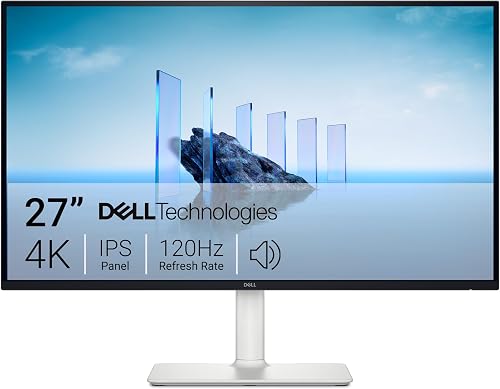
The Dell S2725QS measures 24.08 inches wide and 7.89 inches deep. The Dell S3225QS measures 28.05 inches wide and 8.73 inches deep, so it takes up more room even before you account for cables or nearby items.
Samsung’s ViewFinity S7 32 is 28.21 inches wide and 7.88 inches deep. Those measurements describe the monitor with its stand, so check how the full footprint fits alongside your keyboard and laptop.
Try marking the width on your desk with paper or painter’s tape. Sit where you normally work and see whether the screen leaves enough room for your hands, notes and other equipment.
For more room-planning advice, read our guide to choosing a monitor for a home office. If you’re weighing only the larger size, our guide on whether a 32 inch monitor is too big for office work goes deeper on fit and placement.
Does a 27 or 32 inch 4K screen show sharper text?
A 27 inch 4K monitor has denser pixels than a 32 inch 4K monitor with the same resolution. That can make fine details look tighter, while the larger screen makes each part of the workspace physically bigger.
The Dell S2725QS, Dell S3225QS and Samsung ViewFinity S7 32 all have a resolution of 3840 x 2160. The difference is how that fixed pixel count is spread across the screen.
At the same display scaling, a 27 inch screen may show smaller interface elements than a 32 inch screen. You can adjust scaling in your computer’s display settings to make text and controls larger, though that changes how much content fits on screen.
If your main question is text clarity, our guide to 1080p on a 27 inch monitor explains why resolution and screen size should be considered together. For another resolution comparison, see whether 1440p is worth it over 1080p for office work.
27 vs 32 inch monitor for work and spreadsheets
A 32 inch screen gives spreadsheet cells and multiple windows more physical space. It can make a wide workbook easier to view without arranging everything in a narrow column.
A 27 inch 4K screen can still show a detailed spreadsheet, but you may prefer adjusted scaling if menus and cell text look too small at your normal seat distance. Think about the size of the text you need to read before deciding that more screen area is the answer.
For a closer look at workbook layouts and features, read our guide to the best monitors for spreadsheets and Excel. It can help you decide whether one larger screen suits your workflow better than using two displays.
Which size works better for documents and side-by-side windows?
Choose 32 inches when you want more physical room for windows; choose 27 inches when you want a smaller screen that still has 4K detail. The best fit depends on the number of documents you keep visible and how far you sit from the screen.
A larger display can make it easier to place a document beside a browser or reference sheet. But more space does not automatically mean a better layout: small text, crowded windows or a screen that fills your view can still slow down your work.
With either size, try your actual work layout before you buy. Arrange the windows you use most, then check whether you can read them without leaning forward or moving your head from side to side.
If you often work across multiple displays, our guide to setting up dual monitors with a laptop covers a different way to expand your workspace. A single 32 inch monitor may be simpler if you want one large canvas without a second stand and another display connection to manage.
What stand adjustment should you consider?
Choose a stand that lets you place the screen at a comfortable height and angle. The Dell 27 offers height, pivot, swivel and tilt adjustment; both the Dell 32 and Samsung 32 list height and tilt adjustment.
A screen that sits too low may encourage you to look down, while one that is too high can feel awkward during long sessions. Adjustability makes it easier to place the monitor around your chair, desk and viewing position.
The Dell S2725QS also supports pivot adjustment, which lets you turn the screen into portrait orientation. That can help when you regularly read long documents, although a 27 inch screen is easier to turn in a tight space than a wider 32 inch display.
The Samsung S70H has a wider viewing angle of 178 degrees, according to its product details. That can help when you view the screen from different positions, but it doesn’t replace choosing a size that fits your normal seat.
Which 27 inch or 32 inch monitor should you choose?
Pick the Dell S2725QS if you want a 27 inch 4K IPS screen with more stand adjustment; pick a 32 inch model if you prefer a larger view. Between the two 32 inch options, the Dell lists height and tilt adjustment, while Samsung adds its Display Manager features.
The 27 inch Dell is the more flexible fit if your desk is compact or you want portrait rotation. The two 32 inch monitors are options when you want more screen area, but plan for the greater width and choose based on the adjustment and software features you need.
How do you make the final size choice?
Measure your desk, choose a comfortable viewing distance, then decide how much physical screen area you need. Don’t pick by diagonal size alone.
Choose 27 inches if you sit close, have limited desk width or prefer a compact 4K screen. Choose 32 inches if you have room to sit farther back and want documents or windows to appear larger.
If you’re unsure, consider how much you currently zoom in or move between windows. A 32 inch screen may help when you routinely keep several items visible, while 27 inches may feel more natural if your work is mostly one document at a time.
For a general overview of screen sizes, sharpness and desk fit, visit the size and sharpness guide. If you already know you want the larger size, compare options in our guide to 32 inch monitors for a home office.
Frequently asked questions
Is a 27 inch or 32 inch monitor better for office work?
A 27 inch monitor often fits a closer viewing position and a smaller desk, while a 32 inch model gives more physical room for documents and side-by-side windows. Choose based on your desk depth, viewing distance and preferred text size; both sizes can have 4K resolution.
Does a 32 inch 4K monitor look sharper than a 27 inch 4K monitor?
A 27 inch 4K screen has more pixels per inch than a 32 inch 4K screen, so small details can look denser at the same scaling. The 32 inch screen makes the same resolution physically larger, which may make text and controls easier to view without changing the resolution.
How far should you sit from a 32 inch monitor?
There isn't one ideal distance for every person or desk. Start with the monitor far enough back that you can view the whole screen without turning your head, then adjust text scaling and placement for comfortable reading.
Check the monitor's manual for setup and viewing guidance.
Is a 32 inch monitor too big for a desk?
A 32 inch monitor can fit a desk if its width, stand depth and viewing distance leave room for your other equipment. Measure the usable surface and compare it with the monitor's dimensions, then allow space for the stand, keyboard and any speakers or laptop.