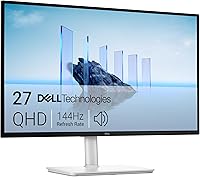
How to Clean a Monitor Screen Without Streaks
Turn off and unplug the monitor, then wipe it gently with a clean, dry microfiber cloth. If marks remain, use a cleaner made for screens on the cloth, never spray liquid directly onto the display.
On this page (8 sections)
- What should you do before cleaning a monitor screen?
- How do you clean a monitor screen step by step?
- How do you avoid streaks and screen damage?
- Can you use screen wipes or a spray cleaner?
- What should you avoid when cleaning a monitor?
- How often should you clean a monitor?
- Does the monitor's setup affect screen care?
- What's the safest way to clean a monitor without streaks?
To clean a monitor screen without streaks, turn it off, remove loose dust with a clean microfiber cloth, and use screen-safe cleaner only when needed. Apply the cleaner to the cloth, not the display, and follow your monitor maker's care instructions.
A dry wipe is usually enough for dust. Fingerprints may need a small amount of screen cleaner and a second pass with a dry part of the cloth.
What should you do before cleaning a monitor screen?
Turn off and unplug the monitor, then let the screen cool. A dark display makes smudges easier to see, while unplugging helps keep liquid away from powered connections.
Check the monitor manual for cleaning instructions, especially if the screen has an anti-glare or other special coating. If its maker advises against liquid cleaners, follow that guidance.
Move the keyboard, papers, and drinks away from the monitor. Keep cleaning liquid clear of the bezel, buttons, vents, and ports.
How do you clean a monitor screen step by step?
Start with a dry microfiber cloth and use light pressure. Work across the screen in gentle strokes, then inspect it from a few angles before deciding whether it needs more.
- Turn off and unplug the monitor.
- Use a clean, dry microfiber cloth to lift loose dust.
- If smudges remain, check the manual and cleaner instructions.
- Put a small amount of approved cleaner on the cloth.
- Wipe gently, then buff with a dry part of the cloth.
Don't press hard or scrub one spot. If a mark doesn't lift, stop and check the monitor's care guidance before trying another method.
How do you avoid streaks and screen damage?
Use a clean cloth, minimal liquid, and light pressure. Too much cleaner can leave residue, and a dirty or rough cloth can spread grit across the screen.
Avoid paper towels, tissues, rough fabric, and abrasive pads. Don't use household glass cleaner, alcohol, ammonia, or other chemicals unless the monitor maker specifically approves them for that screen.
Never spray cleaner directly onto the monitor. Liquid can run into the edges or openings, so apply it to the cloth and keep the cloth damp rather than wet.
For a kit with a microfiber cloth and a spray bottle, consider {{product B082XJJ8DS | A screen-cleaning kit with a microfiber cloth and spray bottle for applying cleaner to the cloth.}} Use it only if its instructions and your monitor's manual are compatible.
Can you use screen wipes or a spray cleaner?
Yes, if both the monitor maker and cleaner instructions allow that type of cleaning. Follow the directions for how to apply the cleaner, and keep moisture away from screen edges and openings.
A spray-and-cloth kit gives you control over where the cleaner goes. {{product B076HFYGLR | A refillable screen-cleaner kit with a microfiber cloth for readers who prefer a spray and wipe routine.}}
Pre-moistened wipes can be convenient for occasional cleaning, but don't let liquid collect at the edges. {{product B00RBQ0524 | Pre-moistened electronics wipes offer a ready-to-use option for removing dust and smudges.}}
Use a fresh, clean cloth or wipe for each pass. If a wipe feels dry, gritty, or dirty, stop rather than dragging it over the display.
What should you avoid when cleaning a monitor?
Avoid direct sprays, abrasive materials, excess pressure, and unapproved chemicals. These can leave residue or damage the screen surface or coating.
Don't use a vacuum nozzle or compressed air close to the screen unless the manufacturer recommends it. Keep liquid away from the monitor's openings, and don't clean while the display is powered on.
If a spot appears to be inside the panel or won't come off with the approved method, don't scrape or pick at it. Check the manual or contact the monitor maker for advice.
How often should you clean a monitor?
Clean it when dust and smudges become visible or distracting. A routine dusting with a clean, dry microfiber cloth can handle everyday buildup without adding cleaner each time.
Wash or replace cloths when they collect dust or feel dirty, and follow their care instructions. Keep food, drinks, and dusty objects away from the display to reduce the need for frequent wiping.
Cleaning won't fix a display problem such as a stuck pixel or uneven brightness. If you're considering whether a monitor is nearing the end of its useful life, see how long computer monitors last.
Does the monitor's setup affect screen care?
A stable setup helps keep hands, dust, and accidental spills away from the display. Leave room to reach the screen without leaning over it, and avoid placing drinks where they can spill onto the monitor.
If your monitor sits beside a laptop, plan cable and desk space so cleaning doesn't pull on connections. Our guide to the best computer monitor for a home office covers display choices for different desk setups.
Built-in speakers don't change how you should clean the panel, but they may affect where controls and openings sit. See monitors with built-in speakers for work if you want to compare that setup feature.
What's the safest way to clean a monitor without streaks?
Use a clean, dry microfiber cloth first, then add only a little approved cleaner to the cloth if needed. Keep liquids away from the display's edges and openings, and follow the monitor's manual.
Choose a spray kit if you want to apply cleaner yourself, a refillable kit if you prefer that format, or pre-moistened wipes for occasional convenience. If the manual calls for dry cleaning only, skip liquid and stick to its instructions.
Frequently asked questions
Can I use glass cleaner on a monitor screen?
Use only a cleaner that its manufacturer says is safe for your monitor's screen and coating. General household glass cleaners may contain ingredients unsuitable for displays.
Check the monitor manual, apply any approved liquid to a microfiber cloth, and keep it away from openings.
Should I spray cleaner directly on a monitor?
No. Apply screen cleaner to a microfiber cloth, following the cleaner and monitor instructions, then wipe the display lightly.
Direct spraying can let liquid run into the bezel, ports, or controls.
How do I remove streaks from a monitor?
Use a clean, dry microfiber cloth to buff streaks with light pressure. If residue remains, check that the cleaner is approved for the display, use less of it on the cloth, and finish with a dry section.
How often should I clean my monitor screen?
Clean your monitor when dust or fingerprints interfere with viewing, rather than on a fixed schedule. Frequent wiping can add wear or spread grit, so remove loose dust gently and use cleaner only when a dry cloth is not enough.