9 Best Monitors With Built-In Speakers for Work (October 2026)
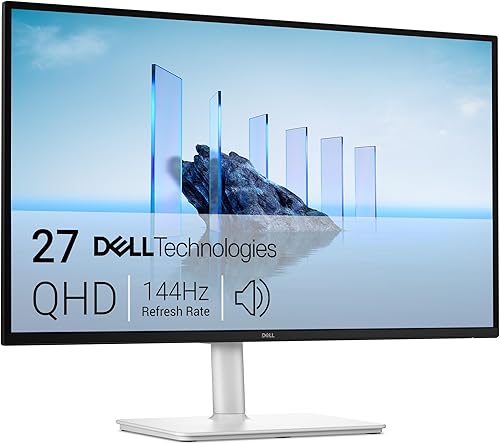
The best monitors with built-in speakers for work include the Dell S2725DSM for an adjustable QHD desk, the Dell S2725DC for a USB-C laptop desk, and the Dell S2425HSM for a smaller Full HD desk.
On this page (6 sections)
The Dell S2725DSM is the best monitor with speakers for most work desks, with a 27-inch QHD screen, dual 3W speakers and a stand that adjusts in four ways. Choose the S2725DC for USB-C power delivery, or the LG 27UP850K-W for 4K resolution and a wider set of ports.
Built-in speakers keep calls and everyday audio on the desk without a separate speaker pair. They suit simple office tasks, but check speaker power and your expected listening distance if sound quality is a priority.
For more help choosing a screen size and resolution, see our plain guide to monitors for a home office. If you're comparing larger displays, our 32-inch monitor guide covers desk space and screen size.
Our picks at a glance
-
1
-
2
-
3

How we chose monitors with built-in speakers
We compared the listed screen size, resolution, speaker details, connections and stand adjustments against common work desk needs. Our score weighs specs, features and buyer feedback against what you're shopping for.
Speaker power is stated for some models and not others, so the picks with clear wattage are easier to compare on that point. Built-in speakers are best treated as a convenience feature unless the power and your listening needs line up.
| Product | Best for | Screen | Speakers | Connections | Our score |
|---|---|---|---|---|---|
| Dell S2725DSM | an adjustable QHD desk | 27 in, 2560 x 1440 | Dual 3W | HDMI, DisplayPort | 8.8 |
| Dell S2725DC | a USB-C laptop desk | 27 in, 2560 x 1440 | Dual 3W | USB-C, HDMI, DisplayPort, USB-A | 8.5 |
| Dell S2425HSM | a smaller Full HD desk | 23.8 in, 1920 x 1080 | Dual 3W | HDMI | 8.4 |
| LG 27UP850K-W | 4K and broad connections | 27 in, 3840 x 2160 | Built-in stereo with Waves MaxxAudio | USB-C, DisplayPort, two HDMI, two USB 3.0 | 8.3 |
| LG 32UR500K-B | a large 4K screen | 32 in, 3840 x 2160 | Built-in stereo with Waves MaxxAudio | HDMI, DisplayPort | 7.9 |
| ASUS VP327Q | 32-inch 4K with IPS | 31.5 in, 3840 x 2160 | Integrated stereo | Dual HDMI, DisplayPort | 7.7 |
| ASUS VA27AQ | QHD and 2W stereo audio | 27 in, 2560 x 1440 | 2W stereo | HDMI, DisplayPort, VGA | 7.4 |
| Sceptre 27 Curved | a curved Full HD screen | 27 in, 1920 x 1080 | Built-in; power not specified | Two HDMI, VGA | 7.0 |
| ASUS VA27DQ | basic Full HD connectivity | 27 in, 1920 x 1080 | 2W x 2 stereo | HDMI, DisplayPort, VGA | 6.9 |
The best monitors with speakers for work
The Dell S2725DSM is the best all-around fit here because it combines QHD resolution, dual 3W speakers and a fully adjustable stand. The remaining choices focus on USB-C, 4K, smaller screens or basic connectivity.
Dell S2725DSM: Best for an adjustable QHD desk
- 27-inch QHD IPS display
- Dual 3W speakers
- Height, tilt, pivot and swivel adjustments
- HDMI and DisplayPort
A QHD screen and four stand adjustments suit a work desk where clear text and flexible positioning matter. Integrated dual 3W speakers handle basic audio without a separate speaker set.
Pros
- Height, tilt, pivot and swivel adjustments
- QHD resolution
- Dual 3W speakers
Cons
- No USB-C connection
- Does not include a headphone jack
The Dell S2725DSM pairs a 27-inch QHD IPS screen with dual 3W speakers. Its 2560 x 1440 resolution provides more screen detail than Full HD at the same general desktop size, which can help when you keep several work windows open.
The stand adjusts for height, tilt, pivot and swivel, so you can change the screen position through the day. HDMI and DisplayPort cover common desktop and laptop connections, but there is no USB-C port.
Choose it if you want a work-focused screen with speaker wattage and stand adjustments clearly specified. For audio beyond calls and everyday playback, plan to use separate speakers or headphones.
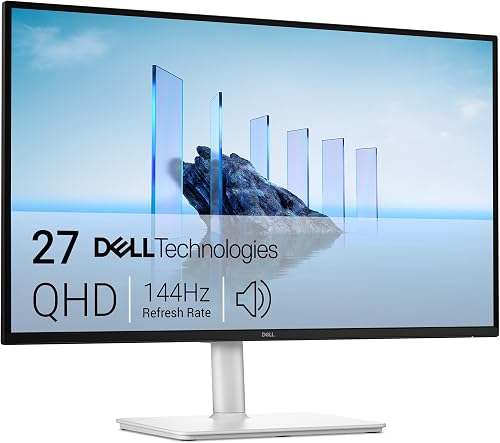
Dell S2725DC: Best for a USB-C laptop desk
- 27-inch QHD IPS display
- Dual 3W speakers
- USB-C with up to 65W power delivery
- HDMI, DisplayPort, USB-A and USB-C
This QHD monitor adds USB-C power delivery up to 65W for a compatible laptop connection. Its built-in speakers and adjustable stand can reduce desk clutter.
Pros
- USB-C power delivery up to 65W
- Height, tilt, pivot and swivel adjustments
- Dual 3W speakers
Cons
- USB-C charging depends on laptop compatibility
- No 4K resolution
The Dell S2725DC offers the same 27-inch QHD resolution and dual 3W speakers, adding USB-C power delivery up to 65W. A compatible laptop can connect through one USB-C cable for display and power, while the monitor also includes HDMI, DisplayPort, USB-A and a quick-access USB-C port.
Its stand adjusts for height, tilt, pivot and swivel. That gives you more flexibility than a tilt-only stand when you switch between sitting positions or rotate the screen.
Choose this model if USB-C charging can simplify your laptop desk. Check your computer's USB-C video and power requirements before relying on a single-cable setup.
Dell S2425HSM: Best for a smaller Full HD desk
- 23.8-inch Full HD display
- Dual 3W speakers
- Height, tilt, pivot and swivel adjustments
- HDMI
The 23.8-inch Full HD screen fits a smaller desk while retaining an adjustable stand and dual 3W speakers. Its HDMI connection keeps setup straightforward.
Pros
- Smaller screen footprint
- Height, tilt, pivot and swivel adjustments
- Dual 3W speakers
Cons
- Full HD resolution
- HDMI is the only stated connection
The Dell S2425HSM is a smaller 23.8-inch Full HD monitor with dual 3W speakers. It suits a compact desk where a 27-inch screen would take more room, while its stand still adjusts for height, tilt, pivot and swivel.
HDMI is its stated connection, so it is a straightforward option for a computer with an HDMI output. The 1920 x 1080 resolution is suitable for general office tasks, though people who want more workspace or finer detail may prefer QHD or 4K.
Choose it when desk space matters more than extra pixels or USB-C. Our guide to cleaning a monitor screen without streaks can help you care for the display after setup.
LG 27UP850K-W: Best for 4K and broad connections

- 27-inch 4K UHD IPS display
- Built-in stereo speakers with Waves MaxxAudio
- USB-C power delivery up to 90W
- DisplayPort, two HDMI and two USB 3.0 ports
This 27-inch 4K monitor combines built-in stereo speakers with USB-C power delivery up to 90W. It also has a height, tilt and pivot adjustable stand.
Pros
- 4K UHD resolution
- USB-C power delivery up to 90W
- Height, tilt and pivot adjustments
Cons
- Speaker power is not specified
- No swivel adjustment is stated
The LG 27UP850K-W suits a desk where 4K resolution and broad connectivity matter more than speaker wattage. Its 27-inch IPS screen has a 3840 x 2160 resolution, built-in stereo speakers with Waves MaxxAudio, and a stand that adjusts for height, tilt and pivot.
For a compatible laptop, USB-C power delivery reaches up to 90W. The monitor also has DisplayPort, two HDMI connections, two USB 3.0 ports and a headphone jack, giving you several ways to connect devices and audio accessories.
Speaker wattage is not specified, so compare it with a monitor that lists its speaker power if that detail matters. Choose the LG when the 4K screen and port selection fit your setup.
LG 32UR500K-B: Best for a large 4K screen

- 32-inch 4K UHD VA display
- Built-in stereo speakers with Waves MaxxAudio
- HDMI and DisplayPort
- Tilt adjustment
A 32-inch 4K screen gives work and video more room, with built-in stereo speakers for basic audio. The stand adjusts for tilt, so plan the screen height and viewing position before setup.
Pros
- 32-inch 4K UHD display
- Built-in stereo speakers
- Two HDMI connections
Cons
- Stand adjustment is tilt only
- Speaker power is not specified
The LG 32UR500K-B gives you a 32-inch 4K UHD screen and built-in stereo speakers with Waves MaxxAudio. Its large display can suit work that benefits from a broad view, such as keeping documents beside a spreadsheet.
The connections include two HDMI ports and DisplayPort. The stand adjusts for tilt, while height, pivot and swivel adjustments are not stated, so think through your screen position before setting up a large display.
Choose it if you want 4K across a 32-inch screen and can make room for its footprint. If a 32-inch monitor may feel too large, read our guide to 32-inch screens for office work.
ASUS VP327Q: Best for 32-inch 4K with IPS

- 31.5-inch 4K UHD IPS display
- Integrated stereo speakers
- Dual HDMI and DisplayPort
- VESA mount compatibility
The 31.5-inch 4K IPS screen combines integrated stereo speakers with two HDMI ports and DisplayPort. VESA mount compatibility offers another way to arrange a large screen.
Pros
- 4K resolution and IPS panel
- Dual HDMI ports
- VESA mount compatible
Cons
- Speaker power is not specified
- Stand adjustment details are not stated
The ASUS VP327Q combines a 31.5-inch 4K IPS screen with integrated stereo speakers. It has dual HDMI ports and DisplayPort, making it useful when you want to connect more than one HDMI device without swapping cables.
The monitor is VESA mount compatible, so you can consider a separate mount for desk positioning. Stand adjustment details are not stated, and the speaker power is not specified, so check those points if they decide your setup.
Choose it for a large 4K screen with an IPS panel and multiple video inputs. Its eye-care features include flicker-free and low blue light technology.
ASUS VA27AQ: Best for QHD and 2W stereo audio

- 27-inch QHD IPS display
- Built-in 2W stereo speakers
- HDMI, DisplayPort and VGA
- 75Hz Adaptive-Sync
This 27-inch QHD monitor includes 2W stereo speakers and HDMI, DisplayPort and VGA connections. Its eye-care features and 75Hz Adaptive-Sync are additional points to compare for a daily desk.
Pros
- QHD IPS display
- 2W stereo speakers
- Three connection types
Cons
- No USB-C connection
- Stand adjustment details are not stated
The ASUS VA27AQ offers a 27-inch QHD IPS panel and built-in 2W stereo speakers. HDMI, DisplayPort and VGA provide three connection types, while 75Hz Adaptive-Sync supports smoother scrolling and compatible video playback.
Its listed features include flicker-free and low blue light technology. Stand adjustment details are not stated, so confirm the placement options if you need more than a fixed screen position.
Choose this monitor if QHD resolution and stated speaker wattage are priorities. It does not include USB-C, so a laptop may need a separate video cable and charger.
Sceptre 27 Curved: Best for a curved Full HD screen

- 27-inch curved Full HD display
- Built-in speakers
- Two HDMI and one VGA port
- Up to 100Hz through HDMI or VGA
The curved 27-inch Full HD screen has built-in speakers and two HDMI ports. Its listed refresh rate reaches up to 100Hz through HDMI or VGA.
Pros
- Curved screen
- Two HDMI ports
- Up to 100Hz refresh rate
Cons
- Full HD resolution
- Speaker power is not specified
The Sceptre 27 Curved is a curved 27-inch Full HD screen with built-in speakers and two HDMI ports. The stated refresh rate reaches up to 100Hz through HDMI or VGA, and the monitor also has a VGA connection.
Its speaker power is not specified, and the available facts differ on the screen's curvature, so check the exact model details before choosing it. Full HD resolution gives less screen detail than the QHD and 4K options above.
Choose it if you want a curved screen and multiple HDMI inputs. It is a less direct fit if you want clearly stated speaker wattage or more workspace for detailed documents.
ASUS VA27DQ: Best for basic Full HD connectivity

- 27-inch Full HD IPS display
- 2W x 2 stereo speakers
- HDMI, DisplayPort and VGA
- Tilt adjustable stand
This 27-inch Full HD IPS monitor provides 2W x 2 stereo speakers and three connection types. Its stand tilts, and its eye-care features include flicker-free and low blue light technologies.
Pros
- 2W x 2 stereo speakers
- HDMI, DisplayPort and VGA
- IPS panel
Cons
- Full HD resolution
- Stand adjustment is tilt only
The ASUS VA27DQ is a 27-inch Full HD IPS monitor with 2W x 2 stereo speakers. It has HDMI, DisplayPort and VGA, plus a tilt-adjustable stand and flicker-free and low blue light features.
The screen's 1920 x 1080 resolution suits basic office use, but QHD can offer more detail at this size. Its stand tilts but does not have stated height, pivot or swivel adjustments.
Choose it if you want a 27-inch IPS screen with speaker wattage and several input types. For a more adjustable Full HD option in this roundup, consider the smaller Dell S2425HSM.
How much speaker power do you need?
For everyday office audio, built-in speakers with clearly stated power can help you compare models before you buy. The Dell monitors here have dual 3W speakers, the ASUS VA27AQ has 2W stereo speakers, and the ASUS VA27DQ has 2W speakers on each side.
Power alone does not describe the full sound experience. Room noise, listening distance and the kind of audio you play also matter, so choose separate speakers or headphones if calls need to sound clearer or you need more volume.
Which screen size and resolution fit a work desk?
A 23.8-inch Full HD screen can fit a compact setup, while 27-inch QHD gives more detail for side-by-side work. A 27-inch 4K display or 32-inch 4K screen offers finer resolution and a larger viewing area, but needs a desk and viewing position that suit it.
If you're weighing sharper text against screen size, our guide to 1080p on a 27-inch monitor explains the trade-off. Check the monitor's stand adjustments too, because position affects how comfortably you can use a screen through the day.
Do USB-C ports matter if a monitor has speakers?
USB-C matters when your compatible laptop can use the monitor for video and power through one cable. The Dell S2725DC provides up to 65W power delivery, and the LG 27UP850K-W provides up to 90W.
Speaker audio is a separate part of the setup: your computer must send sound to the monitor through the connection you choose. Check your laptop's USB-C support and power needs, and see our guide to USB-C vs HDMI for a monitor if you need help comparing those ports.
Verdict: which monitor with speakers should you choose?
Pick the Dell S2725DSM for a 27-inch QHD screen, dual 3W speakers and four stand adjustments. Choose the S2725DC if USB-C power delivery fits your laptop, or the LG 27UP850K-W if you want 4K resolution and broad connections.
For a smaller desk, the Dell S2425HSM keeps the screen at 23.8 inches with stated dual 3W speakers. If you're planning a longer-term desk setup, our guide to how long computer monitors last covers what to consider over time.
Our top 3 picks at a glance
-
1
-
2
-
3
Frequently asked questions
Are built-in monitor speakers good enough for work?
Built-in speakers can cover everyday audio such as video calls, system sounds and short videos. Their usefulness depends on speaker power and your room, so compare stated wattage when available.
For a quiet desk and simple setup, a monitor with speakers may be enough.
For louder or fuller sound, use separate speakers or headphones.
What should I check when choosing a monitor with speakers?
Check screen size and resolution first, then compare speaker power, connections and stand adjustments. A monitor with USB-C power delivery may simplify a compatible laptop setup, while HDMI and DisplayPort suit many desktop connections.
Confirm the ports match your computer before you choose.
Do monitor speakers work through HDMI?
A computer can send audio over HDMI when its audio output and monitor support that connection. Choose the monitor as the computer's audio output device if needed.
For other connections, check the computer and monitor instructions because audio support can differ by port and setup.
Can a USB-C monitor charge a laptop and play sound?
A compatible USB-C monitor may carry video, data and power through one cable, and the computer can send audio to the monitor when the connection supports it. The Dell S2725DC provides up to 65W power delivery, while the LG 27UP850K-W provides up to 90W.
Check your laptop's power needs and USB-C support.
Should I buy separate speakers for a home office?
Separate speakers make sense if you need more volume, clearer sound across the room or audio controls away from the monitor. Built-in speakers can keep a small desk simpler for calls and casual listening.
Compare the monitor's stated speaker power and your typical listening distance before deciding.



