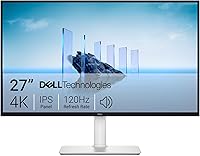
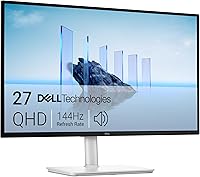
Dell P2725QE vs U2725QE: Which Monitor to Buy? (November 2026)
Pick the Dell UltraSharp U2725QE for most desks; it wins on color, refresh rate and Thunderbolt 4 charging. The Dell P2725QE is the simpler pick if you only need a basic 4K screen with a USB-C port.
On this page (8 sections)
Pick the Dell UltraSharp U2725QE for most desks, because it wins on color accuracy, motion and single-cable convenience. The Dell P2725QE is the right buy when you want a plain 4K office screen and don't need Thunderbolt or factory calibration.
In this Dell P2725QE vs U2725QE comparison, both are 27-inch 4K IPS monitors. The gap is in the extras: refresh rate, brightness, color tuning, stand adjustability and what the USB-C port can do.
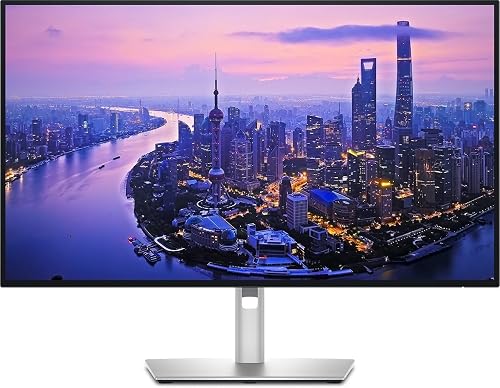 Best for color work and single-cable setups
Dell UltraSharp U2725QE 27-Inch 4K UHD IPS

Dell P2725QE vs U2725QE at a glance
The UltraSharp U2725QE is the stronger monitor on paper, and the P2725QE is the simpler office tool. The table below puts the main specs next to each other so you can see where the extra money goes.
| Feature | Dell P2725QE | Dell UltraSharp U2725QE |
|---|---|---|
| Resolution | 3840 x 2160 | 3840 x 2160 |
| Panel | IPS | IPS Black |
| Refresh rate | 100Hz | 120Hz |
| Response time | 5ms | 5ms |
| Brightness | 350 cd/m² | 450 cd/m² |
| Contrast ratio | 1500:1 | 1000:1 |
| Color coverage | 99% | 99% DCI-P3 |
| USB-C charging | Yes, USB-C hub | Thunderbolt 4, up to 140W |
| Stand adjustment | Tilt, pivot | Height, tilt, swivel, pivot |
| Weight | 4.62 kg | 9.72 kg |
Both panels are matte, so glare from a window or overhead light is diffused rather than mirrored. That matters more than most spec sheets suggest when you sit near a bright source all day.
The two models also differ in the box. Dell ships the U2725QE with a factory calibration report plus a Mini-DisplayPort to DisplayPort cable, a DisplayPort cable, an HDMI cable and a USB 3.2 Gen1 upstream cable.
The P2725QE's listing names its HDMI, DisplayPort and USB-C inputs but no included cables or calibration sheet, so plan on supplying a cable for your laptop if you don't already own one.
| Product | Best for | Resolution | Refresh rate | Panel | Our score |
|---|---|---|---|---|---|
| Dell UltraSharp U2725QE 27-Inch 4K UHD IPS | color work and single-cable setups | 3840 x 2160 | 120Hz | IPS Black | 9.5 |
| Dell P2725QE 68.6 cm | straightforward office work | 3840 x 2160 | 100Hz | IPS | 9.2 |
Which monitor has the better picture?
The U2725QE has the better picture for color work, while the P2725QE is a solid general-purpose 4K panel. Resolution is identical, so the split comes down to panel quality and calibration.
Dell ships the U2725QE with factory calibration to Delta E less than 1.5 and 99% DCI-P3 coverage. For photo editing, video grading or design work, that means colors land close to target without you buying a calibrator first.
The listing also names VESA DisplayHDR 600, so HDR content gets more range than a plain SDR office panel can offer.
The P2725QE covers 99% of its stated gamut on an IPS panel rated at 350 cd/m². It's bright enough for documents and spreadsheets, but the U2725QE gives you more headroom at 450 cd/m².
The P2725QE's own listing puts it in energy efficiency class F, which tells you it's tuned as a low-draw office screen rather than a bright-room display.
One spec runs the other way: the P2725QE lists a 1500:1 contrast ratio, while the U2725QE lists 1000:1. IPS Black on the UltraSharp is Dell's contrast-focused panel tech, so read both numbers as manufacturer ratings and judge the screen in your own room if you can.
Dell's own description of the U2725QE cites a 3000:1 contrast figure for the IPS Black panel, so the spec fields and the marketing copy don't agree.
Brightness in a sunlit office
The U2725QE's ambient light sensor adjusts brightness automatically as the room changes. That keeps the screen comfortable through a morning of sun and an afternoon of cloud without you touching a control.
The same panel adds ComfortView Plus, which trims blue light without washing the picture out with a yellow cast.
The P2725QE leaves brightness changes to you. In a room with steady light that's fine, and near a big window you may find yourself reaching for the menu more often.
Color accuracy for creative work
If your work has to match a print proof or a client's brand color, the U2725QE's factory calibration is the reason to choose it. The P2725QE is tuned for office tasks, not color-critical output, and its listing makes no calibration claim.
Neither monitor needs a separate calibrator to look good on day one. The difference shows when color accuracy is part of the job rather than a nice extra.
Refresh rate and motion: is 120Hz worth it?
The U2725QE's 120Hz refresh rate is smoother than the P2725QE's 100Hz, and the gap shows up in scrolling and video. For pure document work the difference is small, but for mixed use it's noticeable.
Both panels respond in 5ms and both support adaptive sync, so games and video playback stay free of tearing on either screen. The U2725QE lists G-Sync, while the P2725QE is G-Sync Compatible.
A 120Hz panel redraws the screen more often than a 100Hz one. Window dragging, page scrolling and cursor movement feel more fluid, and long reading sessions can feel easier on the eyes.
When 100Hz is enough
If your day is email, spreadsheets and video calls, the P2725QE's 100Hz refresh rate is already well above the 60Hz most office monitors run at. You get a smooth desktop without paying for a faster panel.
Its G-Sync Compatible rating still helps when you plug in a games console.
When to pay for 120Hz
Choose the U2725QE if you edit video, scroll long documents all day or mix work with gaming. The faster refresh rate and G-Sync support make motion feel cleaner.
The difference is a preference, not a necessity. People who notice stutter tend to notice it on a 60Hz screen first.
Thunderbolt 4 vs USB-C: which port setup fits your desk?
The U2725QE's Thunderbolt 4 port is the bigger convenience, carrying video, data and up to 140W of laptop charging on one cable. The P2725QE offers USB-C but without the Thunderbolt daisy chain.
Dell builds the U2725QE as a hub. One Thunderbolt 4 cable connects your laptop, sends the display signal and charges the battery, and you can daisy chain up to two more 4K monitors from it.
Alongside the Thunderbolt port sit HDMI 2.1, USB-C, USB-A and Ethernet, so the screen doubles as a dock.
The P2725QE also has USB-C, plus DisplayPort, HDMI and RJ45 Ethernet. It covers the basic docking job, so a laptop, a wired network and a monitor can share one connection.
Its listing names three component outputs, which matches the DP, HDMI and USB-C trio.
Who benefits from Thunderbolt 4
Choose the U2725QE if you move a laptop between desk and bag every day. Plugging in one cable for display, data and power is faster than connecting a dock, a charger and a video cable.
The 140W rating also covers most large laptops that need more than the 65W a basic USB-C port delivers.
Daisy chaining also helps a two-screen desk. Run the second 4K monitor from the first and skip a second cable back to the laptop.
Who can live with USB-C
The P2725QE suits a desktop tower or a laptop that stays plugged in. Its USB-C, HDMI and DisplayPort inputs cover the usual mix of devices, and the Ethernet port handles a wired connection.
Its USB hub adds room for a keyboard, mouse or webcam.
If you already own a dock you like, the P2725QE's simpler port set is no loss. You plug the dock into the monitor and carry on.
Stand, ergonomics and desk fit
The U2725QE has the more adjustable stand; the P2725QE tilts and pivots but doesn't change height. That difference decides comfort for many people more than any spec on the panel.
The U2725QE adjusts in height, tilt, swivel and pivot. You can raise it to eye level, turn it toward a colleague and rotate it to portrait for long documents or code.
Its stand breaks into a riser and base, so the screen sits higher out of the box.
The P2725QE stand tilts and pivots only. Without height adjustment, the top of the screen sits wherever the stand puts it, which may be too low or too high for your chair and desk.
Its mounting type is listed as panel mounting with VESA 100 x 100, so an arm is the clean fix.
Weight and mounting
The P2725QE weighs 4.62 kg and has a VESA 100 x 100 mount, so a standard monitor arm handles it easily. That's the practical fix if you want the P2725QE at eye level.
The U2725QE weighs 9.72 kg, and Dell lists desk mounting as its mounting type. That's more than double the P2725QE's weight, so check your arm's rating before you plan to hang the UltraSharp on one.
A heavy screen on an under-rated arm is a safety problem, not a style choice.
Desk depth and footprint
Both are 27-inch screens, so plan for roughly the same viewing distance. A 27-inch 4K panel sits comfortably at about an arm's length, which suits most desks 24 in deep or more.
The resolution works out to about 109 pixels per inch, which is why text looks sharp without scaling tricks.
The heavier UltraSharp stand takes up more desk space and is harder to shove aside for cleaning. If your desk is shallow, a wall or desk arm may be the better plan for either screen.
Which monitor should you buy?
Buy the Dell UltraSharp U2725QE if color accuracy, a 120Hz panel or one-cable laptop charging matter to you. Buy the Dell P2725QE if you want a 4K office screen and don't need those extras.
The U2725QE is the better monitor for most people who sit at a desk all day. Its calibrated IPS Black panel, faster refresh rate and Thunderbolt 4 hub cover creative work, mixed use and a tidy cable setup in one screen.
The 450 cd/m² rating and ambient light sensor also make it the easier screen to live with near a window.
The P2725QE makes sense for straightforward office tasks. It has the same 4K resolution and a USB-C hub, and it weighs less, so it's easier to move or mount on an arm.
Its 350 cd/m² panel and 1500:1 contrast rating are aimed at controlled office light.
Pick the U2725QE if…
You edit photos or video and need color you can trust out of the box. You want a single Thunderbolt 4 cable to charge a laptop and drive the display.
You like to raise, swivel and pivot your screen without adding a mount.
The ambient light sensor and ComfortView Plus also help during long sessions. Those features matter if your desk sits near a window or you work past sunset.
The included cables are a small bonus too: you can connect a laptop and a desktop on day one without a trip to the store.
Pick the P2725QE if…
You mostly read documents, run spreadsheets and join video calls. You already have a dock or a desktop PC and just need a sharp 4K panel with USB-C and Ethernet.
You want to save desk space and plan to use a VESA arm.
If you're still weighing brands, our comparison of Dell vs Samsung monitors for work covers how Dell's office lineup stacks up. Our look at whether Dell monitors are good for a home office explains what the P and U series letters mean.
How the two Dell lines compare
Dell's U series sits above the P series, and the U2725QE shows the difference in panel tuning, ports and the stand. The P2725QE is a workhorse built for volume office deployments.
The P2725QE carries Dell's Pro badge. It's the kind of monitor a company buys in bulk for meeting rooms and desks, which explains the simpler stand and the lower brightness rating.
Its three-year basic hardware service with Advanced Exchange after remote diagnosis matches that fleet-friendly pitch.
The U2725QE carries the UltraSharp name. That line is aimed at people whose work depends on what's on the screen, so it gets the better panel, the faster refresh rate and the hub.
Dell backs it with a three-year Advanced Exchange warranty as well.
Choosing inside the same family
If you want a smaller or cheaper Dell for a second screen, our comparison of the Dell S2725DSM vs S2725QS looks at two mainstream 27-inch options. For a closer match to the UltraSharp, see the Dell S2725QC vs Dell U2725QE face-off.
The key question is whether you'll use the extra color range and the Thunderbolt hub. If the answer is no, the P2725QE covers a 4K desktop without paying for features you'd ignore.
Verdict: which 27-inch 4K Dell wins?
The Dell UltraSharp U2725QE wins this Dell P2725QE vs U2725QE comparison for most buyers. It has the better panel, the faster refresh rate and the more useful port for a laptop desk.
The U2725QE is the screen to choose when what you see and how you connect matter. Its factory calibration, 120Hz refresh rate and Thunderbolt 4 hub with up to 140W charging do more for daily work than the P2725QE's simpler feature set.
The full ergonomic stand and ambient light sensor round out a screen that fits a long working day.
The P2725QE remains a good 4K office monitor. Pick it if your work is text and data, your desk setup already handles charging and you'd rather put the savings toward an arm or a second screen.
Its lighter cabinet and VESA mount make it the easier screen to move around.
The decision rule
Choose the U2725QE if you do color work, notice motion blur or want one cable for a laptop. Choose the P2725QE if you want a plain 4K panel for documents and calls and don't need Thunderbolt.
Either way, measure your desk and your mounting plan before you order. A good screen on a stand that doesn't fit your posture is a worse buy than a simpler screen set up well.
Frequently asked questions
Is the Dell U2725QE worth it over the P2725QE?
Yes for color work, faster motion and a one-cable laptop setup. The U2725QE adds a calibrated IPS Black panel, a 120Hz refresh rate and Thunderbolt 4 with up to 140W charging.
If you mostly read documents and answer email, the P2725QE covers those needs at a lower spec level.
Do both monitors run at 4K?
Yes. Both are 27-inch panels with a 3840 x 2160 resolution.
The difference sits in the panel type, brightness and refresh rate, not the pixel count, so text sharpness on the desktop should be close on either screen.
Which monitor is better for a MacBook?
The U2725QE is the easier fit for a MacBook. Its Thunderbolt 4 port carries video, data and up to 140W of charging over one cable, and it supports daisy chaining to a second 4K display.
The P2725QE offers USB-C, but the UltraSharp is built around the single-cable workflow.
Can I mount either monitor on an arm?
The P2725QE has a VESA 100 x 100 mount, so it works with a standard monitor arm. The U2725QE uses a Dell stand with height, tilt, swivel and pivot adjustment, and Dell lists desk mounting as its mounting type.
Check the arm's weight rating against the monitor's weight.
Which one has the better stand?
The U2725QE has the more flexible stand. It adjusts in height, tilt, swivel and pivot.
The P2725QE stand tilts and pivots only, so you cannot raise or lower the screen without adding a mount.
Is the P2725QE bright enough for a bright room?
It depends on the light. The P2725QE is rated at 350 cd/m² and the U2725QE at 450 cd/m².
For a desk beside a large window, the higher brightness and ambient light sensor on the U2725QE give you more headroom.