Samsung vs Acer Monitors: Which Brand to Buy? (November 2026)
Pick Acer for most work setups: its IPS panels give steadier color and sharper text across the screen. Choose Samsung when you want a curved or large 32-inch screen and eye comfort features built in.
On this page (7 sections)
Pick Acer for most work setups: its IPS panels give steadier color and sharper text across the screen. Choose Samsung when you want a curved or large 32-inch screen with eye comfort features built in.
This samsung vs acer monitors comparison weighs the four models that best represent each brand at a work desk.
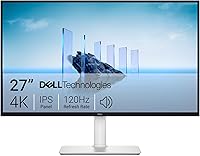
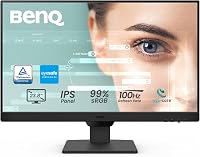
Acer leads here with the 27-inch KB272 G0bi, an IPS screen with a 120Hz refresh rate. Samsung's strongest case is the 27-inch Essential S3 curved panel and the 32-inch flat S32B304.
Each brand wins a different buyer, and the rest of this comparison explains which one is yours.
Both brands sell budget and mid-range monitors that suit an office, a home desk or a hybrid setup. The differences that matter day to day are panel type, screen shape, refresh rate and the ports on the back.


Samsung vs Acer monitors: which brand fits your desk?
Acer fits most desks because its IPS panels hold color and text quality from wider angles. Samsung fits when screen shape and size matter more than panel type.
The table below sets the four models side by side on the specs that decide a work setup.
| Feature | Acer 27in KB272 G0bi | Samsung Essential S3 27 Curved | Acer KB242Y | Samsung 32 Flat S32B304 |
|---|---|---|---|---|
| Screen size | 27 in | 27 in | 23.8 in | 32 in |
| Panel | IPS | LED, curved | IPS | LED, flat |
| Resolution | 1920 x 1080 | 1920 x 1080 | 1920 x 1080 | 1920 x 1080 |
| Refresh rate | Up to 120Hz | Up to 100Hz | Up to 120Hz | Up to 75Hz |
| Connections | HDMI, VGA | HDMI, D-Sub | HDMI, VGA | HDMI, DisplayPort |
| Brightness | 250 nits | 250 cd/m² | 250 nits | 250 cd/m² |
The Acer pair and the Samsung pair split cleanly on panel type. Both Acer models use IPS, which keeps color stable as you move your head across the desk.
The two Samsung models use LED panels, one curved and one flat.
Screen size and connections create the second split. Samsung offers the only 32-inch screen and the only DisplayPort here.
Acer keeps its screens at 27 inches and below and pairs HDMI with the older VGA port.
All four panels land at the same brightness figure of 250, so light output is not a reason to pick a brand. The Acer KB272 G0bi lists a 0.311mm pixel pitch and the KB242Y lists 0.275mm, which shows how a smaller cabinet packs the same 1920 x 1080 grid into tighter dots.
The Samsung S3 lists a 3,000:1 contrast ratio and the S32B304 lists 4,000:1, both deeper than the 1,000:1 figure on the Acer KB242Y. That contrast gap matters most in a dim room and in dark scenes, not in a bright office.
| Product | Best for | Panel | Refresh rate | Connections | Our score |
|---|---|---|---|---|---|
| Acer 27in FHD 1920x1080 IPS 120Hz Gaming | most desks | IPS | Up to 120Hz | HDMI, VGA | 9.7 |
| Samsung Essential S3 27 Curved (S36GD) | immersive work | LED, 1800R curve | Up to 100Hz | HDMI, D-Sub | 8.0 |
| Acer KB242Y | small desks | IPS | Up to 120Hz | HDMI, VGA | 7.3 |
| Samsung 32 Flat (S32B304) | a big single screen | LED, flat | Up to 75Hz | HDMI, DisplayPort | 7.2 |
Which panel type suits long work sessions?
IPS wins for documents, spreadsheets and any task where color must stay consistent. Acer's two IPS models keep text crisp and color stable from the center to the edges of the screen.
An IPS panel switches its liquid crystals sideways, so the image holds up as your viewing angle changes. That matters when you lean back in a chair or glance at a second screen.
Acer pairs IPS with a frameless bezel on both models, so the picture runs close to the edge.
Samsung's LED panels are bright and efficient. The curved S3 wraps the image around your view, and the flat 32-inch model spreads a wide desktop in front of you.
Neither uses IPS, so color shifts more as you move off-center.
For a writer, analyst or developer who sits square to the screen all day, the difference is small. For anyone who shares a screen or turns to talk to a coworker, IPS keeps the picture truer.
Our Dell vs Samsung monitor comparison looks at how Samsung's panels stack up against another office brand.
What the color specs tell you
Acer lists a color gamut figure of 99 on both models, while the Samsung S3 lists 0.95. The numbers are stated in different units, so treat them as a rough signal rather than a direct match.
Read together with the IPS vs LED split, they point the same way: the Acer panels are tuned to keep color steady across the screen, and the Samsung panels lean on a deeper contrast ratio instead.
The Samsung S3's 3,000:1 and the S32B304's 4,000:1 contrast help black text stand out on a white page and give dark video scenes more depth. The Acer pair trades some of that contrast for viewing-angle consistency.
For long document sessions the angle behavior usually shows up more than the contrast figure, because you notice washed-out edges sooner than you notice slightly lighter blacks.
How eye comfort is handled on each brand
Samsung builds its eye comfort into the spec sheet. The curved S3 carries TÜV certification for reduced blue light and reduced flicker.
The flat S32B304 lists Eye Saver Mode and Flicker Free as named features, plus an anti-glare screen that cuts reflections from a window or overhead light.
Acer's models mention eye protect technology in the product description but do not list a certification or a named blue light mode in the specs. The frameless bezel and tilt adjustment are the comfort features spelled out for both Acer panels.
If a certified blue light reduction is a must for you, that points to Samsung. If you simply want a screen that tilts and sits flush with a second one, Acer covers it.
Does a curved screen help or hurt at a desk?
A curved screen helps video, wide documents and immersion, and it can hurt precise layout work. Samsung's 1800R curve is the gentlest common bend, wrapping more closely around your field of vision than a flat panel.
The curve narrows peripheral distraction and adds depth to a wide view. That suits a video editor scanning a timeline or anyone who watches a lot of content at the desk.
Samsung also builds in Game Mode, which adjusts color and contrast for fast scenes.
The trade-off shows up on straight lines. Column borders in a spreadsheet and design guides in a layout tool can look slightly bowed near the edges.
If your work depends on true geometry, a flat panel is safer.
Acer's flat IPS screens avoid that bowing entirely. The flat 32-inch Samsung also does.
Curved is a preference, not a quality step, and it's worth sitting in front of one before you commit.
Curved or flat when you sit close
The curve's effect depends on how near you sit. An 1800R bend is designed around a viewing distance of roughly one meter, so at a normal desk distance the wrap is gentle rather than dramatic.
Sit closer than that and the edges turn away from you more sharply, which can make the far columns of a wide spreadsheet harder to read straight on.
That is why the flat 27-inch Acer and the flat 32-inch Samsung stay the safer picks for anyone who leans in to read small text. The curve earns its place when you sit back and take in a whole screen at once, such as a video timeline or a full-page layout at reduced zoom.
How much does refresh rate matter for office work?
120Hz makes scrolling and cursor movement noticeably smoother, while 75Hz is fine for static documents. Acer's two models reach up to 120Hz, Samsung's curved S3 reaches 100Hz and the 32-inch flat model reaches 75Hz.
Refresh rate is how many times per second the screen redraws. At 120Hz, a page scroll or a dragged window looks fluid instead of slightly stepped.
That's a comfort gain more than a speed gain, and it helps most on long reading and browsing days.
Samsung's 100Hz curved panel sits in the middle. It reduces lag and motion blur compared with 60Hz, which is the default the S3 ships at until you change it in the settings.
The flat 32-inch model runs at 75Hz.
Both brands include adaptive sync, which matches the screen's refresh to the graphics card to cut tearing. Acer lists FreeSync support on both models.
Samsung lists G-Sync compatibility on the S3 and AMD FreeSync on the 32-inch.
Reading the response time claims
Acer states a 1ms VRB response time on both of its models. That figure describes how quickly a pixel changes state under the manufacturer's test method, and it is aimed at fast motion rather than office work.
For documents the practical result is less smearing when you scroll a long page quickly.
Samsung's S3 and S32B304 do not list a response time figure in their specs. Samsung leans on its refresh rate and adaptive sync instead, plus the Game Mode setting on both panels.
Neither brand's response spec will change how a spreadsheet looks, so weigh it only if you also game or watch fast video at the desk.
How do the ports and stands compare?
Samsung's 32-inch model has the most useful port set for a desktop, while Acer keeps things simple with HDMI and VGA. Check what your computer offers before you choose.
The Samsung S32B304 pairs HDMI with DisplayPort. A desktop tower with a dedicated graphics card often has DisplayPort, and it's the cleaner single-cable option.
The curved S3 and both Acers rely on HDMI plus an older analog port (D-Sub on the Samsung, VGA on the Acer).
All four monitors come with a stand and tilt adjustment. The Acer KB272 G0bi includes an HDMI cable, a power cord and the stand in the box.
The Samsung S3 includes an HDMI cable and a power cable. Every model here can also mount on a wall.
If you plan a dual-screen setup, the frameless edges on the Acer models line up well. Samsung's three-sided borderless design on the 32-inch screen does the same in a multi-monitor row.
A monitor arm frees the desk space either way.
Desk space and weight by model
The Acer KB272 G0bi measures 24.07 inches wide and weighs 4.99 kg. The Samsung S3 is 24.5 inches wide at 8.4 pounds.
The smaller Acer KB242Y is 21.21 inches wide at 3.5 kg. The Samsung 32-inch model is the largest at 28.09 inches wide and 11 pounds.
Those figures decide whether a screen fits your desk and whether a monitor arm can carry it. A lighter panel like the KB242Y is easier to lift onto an arm or move between rooms.
The 32-inch Samsung takes the most depth, so measure your desk before you plan a two-screen row.
Which brand suits which workspace?
Choose Acer for a desk where documents and color accuracy lead, and Samsung for a screen where size or curve leads. The right pick depends on your daily tasks and how much desk you have.
A 27-inch screen is the comfortable default for a single-monitor office. It leaves room for two windows side by side without forcing you to sit far back.
A 32-inch screen gives more room but needs a deeper desk.
Pick Acer for text-heavy and shared work
The Acer 27-inch KB272 G0bi is the strongest all-rounder for most people. IPS color, a 120Hz refresh rate and a frameless bezel cover writing, email, video calls and light gaming in one screen.
Choose the smaller Acer KB242Y when desk space is tight or you want a second screen beside a laptop. Its 23.8-inch IPS panel keeps the same color behavior in a smaller cabinet.
Skip Acer if you need DisplayPort or a screen larger than 27 inches. Neither Acer model here offers either.
Pick Samsung for size and eye comfort
The Samsung 32-inch flat model is the pick when one big screen should replace two. Its 32-inch panel and borderless edges give you the widest single desktop of the four.
The curved Essential S3 suits long sessions and video. Samsung's TÜV-certified eye comfort reduces blue light and screen flicker, which helps when you sit for hours.
Its D-Sub port and the HDMI port also suit a laptop plus a desktop tower sharing one screen.
Skip Samsung's 27-inch curved model for precise design or spreadsheet work where straight edges matter. A flat panel serves that better.
Our Samsung ViewFinity S7 review covers Samsung's step-up office line if you want more than these budget models.
Which brand should you buy?
Buy Acer for most work setups, because the IPS panel and 120Hz refresh rate do more for daily comfort than a curve or an extra inch. Buy Samsung when a curved or 32-inch screen is the priority and you want eye comfort built in.
The Acer 27-inch KB272 G0bi wins this samsung vs acer monitors comparison for most readers. It balances panel quality, size and smooth motion at a mainstream desk size.
The Samsung 32-inch flat model is the pick for a big single screen, and the curved S3 for immersion.
If you're still weighing brands across the wider market, our look at whether ASUS is a good monitor brand adds a third option. Our Acer vs Dell monitors comparison covers the same Acer panels against another office favorite.
Pick by the screen shape and port your desk needs, and the brand choice becomes simple.
Our score weighs specs, features and buyer feedback against what you're shopping for.
Frequently asked questions
Are Samsung or Acer monitors better for office work?
Acer is the better default for office work because its IPS panels keep color and text consistent from side angles. Samsung is the stronger pick when you want a curved screen, a 32-inch panel or TÜV-certified eye comfort in the same package.
Is a curved Samsung monitor good for spreadsheets?
A curved screen suits wide views and video, but it can make long horizontal lines and column edges look slightly bowed. If your day is mostly spreadsheets and design layout, a flat IPS screen like the Acer 27-inch is the safer choice.
Do Acer monitors work with a Mac?
Yes, as long as you match the cable. These Acer models take HDMI, and many Macs need a USB-C to HDMI adapter or a dock.
Check what your Mac's ports offer before you order the monitor.
How many monitors can I run from one desk?
Two 27-inch screens fit most desks when you use a dual arm or the built-in stands set side by side. A 32-inch screen plus a second panel usually needs a wider desk, so measure your space first.
Which brand has better connections for a work setup?
Samsung's 32-inch model is the only one here with DisplayPort, which suits a desktop tower. Acer's models rely on HDMI and VGA.
For a laptop, HDMI on either brand is the simplest connection.