USB-C vs HDMI for a Monitor: Which Is Better? (October 2026)
Choose USB-C if your laptop supports video over USB-C and you want one cable for display and charging; choose HDMI for a straightforward video connection. USB-C vs HDMI depends on the ports and features on both your laptop and monitor.
On this page (4 sections)
Choose USB-C if your laptop supports video over USB-C and you want one cable for display and charging; choose HDMI for a straightforward video connection. USB-C vs HDMI for a monitor depends on your laptop ports, your monitor's inputs and whether charging through the monitor would help your desk setup.
USB-C can carry video and power through one cable when both devices support those features. HDMI carries video and audio, but it doesn't charge a laptop.
USB-C vs HDMI for a monitor: what changes?
USB-C may combine video, data and charging in one connection; HDMI is mainly a video and audio link. The features you get depend on the ports in both devices, not just the cable ends.
USB-C is a connector shape used for several kinds of connections. A USB-C port doesn't automatically support video, and a monitor's USB-C port may offer different features from another monitor's port.
HDMI is common on laptops, desktops and monitors. If both devices have HDMI, it can be a simple way to send a picture without relying on USB-C video support.
USB-C vs HDMI: which connection sends video?
Both can send video when the devices support the connection. For USB-C, confirm that the laptop's port supports video output; for HDMI, confirm that the laptop has an HDMI output and the monitor has an HDMI input.
Resolution and refresh rate depend on the device ports, cable and display. Check all 3 against the resolution and refresh rate you want to use.
Don't assume that a USB-C cable supports every USB-C feature. A cable's ability to carry power or data doesn't tell you whether it can carry the video signal your laptop needs.
Does USB-C charge a laptop through a monitor?
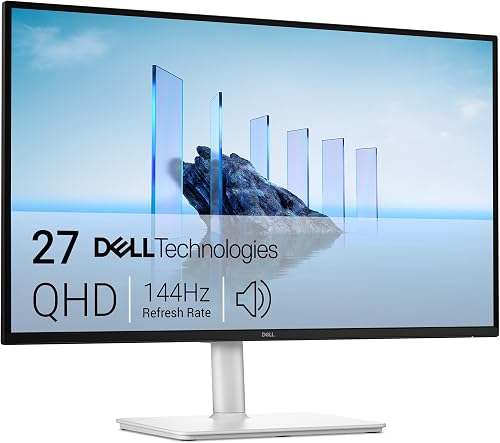
USB-C can charge a laptop through a monitor when the monitor provides power delivery and the laptop accepts enough power through USB-C. The Dell S2725DC provides up to 65W over USB-C, so check whether that level suits your laptop.
A single cable can reduce desk clutter by connecting the laptop to the monitor and providing power. For more on the charging side of that setup, see how monitor USB-C charging works.
HDMI doesn't provide laptop charging. You'd use a separate power adapter even when HDMI carries the picture.
Which connection is easier to use with a laptop?
USB-C is convenient when your laptop supports video through that port and you want fewer cables. HDMI is easier to choose when both devices have HDMI and you don't need the monitor to charge your laptop.
Check the laptop before choosing a monitor. If you can't confirm USB-C video support, HDMI may be a more predictable connection when both devices have the port.
The laptop monitor setup guide covers the connection checks that matter when adding a display. For monitor choices that suit a laptop desk, browse our laptop monitor guide.
When does USB-C make more sense?
USB-C makes sense if your laptop supports video over USB-C, the monitor has a USB-C input, and you want charging through the same cable. It's a useful fit when reducing cables is part of your desk plan.
The Dell S2725DC has USB-C with up to 65W power delivery, along with HDMI and DisplayPort 1.4. That gives you USB-C as an option while keeping other connection choices available.
When is HDMI the simpler choice?
HDMI is a straightforward choice when your laptop and monitor both have HDMI and you want a video connection. It also avoids relying on USB-C video features that your laptop may not support.
The Dell S2725DSM has HDMI and DisplayPort 1.4 connections but no USB-C. Consider it if HDMI fits your setup and you don't need the monitor to supply laptop power.
What if your laptop and monitor have different ports?
Use a compatible adapter or cable when the source and display connections differ, but check its direction and video limits. DisplayPort-to-HDMI and HDMI-to-DisplayPort cables aren't always interchangeable.
The UGREEN DisplayPort to HDMI Cable connects a DisplayPort output to an HDMI display. It's unidirectional, so it won't work from an HDMI source to a DisplayPort monitor.
Before buying any adapter, identify which device sends video and which one receives it. Then check that the adapter supports the resolution and refresh rate you need.
Which should you pick for a home office monitor?
Pick USB-C for a compatible laptop setup where monitor charging can replace a separate power cable; pick HDMI for a direct video connection. If the laptop's USB-C video support is unclear, confirm it first.
If charging from the monitor matters, check the laptop's power needs as well as the monitor's available power. For another comparison of connection and desk features, see what a KVM monitor does.
Choose based on the ports your devices support today and the cables you want on your desk. USB-C wins on one-cable convenience when the full setup supports it; HDMI is a practical, direct choice when video is all you need.
Frequently asked questions
Is USB-C better than HDMI for a monitor?
USB-C can be more convenient if your laptop supports video over USB-C and the monitor can charge it through that port. HDMI is a direct choice for video when both devices have HDMI.
Check each device's ports and capabilities before choosing a cable.
Can a USB-C cable connect any laptop to a monitor?
No. A laptop's USB-C port must support video output for a monitor connection to work.
The port's shape alone doesn't tell you whether it carries video, so check the laptop's specifications or manual before buying a monitor or cable.
Can USB-C charge a laptop while connected to a monitor?
Yes, if the monitor supports USB-C power delivery, the laptop accepts charging through USB-C, and the available power suits the laptop. The Dell S2725DC provides up to 65W over USB-C.
Check your laptop's power requirements before relying on monitor charging.
Can I use an adapter to connect DisplayPort to HDMI?
Yes, a DisplayPort-to-HDMI cable can connect a DisplayPort output to an HDMI display. The UGREEN cable supports that direction and is unidirectional, so it won't connect an HDMI source to a DisplayPort monitor.
Confirm the supported resolution and refresh rate for your setup.
Do USB-C and HDMI change monitor image quality?
Either can carry a clear digital video signal when the devices and connection support your chosen resolution and refresh rate. The connection type alone doesn't guarantee a better picture.
Check the limits of your laptop, monitor and cable together.


