8 Best Monitors for Spreadsheets and Excel (October 2026)
The best monitors for spreadsheets and Excel include the Dell S2725QS for a balanced spreadsheet desk, the Dell S3225QS for large 4K worksheets, and the Dell S3425DW for USB-C laptop desks.
On this page (7 sections)
- Which monitor is best for spreadsheets?
- 4K or ultrawide: which layout suits your worksheet?
- The best monitors for spreadsheets and Excel
- What should you look for in a spreadsheet monitor?
- Is a 32 in monitor too big for spreadsheets?
- Is an ultrawide or dual monitor setup better for Excel?
- Which monitor should you choose for spreadsheets?
The best monitor for spreadsheets for most people is the Dell S2725QS, a 27 in 4K display with a height-adjustable stand. If you want larger text or more room for a wide worksheet, consider a 32 in 4K screen; if you prefer keeping two windows side by side, consider an ultrawide.
For more than one screen, compare an ultrawide with a pair of displays in our ultrawide vs dual monitor guide. If you already have a laptop, our dual monitor setup guide covers the connection and arrangement choices.
Our picks at a glance
-
1
-
2

-
3

Which monitor is best for spreadsheets?
The Dell S2725QS is the best all-around spreadsheet pick because its 4K resolution puts detailed cells on a 27 in screen, and its stand adjusts for height, pivot, swivel and tilt. The best fit changes if you favor larger text, extra window width or laptop connectivity.
We compared screen dimensions, resolution, aspect ratio, stand adjustments and listed connection features against spreadsheet tasks. A useful setup should let you read cells at a comfortable scale and keep the parts of your work you use together in view.
Our score weighs specs, features and buyer feedback against what you're shopping for. Spreadsheet work benefits most from a clear grid, a usable workspace and connections that suit your computer.
| Product | Best for | Size | Resolution | Panel | Our score |
|---|---|---|---|---|---|
| Dell S2725QS | a balanced spreadsheet desk | 27 in | 3840 x 2160 | IPS | 9.0 |
| Dell S3225QS | large 4K worksheets | 32 in | 3840 x 2160 | VA | 8.6 |
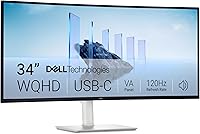
| Dell S3425DW | USB-C laptop desks | 34 in | 3440 x 1440 | 8.5 | |
| Samsung ViewFinity S7 32 (S70H) | a simple 32 in 4K setup | 32 in | 3840 x 2160 | 8.3 | |
| Samsung ViewFinity S50GC 34 | two windows side by side | 34 in | 3440 x 1440 | 8.2 | |
| LG 34WR55QK-B | an ultrawide with USB-C | 34 in | 3440 x 1440 | 7.8 | |
| LG 32UR550K-B | 32 in 4K with pivot adjustment | 32 in | 3840 x 2160 | 7.7 | |
| LG 34U640B-B | switching between two computers | 34 in | 3440 x 1440 | 7.5 |
4K or ultrawide: which layout suits your worksheet?
A 4K screen gives you 3840 x 2160 pixels, while the ultrawide picks here use 3440 x 1440 across a 21:9 display. The extra width can help with side-by-side windows, while 4K offers more vertical pixels for long sheets.
Choose a 27 in 4K screen if you want a sharper grid in a smaller footprint. A 32 in 4K monitor gives the same pixel dimensions over a larger screen, which may suit you if you prefer bigger text or need to sit farther away.
An ultrawide can keep a worksheet beside email, a browser or a second document. It does not replace vertical space, so a long worksheet may still need scrolling.
If you're comparing pixel density and text size, see our guide to 1440p monitors for work. For a larger 4K display, our 32 in home office monitor picks focus on that screen size.
The best monitors for spreadsheets and Excel
These 8 monitors cover compact 4K, larger 4K and ultrawide layouts. Start with the Dell S2725QS for a balanced desk, then move down the list for more screen width or a specific connection feature.
Dell S2725QS: Best for a balanced spreadsheet desk
- 27 in 4K UHD
- IPS panel
- Height, pivot, swivel and tilt adjustment
- DisplayPort and HDMI
A 27 in 4K screen gives spreadsheets a fine grid of pixels without taking as much desk width as a larger display. Its adjustable stand supports several viewing positions.
Pros
- 4K resolution on a 27 in screen
- Stand adjusts for height, pivot, swivel and tilt
- IPS panel
Cons
- No USB-C connection
- A 27 in screen may feel small if you want larger text
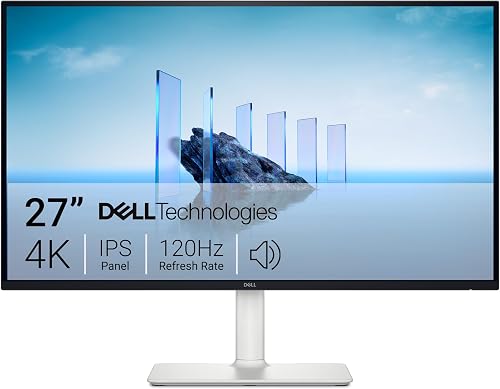
The Dell S2725QS is the strongest match if you want a sharp spreadsheet grid without moving to a 32 in screen. Its 3840 x 2160 resolution on a 27 in IPS display gives you room for detailed worksheets, charts and menus.
The stand supports height, pivot, swivel and tilt adjustment, which makes it easier to position the screen around your desk and chair. DisplayPort and HDMI give you two common ways to connect a computer.
Dell lists 99% sRGB color coverage and a 1500:1 contrast ratio. For everyday Excel work, the main reasons to choose it are the 4K resolution, adjustable stand and more modest screen size compared with the 32 in picks.
This is the first model to consider if you spend most of the day in one workbook and want a clean 4K view. Choose a larger option if you need bigger text or want more room to place windows side by side.
Dell S3225QS: Best for large 4K worksheets
- 32 in 4K UHD
- VA panel
- Height and tilt adjustment
- DisplayPort and HDMI
The 32 in 4K display offers a broad workspace with the same pixel dimensions as the 27 in Dell. Its larger physical size can make the screen easier to read at a comfortable distance.
Pros
- 4K resolution on a 32 in screen
- Height and tilt adjustments
- 99% sRGB and 95% DCI-P3 coverage
Cons
- Needs more desk width than a 27 in monitor
- Stand does not list pivot or swivel adjustment
The Dell S3225QS suits a desk where a larger screen is more useful than a smaller footprint. It keeps the 3840 x 2160 resolution of the 27 in Dell while spreading those pixels across a 32 in VA panel.
That larger display can make cells and controls appear bigger at the same viewing distance. The stand adjusts for height and tilt, and the monitor connects through DisplayPort or HDMI.
Dell lists 99% sRGB and 95% DCI-P3 coverage, along with a 1500:1 contrast ratio. Those color details matter more for chart work and mixed media than for ordinary cells, but they add flexibility if your desk work includes visuals.
Pick it when you want the 4K grid on a larger screen. Make sure the desk has room for a display measuring about 28 in wide.
Dell S3425DW: Best for USB-C laptop desks
- 34 in curved ultrawide
- 3440 x 1440 resolution
- USB-C with up to 65W power delivery
- 21:9 aspect ratio
The wide 21:9 screen can keep a worksheet and another window in view at once. USB-C provides display connectivity and up to 65W power delivery for a laptop.
Pros
- Wide workspace for multiple windows
- USB-C with up to 65W power delivery
- Height and tilt adjustment
Cons
- Lower vertical resolution than 4K picks
- Wide screen needs ample desk space
The Dell S3425DW is a useful choice if your spreadsheet work often sits beside another app. Its 34 in curved 21:9 panel has 3440 x 1440 resolution, giving a worksheet a broad horizontal workspace.
The USB-C connection supports up to 65W power delivery, so a compatible laptop can use one cable for display and charging. The stand adjusts for height and tilt, and HDMI is also available.
This model has fewer vertical pixels than the 4K monitors above. That makes it better for wide tables and side-by-side layouts than for seeing more rows at once.
Choose it if one broad screen suits your workflow and you want USB-C laptop connectivity. Compare it with the dual-monitor setup guide if you are deciding between one wide display and two screens.
Samsung ViewFinity S7 32 (S70H): Best for a simple 32 in 4K setup

- 32 in 4K UHD
- VA panel
- HDMI and DisplayPort
- Split screen and KVM features through Samsung Display Manager
This 32 in 4K monitor pairs a large worksheet area with HDMI and DisplayPort connections. Samsung Display Manager provides access to split screen setup and KVM features.
Pros
- 32 in 4K resolution
- HDMI and DisplayPort
- Eye Saver Mode and flicker prevention
Cons
- 60 Hz refresh rate
- No USB-C connection
The Samsung ViewFinity S7 32 (S70H) combines a 32 in screen with 4K resolution. It gives you the larger physical view of the Dell S3225QS while keeping a 3840 x 2160 pixel grid.
HDMI and DisplayPort cover common desktop connections. Samsung Display Manager provides access to split screen setup, KVM, picture-in-picture and picture-by-picture features.
The listed refresh rate is 60 Hz, which is suitable to consider for routine spreadsheet work. Eye Saver Mode reduces blue light, and Samsung says the monitor prevents screen flickering.
This is a straightforward fit if you want 32 in 4K without USB-C. Check your desk depth and screen position before choosing a 32 in display.
Samsung ViewFinity S50GC 34: Best for two windows side by side

- 34 in Ultra-WQHD
- 21:9 aspect ratio
- Picture-by-Picture and Picture-in-Picture
- 100 Hz refresh rate
The 21:9 screen and Picture-by-Picture mode suit a desk where two programs or sources need to stay visible. It has two HDMI inputs and one DisplayPort input.
Pros
- Wide 21:9 workspace
- Picture-by-Picture and Picture-in-Picture
- 100 Hz refresh rate
Cons
- No USB-C connection
- Wide screen needs enough desk space
The Samsung ViewFinity S50GC 34 suits work that benefits from a worksheet and another window sharing one screen. Its 21:9 aspect ratio and 3440 x 1440 resolution provide more horizontal room than a standard 16:9 display.
Picture-by-Picture can show two input sources at once, while Picture-in-Picture lets a second source occupy a smaller part of the display. It has two HDMI inputs and one DisplayPort input, so it may suit a desk with more than one connected device.
Its 100 Hz refresh rate and eye care features add flexibility for mixed work and media. It does not have USB-C, so plan for a separate laptop charging connection if needed.
Pick it if you value a broad work area and use multiple windows or sources. If your work needs many rows visible at once, a 4K screen may be a better fit.
LG 34WR55QK-B: Best for an ultrawide with USB-C

- 34 in curved ultrawide
- 3440 x 1440 resolution
- USB-C with up to 65W power delivery
- Height-adjustable stand
The 21:9 display gives a worksheet room beside another open window. USB-C supports display and up to 65W laptop charging, while the stand adjusts for height and tilt.
Pros
- USB-C with up to 65W power delivery
- OnScreen Control supports split layouts and PbP
- Height and tilt adjustment
Cons
- Lower vertical resolution than 4K picks
- Wide curved display takes up more desk space
The LG 34WR55QK-B is an ultrawide pick for a laptop desk where USB-C matters. Its 34 in curved screen has a 21:9 ratio and 3440 x 1440 resolution, with room to arrange a worksheet beside another app.
USB-C supports display and up to 65W power delivery. The monitor also has two HDMI ports, DisplayPort and two USB ports, while its stand adjusts for height and tilt.
LG's OnScreen Control supports screen splitting and Picture-by-Picture. Reader Mode reduces blue light, which may be useful when much of your day involves reading cells and documents.
Choose this model if a single cable for laptop display and charging would simplify your desk. The Dell S3425DW also offers USB-C and 65W power delivery, so compare the two by screen layout and the ports you need.
LG 32UR550K-B: Best for 32 in 4K with pivot adjustment

- 32 in 4K UHD
- Height, tilt and pivot adjustment
- HDMI and DisplayPort
- Screen splitting through the Switch app
This 32 in 4K monitor combines a large worksheet area with height, tilt and pivot adjustments. LG's Switch app supports layouts that split the screen into as many as six sections.
Pros
- 32 in 4K resolution
- Height, tilt and pivot adjustments
- HDMI and DisplayPort
Cons
- No USB-C connection
- 60 Hz refresh rate
The LG 32UR550K-B is a 32 in 4K monitor with a stand that adjusts for height, tilt and pivot. Its 3840 x 2160 resolution provides the same pixel count as the other 4K picks, with more physical screen area than a 27 in display.
HDMI and DisplayPort handle the video connections. LG's Switch app can split the screen into as many as six sections, which may help you arrange a workbook, a reference file and other apps.
This model has a 60 Hz refresh rate and no USB-C connection. It is a practical option if you want a larger 4K screen and stand flexibility, rather than one-cable laptop charging.
Pick it if you want pivot adjustment and a 32 in 4K display. For a simpler two-window layout, compare it with the ultrawide models.
LG 34U640B-B: Best for switching between two computers

- 34 in curved ultrawide
- 3440 x 1440 resolution
- USB-C with up to 65W power delivery
- KVM for two PCs
The ultrawide layout gives multiple apps room on one screen, while the built-in KVM feature lets you control two PCs with one monitor, keyboard and mouse.
Pros
- Built-in KVM for two PCs
- USB-C with up to 65W laptop charging
- Height and tilt adjustment
Cons
- Lower vertical resolution than 4K picks
- Wide screen needs ample desk space
The LG 34U640B-B is the most specialized pick here for switching between two computers. Its built-in KVM feature lets you use one monitor, keyboard and mouse with two PCs, and its 34 in 21:9 screen gives multiple apps room side by side.
The 3440 x 1440 display connects through USB-C, HDMI or DisplayPort. USB-C supports up to 65W laptop charging, and the stand adjusts for height and tilt.
LG's Switch app supports layouts with up to six sections. The screen's 144 Hz refresh rate is more than spreadsheet work requires, so the main reason to choose this monitor is its KVM and ultrawide layout.
Choose it if you switch between work and personal computers and want to keep one desk setup. If you only use one computer, a 4K monitor may make better use of your budget.
What should you look for in a spreadsheet monitor?
A good spreadsheet monitor pairs a readable resolution with enough screen area for your work. Think about how many columns and rows you need in view, then choose the size and layout that fit your desk and viewing distance.
- Resolution: 4K gives more pixels than 3440 x 1440, including more vertical room for rows. You may need to adjust display scaling to keep text comfortable.
- Screen size: 27 in is easier to fit on a smaller desk. A 32 in screen gives cells a larger physical size at the same resolution.
- Aspect ratio: 16:9 is a familiar layout, while 21:9 gives more width for side-by-side windows.
- Stand adjustment: Height and tilt options help place the screen where you can read it without craning your neck. Pivot can be useful for vertical pages or long lists.
- Connections: Check whether your computer has HDMI, DisplayPort or USB-C. USB-C power delivery can reduce cable clutter on a compatible laptop.
- Window tools: Picture-by-Picture and screen splitting can help arrange two programs, but they don't increase the screen's resolution.
A spreadsheet with many columns may benefit more from extra width than extra vertical pixels. If you work with long tables, dense formulas or multiple sheets, compare how the layout supports your actual tasks before choosing by screen size alone.
Is a 32 in monitor too big for spreadsheets?
A 32 in monitor is not too big if your desk has enough depth and you can place it at a comfortable viewing distance. The larger screen can make cells and menus appear bigger, while 4K resolution preserves a detailed grid.
On a shallow desk, a 32 in display can dominate your view or require more head movement. Read our 32 in monitor size guide for placement considerations.
Is an ultrawide or dual monitor setup better for Excel?
An ultrawide is useful when you want a worksheet and another app in one continuous screen area. Dual monitors can give each app its own display, but need extra desk width and more connection planning.
The best arrangement depends on whether you value one long workspace or separate screens. Our ultrawide vs dual monitor comparison explains the trade-offs in more detail.
Which monitor should you choose for spreadsheets?
Choose the Dell S2725QS if you want 27 in 4K and a stand with broad adjustment. Pick the Dell S3225QS or LG 32UR550K-B for a larger 4K view, or choose an ultrawide if your spreadsheet work often sits beside another window.
For a laptop desk, the Dell S3425DW and LG 34WR55QK-B add USB-C with up to 65W power delivery. The best monitor for spreadsheets is the one whose resolution, screen layout and connections fit the workbook and computer you use every day.
Our top 3 picks at a glance
-
1
-
2
-
3