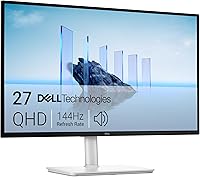
Dell S2725DSM vs S2725QS: Which Is Better? (October 2026)
Choose the Dell S2725QS for 4K detail, or the S2725DSM for QHD at up to 144Hz. Both are 27-inch Dell monitors with built-in speakers and an adjustable stand, so resolution and refresh rate are the main differences.
On this page (8 sections)
- Dell S2725DSM vs S2725QS: what is the main difference?
- Which Dell is better for work and entertainment?
- What do the speakers and eye comfort features add?
- How do the Dell S2725DSM and S2725QS connect?
- Should you consider the Dell S2725DC instead?
- Which Dell monitor should you choose?
- How we scored these monitors
- Sources
Choose the Dell S2725QS for 4K detail, or the S2725DSM for QHD at up to 144Hz. Both are 27-inch monitors with built-in speakers and adjustable stands, so the right pick depends mainly on resolution and refresh rate.
The S2725QS is 4K UHD, while the S2725DSM is QHD. The DSM reaches 144Hz; the QS reaches 120Hz.
If you're deciding whether the extra pixels matter for your desk, our guide to 4K vs 1440p monitors for work explains the trade-offs. For a wider view of the brand, see whether Dell monitors are good for a home office.
Dell S2725DSM vs S2725QS: what is the main difference?
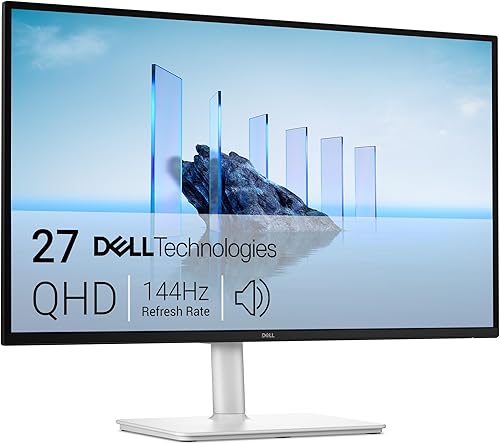
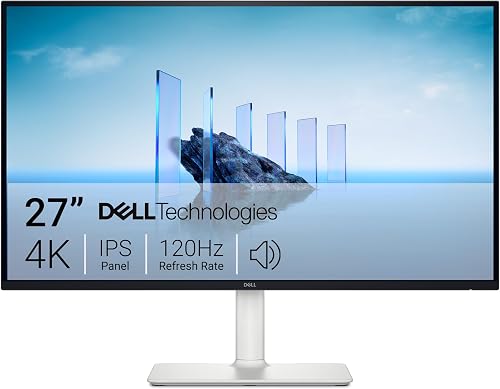
The S2725QS has more pixels, and the S2725DSM has the higher maximum refresh rate. Both have 27-inch screens, an aspect ratio of 16:9, built-in speakers and height, tilt, pivot and swivel adjustments.
The S2725DSM's 2560 x 1440 resolution gives you QHD. The S2725QS's 3840 x 2160 resolution gives you 4K UHD, with more detail available on the same screen size.
For everyday documents, email and browser tabs, either resolution can work. If small text, dense spreadsheets or detailed images fill your day, 4K gives you more pixels to work with; you may also need to adjust display scaling to keep text comfortable to read.
How different is 4K from QHD on a 27-inch monitor?
The S2725QS has about 8.3 million pixels, compared with about 3.7 million on the S2725DSM. That gives the QS more than twice as many pixels, though your computer, software and eyesight affect how much of the added detail you notice.
More pixels do not automatically make every screen easier to use. If you find yourself enlarging text or scaling the desktop, consider whether the additional detail still helps your work.
Our guide to whether 1080p is good enough on a 27-inch monitor explains why screen size and resolution need to be considered together. The S2725DSM is QHD, so it sits above 1080p while leaving less room for fine detail than 4K.
Which Dell is better for work and entertainment?
Choose the S2725QS when sharp 4K detail matters most, and the S2725DSM when you want up to 144Hz. Both have IPS technology, a 1500:1 contrast ratio and 99% color gamut coverage.
Dell specifies 99% sRGB for the S2725QS. Its 4K resolution can suit photo viewing, detailed layouts and video, while the 120Hz maximum refresh rate supports smoother motion than a standard 60Hz display.
The S2725DSM combines QHD with a 144Hz maximum refresh rate and AMD FreeSync. That mix may suit fast-moving games or video, while QHD remains practical for typical office tasks.
For a broader look at the QHD category, see our best 1440p monitors for work. If you mainly work with large tables and multiple panes, our guide to monitors for spreadsheets can help you weigh screen space against pixel detail.
Which one is better for text and spreadsheets?
The S2725QS gives you more pixels for small text and dense spreadsheet cells. That can help when you want fine detail on a 27-inch screen, but check how your computer handles 4K and whether your preferred scaling keeps text readable.
The S2725DSM gives you QHD, which provides more pixel detail than Full HD at the same size. It can be a sensible middle ground if you want a clear desktop without choosing a 4K display.
For long work sessions, adjust the stand so the screen sits comfortably in your view. Both models support height, tilt, pivot and swivel adjustments.
Does the 144Hz refresh rate matter for office work?
For typing, reading and most static office tasks, the difference between 120Hz and 144Hz may matter less than resolution and text scaling. The extra refresh headroom on the S2725DSM is more relevant if smooth motion is a priority.
The S2725QS still reaches up to 120Hz, so it isn't limited to a 60Hz refresh rate. Confirm that your computer and chosen connection support the resolution and refresh rate you plan to use.
What do the speakers and eye comfort features add?
Both monitors include speakers and features aimed at viewing comfort. The S2725DSM has dual 3W speakers and a 4-star TÜV certification; the S2725QS has built-in speakers and ComfortView Plus.
The S2725DSM's two 3W speakers can handle basic audio without separate desktop speakers. Dell describes its sound as covering a wider range of frequencies.
Dell says the S2725QS's revised speakers offer greater output power, deeper frequency response and more decibel range than the previous generation. The specifications here don't state the speaker wattage, so choose based on the screen and treat built-in sound as a convenience.
Both models list eye comfort features that reduce blue light emissions while aiming to preserve color. The S2725DSM is described as TÜV 4-star certified, and Dell says ComfortView Plus on the S2725QS reduces harmful blue light emissions to 35% or less.
These are comfort features, not a substitute for setting a comfortable brightness and taking breaks. A monitor that feels good for your desk also needs sensible placement and a viewing distance that suits you.
How do the Dell S2725DSM and S2725QS connect?
Both offer HDMI and DisplayPort, while neither lists USB-C. If you need USB-C laptop charging from the monitor, these two aren't the right fit for that setup.
The S2725DSM includes an HDMI 2.1 TMDS cable. The S2725QS includes an HDMI cable, and both monitors provide HDMI and DisplayPort connectivity.
Port labels alone don't confirm which refresh rates are available through every input. Check your computer's output capabilities and the monitor's manual when you plan a specific resolution and refresh rate.
The Dell S2725QS vs LG 27US500 comparison can help if you're also weighing a different 27-inch 4K monitor. If one-cable laptop charging is a priority, our guide on whether a monitor can charge a laptop covers what USB-C power delivery means.
Should you consider the Dell S2725DC instead?
Consider the S2725DC if you want QHD and 144Hz with USB-C connectivity. It shares those screen basics with the S2725DSM, then adds USB-C with up to 65W power delivery.
The S2725DC also has dual 3W speakers and an adjustable stand. Its USB-C port can carry a laptop connection and provide power, which may reduce cable clutter for a compatible computer.
The S2725DC is not a 4K alternative to the S2725QS. Choose it for the USB-C setup, not for added pixel detail.
Which Dell monitor should you choose?
Pick the S2725QS for 4K detail, and the S2725DSM for QHD with a 144Hz maximum refresh rate. Choose the S2725DC if USB-C laptop charging is your deciding feature.
The S2725QS is the clearest fit for work where fine detail matters on a 27-inch screen. The S2725DSM makes more sense if QHD is enough and its higher refresh ceiling suits your motion needs.
Before you decide, check your computer's supported output, the stand's fit on your desk and whether you need USB-C. For a bigger-picture comparison, read Dell vs Samsung monitors for work.
For the Dell S2725DSM vs S2725QS, choose by resolution first: 4K on the QS or QHD at up to 144Hz on the DSM. If neither provides the connectivity you need, the S2725DC adds USB-C with up to 65W power delivery.
How we scored these monitors
Our score weighs specs and features against what you're shopping for. The S2725QS scores 9 for its 4K resolution and broad office use; the S2725DSM scores 8.8 for its QHD screen and 144Hz refresh rate, while the S2725DC scores 8.5 for adding USB-C to a similar QHD setup.
Sources
- Dell S2725DSM
- Dell S2725QS
- Dell S2725DC
- VESA DisplayPort standards
Frequently asked questions
Is the Dell S2725QS better than the S2725DSM?
The S2725QS is the better fit if you want a 4K image on a 27-inch screen. The S2725DSM is the better fit if QHD is enough and you prefer its higher maximum refresh rate of 144Hz over the S2725QS's 120Hz.
Which Dell monitor has the higher resolution?
The Dell S2725QS has the higher resolution at 3840 x 2160, or 4K UHD. The S2725DSM is 2560 x 1440 QHD.
At the same 27-inch size, 4K gives you more pixels for fine detail, though scaling and viewing distance affect how that difference feels.
Do the Dell S2725DSM and S2725QS have speakers?
Yes, both models have built-in speakers. The S2725DSM has dual 3W speakers, while the S2725QS includes built-in speakers with revised sound quality compared with the previous generation.
Choose based on the screen first, then decide whether built-in sound meets your needs.
Can either monitor charge a laptop over USB-C?
Neither the S2725DSM nor the S2725QS lists USB-C connectivity. If you want one cable for video and laptop charging, consider the Dell S2725DC, which has USB-C with up to 65W power delivery.
Which monitor is better for office work?
Either can suit office work, but they serve different screen needs. Pick the S2725QS for 4K detail in text, spreadsheets and images; pick the S2725DSM if QHD is sufficient and you value refresh rates up to 144Hz.
Check that your computer supports the resolution and refresh rate you want.