23 Inch vs 27 Inch Monitor: Which Size to Buy? (November 2026)
Pick a 27 inch monitor for a roomy desk and a 23 inch model when space is tight. In the 23 inch vs 27 inch monitor choice, your desk depth and how far you sit matter more than the diagonal number.
On this page (8 sections)
Pick a 27 inch monitor for a roomy desk and a 23 inch model when space is tight. In the 23 inch vs 27 inch monitor choice, your desk depth and how far you sit matter more than the diagonal number.
Both sizes here run Full HD at 1920 x 1080. The difference is how that pixel count spreads across the panel and how much desk the cabinet takes.
The 27 inch group suits wide spreadsheets and two windows side by side. The 23 inch group fits small rooms, shallow desks and setups where the screen sits close.


How the two sizes compare at a glance
A 27 inch screen gives you about 40% more viewing area, while a 23 inch panel stays sharper at the same resolution. That trade-off is the whole decision in one line.
A 27 inch 16:9 monitor is roughly 24 inches wide and 13 inches tall. A 23 inch model is about 21 inches wide and 12 inches tall.
Those cabinet figures are close to the actual viewable area.
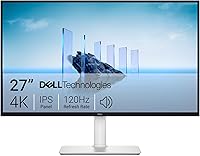
The Dell 27 Monitor measures 24.06 inches wide. The Dell SE2426H comes in at 21.21 inches wide.
The gap is about 3 inches across the desk.
| Point | 23 inch models | 27 inch models |
|---|---|---|
| Typical width | About 21 in | About 24 in |
| Resolution here | 1920 x 1080 | 1920 x 1080 |
| Pixel density | About 93 ppi | About 82 ppi |
| Best desk depth | Shallow to medium | Medium to deep |
| Viewing comfort | Closer seating works | More distance needed |
| Desk space used | Less | More |
The resolution line is the same for all four products in this comparison. The sharpness you see comes from how densely those pixels sit, not from the number of them.
Pixel density in plain numbers
A 23 inch Full HD screen packs about 93 pixels per inch. The same 1920 x 1080 grid on a 27 inch panel drops to about 82 ppi.
That sounds like a small gap. On text it isn't.
Small fonts and thin UI lines show softer edges on the larger screen when you sit at the same distance.
The 23 inch group is the safer buy for reading, coding and long document work. The 27 inch group earns its place when screen area matters more than edge crispness.
Which size fits your desk and room?
Measure your desk depth first: a 27 inch screen needs more distance to look right. Width alone won't tell you whether the bigger size works.
The rule of thumb for a comfortable view is roughly an arm's length from screen to eyes. A 27 inch monitor looks best around 24 to 30 inches away.
A 23 inch screen stays comfortable a little closer.
If your desk is shallow, you end up sitting nearer than the screen wants. That's when a 27 inch Full HD panel starts to look grainy and you begin leaning back to take it all in.
When a 23 inch monitor is the right fit
A 23 inch model wins when the desk is small or shared. The Dell SE2426H cabinet is 21.21 inches wide and sits on a stand that leaves room for a keyboard and notebook.
It's also the better choice in a bedroom, a dorm or any room where the monitor doubles as a TV at close range. At that distance the sharper pixel density shows.
Choose the 23 inch size when you mostly read, write and browse. The Philips 241V8LB adds a 3000:1 contrast panel and an EasyRead mode for long text sessions.
If the desk is really narrow, a smaller screen may fit better still; our picks for a 24 inch monitor for home office cover compact options in more detail.
When a 27 inch monitor earns the space
A 27 inch monitor wins when you want two windows open side by side without a second screen. The extra 3 inches of width is enough for a document next to a browser.
The Sceptre 27-inch Prime fits that job well. Its three video inputs let you keep a laptop and a desktop connected at once, and the built-in speakers clear a pair of cables from the desk.
The Dell 27 Monitor suits shared viewing. Its IPS panel holds colors steady when someone sits off to the side, so a colleague pulling up a chair still sees the same image.
If your room is large and the desk deep, a bigger step up may suit you better; our 27 vs 32 inch monitor for work comparison covers that jump.
Does the larger screen look less sharp?
Yes, at the same resolution a 27 inch Full HD panel looks softer than a 23 inch one. The pixels are the same in number but spread over more glass.
This matters most for text. Word processing, code editors and long reports all show fine strokes that reveal the gap.
Images and video hide it better.
If you sit close to the screen, the difference is easy to see. If you sit back at arm's length or more, the larger size fills your view and the softness fades.
The sharpness question for 27 inch buyers
Many people ask whether Full HD holds up at 27 inches. Our guide on whether 1080p is good for 27 inch monitor goes deeper, and the short answer is that it's fine for mixed use but not ideal for dense text.
If crisp text is your top priority, the 23 inch size gives it without spending more. If you want screen area and can sit back, the 27 inch size is the practical pick.
A 1440p panel would fix the sharpness gap at 27 inches, but none of the four models here offer it. Within this comparison, the choice is size against density, not resolution.
Which size is better for work?
The 27 inch size is better for multitasking and the 23 inch size is better for focused text work. Your daily app layout decides more than the diagonal.
Work that needs two windows open at once gains from the wider panel. Spreadsheets with many columns, video editing timelines and design tools all want room.
Work that's mostly one document at a time stays comfortable on 23 inches. The sharper text is easier on the eyes over a long day, and the smaller cabinet leaves desk space for notes.
Office and study tasks
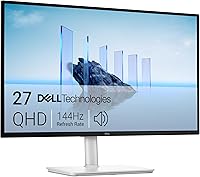
A 23 inch screen covers a single document, a browser tab and a chat window without feeling cramped. The Dell SE2426H adds a 144Hz refresh rate that makes scrolling feel smooth and an IPS panel for steady colors.
The Philips 241V8LB targets readers with its EasyRead mode and higher contrast. Long PDFs and ebooks look closer to paper, which helps in a study or a home office.
Both carry eye-care features for long sessions. The Dell has TUV 3-star eye comfort certification; the Philips uses Flicker-Free and LowBlue mode.
Multi-window and creative work
A 27 inch screen changes how you arrange windows. Two full-size documents sit side by side, and a browser with a reference page leaves room for an editor.
The Sceptre's 100% sRGB coverage helps with color-sensitive tasks like photo touch-ups. The Dell 27 Monitor's IPS panel keeps colors consistent when you show work to someone beside you.
Neither 27 inch model is a color-grading display. For everyday creative work and office multitasking, though, the extra width is the feature you'll notice every day.
Which size suits gaming and video?
Both sizes handle gaming well, and the 27 inch screen gives games more room to breathe. The refresh rate matters more than the diagonal here.
The Sceptre reaches 100Hz, and both Dell models reach 144Hz. Higher refresh rates keep fast motion smooth, and the panels here all pair that with low response times.
The Sceptre also supports AMD FreeSync, and the Dell models list it too. That helps cut tearing when the frame rate moves around.
Screen size and immersion
A 27 inch screen fills more of your view, which makes games and video feel more present. The wider cabinet also gives split-screen local play more room.
A 23 inch screen keeps the action compact. If you sit close, it fills your view just as well and the sharper pixel density makes fine detail easier to spot.
For a shared room or a desk against a wall, the 23 inch size is the calmer choice. For a dedicated gaming corner with a deep desk, the 27 inch size is more rewarding.
Ports and speakers that matter
The Sceptre has two HDMI ports and one DisplayPort, plus built-in speakers and a headphone jack. That's enough for a console, a PC and a laptop without a hub.
The Dell 27 Monitor and Dell SE2426H each have two HDMI ports. The Philips 241V8LB offers HDMI and VGA, which covers an older desktop as well as a modern laptop.
Built-in speakers are worth noting on the Sceptre. They save desk space and cut cable clutter, which matters more as the monitor gets wider.
How much desk space does each size really take?
The 27 inch cabinet needs about 3 more inches of width and a little more depth, plus clearance for the stand. That's the space you give up when you size up.
The Sceptre measures 24.13 inches wide and 7.66 inches deep. The Dell 27 Monitor is 24.06 inches wide and 7.87 inches deep.
Both need a desk at least 26 inches wide to sit comfortably.
The Dell SE2426H is 21.21 inches wide and 7.04 inches deep. The Philips 241V8LB is 21.3 inches wide and 8.7 inches deep.
Those footprints leave more room beside the monitor.
Depth is the figure people forget. A stand that pushes the screen forward eats the distance you need to sit back, so a deeper cabinet on a shallow desk can crowd you.
Planning the footprint before you buy
Tape the cabinet size on the desk, then place your keyboard where you'll actually use it. Check that your arms still rest comfortably and that a notebook or coffee mug has a spot.
Leave room for cables at the back and a little air around the panel. None of these models needs unusual clearance, but a monitor pushed against a wall loses its tilt range.
If the desk is fixed and shallow, the 23 inch size is the honest choice. If you're buying a desk too, size the desk to the monitor you want rather than the other way around.
Who should buy which?
Buy the 27 inch size for a deep desk and multi-window work; buy the 23 inch size for small rooms and text-heavy days. Each group here has a clear best pick.
For most people with the desk space, the Sceptre 27-inch Prime Monitor is the pick. It scored 9.7 in our comparison for its mix of screen area, three inputs and eye-care features at the larger size.
The Dell 27 Monitor scored 9.6 and is the better 27 inch choice when two people view the screen together. Its IPS panel holds colors across wide angles, though its 72% color gamut is narrower than the Sceptre's 100% sRGB.
The 23 inch picks
The Dell SE2426H scored 8 and is the best 23 inch choice for small desks. It keeps the Full HD resolution in a 21.21 inch cabinet, so text stays sharper than on the larger panels.
The Philips 241V8LB scored 7.6 and suits reading-heavy work. Its VA panel has a 3000:1 contrast ratio for deeper blacks, and EasyRead mode softens the look of long documents.
If you plan to add a second screen later, the 23 inch size is easier to pair. Our guide to wide and two-screen setups covers how a bigger main screen changes a dual-monitor desk.
Verdict: which size should you buy?
Choose the 27 inch size if your desk is deep enough and you want more screen area; choose 23 inches if space or sharp text comes first. That's the decision rule for the 23 inch vs 27 inch monitor question.
The Sceptre 27-inch Prime Monitor is the best overall pick in this comparison. It gives you the larger screen, three inputs and built-in speakers without the narrower color range of the Dell 27 Monitor.
Pick the Dell 27 Monitor if two people often look at the same screen. Pick the Dell SE2426H if the desk is small and you read or write all day.
Pick the Philips 241V8LB if contrast and a paper-like reading mode matter most.
Measure your desk depth and your sitting distance before you order. Those two numbers decide the size more reliably than any spec sheet, and they're free to check.
Frequently asked questions
Is a 27 inch monitor too big for a small desk?
It depends on depth more than width. A 27 inch screen is comfortable when you sit about 24 to 30 inches away, so on a shallow desk you end up closer and the pixels look coarser.
Measure your desk depth first, then decide.
Is 1080p sharp enough on a 27 inch monitor?
It's usable but not crisp. A 27 inch 1920 x 1080 screen gives about 82 pixels per inch, so text edges look softer than on a 23 inch Full HD panel at roughly 93 ppi.
For long reading and coding, the smaller size stays sharper.
How much wider is a 27 inch monitor than a 23 inch one?
A 27 inch 16:9 screen is about 24 inches wide, while a 23 inch panel is about 21 inches. That extra 3 inches of width is what you notice on the desk, and it also affects how much desk space stays free for paperwork.
Can I use a 27 inch monitor for both work and gaming?
Yes. The Sceptre and Dell 27 inch models here reach 100Hz and 144Hz respectively, which keeps motion smooth in games as well as when scrolling documents.
A 23 inch screen saves space, but the larger panel gives games more room.
Should I buy a 23 inch or 27 inch monitor for a laptop setup?
A 27 inch screen pairs well with a laptop when your desk is deep enough, because the extra width fits two windows side by side. A 23 inch model is the better fit for a compact desk or a shared room where the monitor sits close to you.