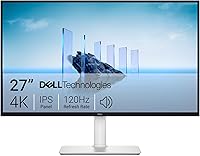
24.5 Inch vs 27 Inch Monitor: Which to Buy? (November 2026)
For most desks, a 27 inch monitor is the better buy because it gives you more screen for spreadsheets, windows and video. Pick 24.5 inches when desk depth is tight or you want the sharpest picture from a 1080p panel.
On this page (11 sections)
- The quick verdict: 27 inches for most desks, 24.5 for tight ones
- 24.5 inch vs 27 inch monitor: the two side by side
- Which size is sharper at 1080p?
- How much desk space does each size need?
- Which size works better for multitasking?
- Refresh rate: why 24.5 inches wins for gaming
- Color and panel type: where the 27 inch screens stand out
- Build, ports and speakers: what each size offers
- Price tier and value: what you pay for each size
- Who should buy which?
- The verdict: pick the size for your desk, not the spec sheet
For most desks, a 27 inch monitor is the better buy because it gives you more screen for spreadsheets, windows and video. Pick 24.5 inches when desk depth is tight or you want the sharpest picture from a 1080p panel.
The 24.5 inch vs 27 inch monitor choice is really about desk fit. Both sizes use a 1920 x 1080 resolution in the models here, so the bigger screen spreads the same number of pixels across more glass.
That changes how sharp text looks and how much you can keep open at once. This comparison walks through desk space, sharpness, color and refresh rate, then names the size that suits your setup.
| Product | Best for | Screen size | Resolution | Refresh rate | Our score |
|---|---|---|---|---|---|
| Sceptre 27-inch Prime Gaming Monitor 100Hz 1ms | overall | 27 in | 1920 x 1080 | 100Hz | 9.7 |
| Dell 27 Monitor | eye comfort | 27 in | 1920 x 1080 | 144Hz | 9.6 |
| Sceptre Curved 24.5-inch Prime Gaming Monitor up | tight desks | 24.5 in | 1920 x 1080 | 240Hz | 9.7 |
| SANSUI 24.5 Inch 300hz 240hz | competitive gaming | 24.5 in | 1920 x 1080 | 300Hz | 9.6 |
The quick verdict: 27 inches for most desks, 24.5 for tight ones
Choose 27 inches if your desk is about 24 inches deep or more and you want room for two windows side by side. Choose 24.5 inches if the desk is shallow or you want sharper text at 1080p.
The Sceptre 27-inch Prime Gaming Monitor is the best overall pick here. It gives you 27 inches of screen with 100% sRGB color and built-in speakers, which covers office work and light gaming in one panel.
The Sceptre Curved 24.5-inch Prime Gaming Monitor matches its 9.7 score, but for a different reader. Its 24.5 inch panel is sharper at 1080p and its curve keeps the view compact on a short desk.
Pick the 27 inch screen for general work and media. Pick the 24.5 inch screen when every inch of desk depth counts.
24.5 inch vs 27 inch monitor: the two side by side
A 27 inch screen gives about 10 percent more diagonal than a 24.5 inch one, and that extra glass shows up in both width and height. Neither size is better in every room.
At 27 inches, the Sceptre measures 24.13 inches wide and 17.21 inches tall with its stand. The 24.5 inch Sceptre is 21.99 inches wide and 16.38 inches tall.
Those few inches change how close you sit and how much fits on the desk beside the monitor. A keyboard, mouse and notebook all need room too.
Both models in this comparison run a 1920 x 1080 resolution. The larger screen is not sharper; it simply makes each pixel bigger.
| Feature | 24.5 inch (Sceptre C255B) | 27 inch (Sceptre E275W) |
|---|---|---|
| Resolution | 1920 x 1080 | 1920 x 1080 |
| Width with stand | 21.99 in | 24.13 in |
| Height with stand | 16.38 in | 17.21 in |
| Weight | 6.9 lb | 7.2 lb |
| Refresh rate | Up to 240Hz | 100Hz |
| Panel | Curved 1500R | Flat LED |
| Speakers | Built-in | Built-in |
The weight gap is small, at 6.9 pounds against 7.2 pounds. Either screen is easy to lift onto a desk or a VESA arm.
Which size is sharper at 1080p?
The 24.5 inch screen is sharper, because the same 1080p pixel count is packed into less area. That matters most for text-heavy work like documents, code and long spreadsheets.
Pixel density is the number of pixels per inch of screen. At 1920 x 1080, the 24.5 inch panel lands at roughly 90 pixels per inch.
The 27 inch panel lands at about 82.
The difference sounds small on paper. In practice, small fonts and thin UI lines look crisper on the smaller screen, and some readers notice softer edges on a 27 inch 1080p display.
This is why 24.5 inches is a popular size for competitive gaming too. A fast, sharp panel at close range helps you spot small targets and read fine on-screen detail.
If you mainly read documents, the smaller screen wins on sharpness. If you mainly watch video or play games from further back, the bigger screen's softer pixels matter less.
Our look at whether 1080p is good enough on a 27 inch monitor goes deeper on this trade-off.
How much desk space does each size need?
A 27 inch monitor takes a few more inches of width and depth, which can crowd a small desk with speakers or a second screen. Measure before you buy.
The 27 inch Sceptre is 24.13 inches wide and 7.66 inches deep at its base. The 24.5 inch Sceptre is 21.99 inches wide and 8.54 inches deep.
The 24.5 inch model is actually a little deeper because of its curve and stand. So "smaller" doesn't always mean a smaller desk footprint.
What matters most is the depth between your eyes and the screen. A 27 inch panel at 1080p looks best from about 24 to 30 inches away.
If your desk is shallow, you end up sitting too close.
A 24.5 inch screen suits a viewing distance of about 20 to 24 inches. That makes it the safer fit for compact desks and wall-adjacent setups.
When the desk is shared with a laptop
A laptop stand plus a 27 inch monitor can leave little room for a keyboard. The bigger screen works when the laptop sits closed or on a separate shelf.
The 24.5 inch screen leaves more room for a laptop, notebook and coffee mug on a narrow desk. Our guide to the best 24 inch monitors for home office desks covers this layout.
Which size works better for multitasking?
The 27 inch screen fits more windows at once, so it suits spreadsheets, chat apps and a browser side by side. The 24.5 inch screen pushes you toward one task at a time.
More screen area means less window shuffling. On a 27 inch panel you can keep a document, a browser and a chat window open without overlapping.
The 24.5 inch panel still handles two windows if you snap them left and right. But each one gets less room, and long lines of text wrap sooner.
If your day is mostly writing or coding in one window, the smaller screen is enough. If you juggle references, a spreadsheet and a call app, the 27 inch size earns its desk space.
Going wider still is an option. Our 27 vs 32 inch monitor for work comparison shows when a 32 inch screen helps and when it just takes more desk.
Does a curved 24.5 inch screen help?
The Sceptre's 1500R curve wraps the edges toward you. On a small screen that keeps the corners in view without moving your head.
For gaming, the curve pulls you into the action. For design work with straight lines, some people find the bend slightly distracting.
Refresh rate: why 24.5 inches wins for gaming
The 24.5 inch models here refresh much faster, reaching 240Hz and 300Hz, while the 27 inch panels run at 100Hz and 144Hz. If fast games are your main use, size is not the deciding factor.
The Sceptre Curved 24.5-inch runs up to 240Hz with a 1ms response time and FreeSync Premium. That combination suits fast shooters where motion blur costs you.
The SANSUI 24.5 Inch reaches up to 300Hz over DisplayPort and 240Hz over HDMI. It uses a fast IPS panel with 120% sRGB and HDR.
The 27 inch options are slower. The Sceptre 27-inch runs at 100Hz, and the Dell 27 Monitor reaches 144Hz with FreeSync.
Higher refresh rates make movement look smoother and reduce visible lag. For office work and video, 100Hz already feels smooth.
For competitive play, the extra speed on the 24.5 inch screens is the real reason to choose that size.
Color and panel type: where the 27 inch screens stand out
The 27 inch Sceptre covers 100% sRGB and the Dell uses IPS for wide viewing angles, so the bigger screens suit color and shared viewing better. The 24.5 inch panels lean toward speed.
The Sceptre 27-inch advertises 100% sRGB, which means it can show a wide range of reds, greens and blues. That helps photo editing, design and video work look natural.
The Dell 27 Monitor uses IPS technology with a 178° viewing angle, so colors stay consistent when you or a colleague view from the side. It also carries TÜV Rheinland 3-star eye comfort certification to cut blue light.
The 24.5 inch SANSUI is no slouch on color either. It lists 120% sRGB and a fast IPS panel, so it covers more color than the sRGB standard while staying quick.
Eye comfort over long days
If you stare at a screen for eight hours, blue light filtering and flicker-free backlights matter. The Dell 27 has the strongest eye comfort in this group.
The SANSUI and both Sceptre models also list low blue light.
Build, ports and speakers: what each size offers
Both sizes give you HDMI ports, but the port mix and speakers differ by model, so check what your desk needs. A monitor with built-in speakers saves space and cables.
The Sceptre 27-inch has two HDMI ports and one DisplayPort, plus built-in speakers. The Sceptre 24.5 inch pairs two DisplayPort and two HDMI ports with built-in speakers.
The SANSUI 24.5 inch gives you two DisplayPort 1.4 and two HDMI 2.0 ports. It has no built-in speakers, so plan for separate speakers or a headset.
The Dell 27 Monitor uses HDMI only and includes an HDMI cable in the box. It also skips built-in speakers.
VESA mounting and arms
All four support wall or arm mounting. The Sceptre models and the Dell use VESA patterns, while the SANSUI lists a 75 x 75 mount.
An arm frees desk space and lets you raise the screen to eye level. That helps most with a 27 inch panel, since the bigger screen sits higher when tilted up.
Price tier and value: what you pay for each size
Budget panels tend to land at 24.5 inches and mid-range ones at 27 inches, though both sizes span the range. Think about value as screen area per dollar.
The 24.5 inch class is where fast gaming panels cluster. The SANSUI and the Sceptre curve both target gamers with high refresh rates at a lower tier than a large 27 inch gaming screen.
The 27 inch class gives you more screen for the money at the cost of sharpness and speed. For office work and streaming, that trade favors the bigger screen.
Decide what you value most: sharper text and speed on a small panel, or more room for windows on a big one. The price tier usually follows the second choice upward.
Who should buy which?
Buy the 27 inch if you work in windows all day and have the desk depth; buy the 24.5 inch if the desk is tight or you play fast games. Here is how each screen fits a real setup.
Pick a 27 inch monitor if:
- Your desk is at least 24 inches deep and about 48 inches wide.
- You keep a browser, a document and a chat app open at once.
- Color accuracy matters for photo or video work, where the Sceptre's 100% sRGB helps.
- You want built-in speakers and a simple two-cable setup.
The Dell 27 Monitor is the better 27 inch pick for eye comfort and IPS viewing angles. The Sceptre 27-inch is better for color coverage and speakers.
Pick a 24.5 inch monitor if:
- Your desk is shallow or shared with a laptop and keyboard.
- You read documents and code all day and want the sharpest 1080p text.
- You play fast shooters and want 240Hz or 300Hz.
- You want a curved panel that wraps the view without a wide footprint.
The SANSUI 24.5 inch is the pick for competitive play at 300Hz. The Sceptre curve is the pick for a compact desk with speakers built in.
What about a 23 inch screen?
The jump from 23 to 24.5 inches is smaller than from 24.5 to 27. If you are stepping up from an older 23 inch panel, read our 23 inch vs 27 inch monitor comparison to see whether the bigger jump is worth it.
The verdict: pick the size for your desk, not the spec sheet
For most people, a 27 inch monitor is the better choice because it gives you more room to work, and the Sceptre 27-inch Prime Gaming Monitor is the best overall pick. Its 100% sRGB color and built-in speakers cover office tasks and light gaming in one screen.
Go with a 24.5 inch monitor when desk depth is limited or when you want sharper 1080p text and a faster refresh rate. The Sceptre Curved 24.5-inch is the compact all-rounder, and the SANSUI 24.5 inch is the fastest panel here.
The 24.5 inch vs 27 inch monitor decision comes down to your desk and your main task. Measure the depth first, then choose the size that fits how you actually sit and work.
Frequently asked questions
Is a 27 inch monitor too big for a small desk?
It fits if your desk is deep enough to sit about an arm's length from the screen. A 27 inch monitor is about 24 inches wide, so measure your desk first.
If depth is under 24 inches, a 24.5 inch model keeps more room between you and the panel.
Is 1080p sharp enough on a 27 inch monitor?
It's usable for office work, but pixels are larger than on a 24.5 inch screen. A 24.5 inch 1080p panel is sharper for reading text.
A 27 inch 1080p screen still works well for video and games at normal desk distance.
What is the ideal viewing distance for a 24.5 inch vs 27 inch monitor?
Sit about 20 to 24 inches from a 24.5 inch screen and about 24 to 30 inches from a 27 inch one. Closer seating on a 27 inch 1080p panel makes individual pixels easier to see, so depth matters more than width.
Does screen size affect refresh rate and gaming speed?
No. Refresh rate is set by the panel, not the size.
A 24.5 inch screen can run at 240Hz or 300Hz, while a 27 inch monitor here runs at 100Hz or 144Hz.
Size changes your view and desk fit, not how fast the panel refreshes.
Can I use two 27 inch monitors on one desk?
Yes, if your desk is wide enough. Two 27 inch monitors need roughly 48 inches of width plus a small gap, so a desk of about 60 inches works.
A pair of 24.5 inch screens takes less width and suits narrower desks.