27 Inch Monitor vs 34 Inch Ultrawide: Which to Buy? (November 2026)
Pick the 34 inch ultrawide if you juggle several windows at once; pick the 27 inch if you want a simpler screen and a smaller desk footprint. In this 27 inch monitor vs 34 inch ultrawide comparison, the Sceptre 34 inch wins overall for multitasking, while the Sceptre 27 inch is the better first monitor.
On this page (7 sections)
Pick the 34 inch ultrawide if you juggle several windows at once; pick the 27 inch if you want a simpler screen and a smaller desk footprint. For most people who run chat, email and a document together, the Sceptre 34 inch curved ultrawide is the monitor to buy.
The 27 inch size is still the smarter first monitor. It takes less desk space, it's easier on older laptops and graphics cards, and a 1080p panel is fine for a single window at normal viewing distance.
This 27 inch monitor vs 34 inch ultrawide comparison looks at what actually decides the choice: screen space, resolution and sharpness, desk fit, ports and refresh rate. We compared four models across both sizes and scored each one against what a work setup needs.
| Product | Best for | Screen | Resolution | Refresh rate | Our score |
|---|---|---|---|---|---|
| Sceptre 27-inch Prime Gaming Monitor 100Hz 1ms | a first desk monitor | 27 in, 16:9 flat | 1920 x 1080 | 100Hz | 9.7 |
| Dell 27 Monitor | color and viewing angles | 27 in, 16:9 flat | 1920 x 1080 | 144Hz | 9.6 |
| Sceptre 34-inch Curved ultrawide WQHD Monitor | multitasking on one screen | 34 in, 21:9 curved | 3440 x 1440 | Up to 180Hz | 9.5 |
| LG 34WR55QK-B | laptop docking | 34 in, 21:9 curved | 3440 x 1440 | 100Hz | 7.8 |
Which screen size fits the way you work?
The ultrawide wins if you keep more than two windows open; the 27 inch wins if you mostly use one at a time. Screen space is the first thing to settle because it drives the rest of the decision.
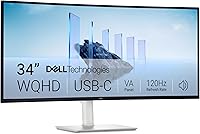
A 34 inch 21:9 screen stretches wider than a 27 inch 16:9 screen but stays close in height. Sceptre says its 21:9 ultrawide gives about 30% more screen space than a conventional monitor.
That extra width is where a third window fits.
Think about your busiest hour. If you're comparing a spreadsheet with a report and a chat window at the same time, the ultrawide removes the window shuffling.
If your work is a browser tab and an email client, the 27 inch does the job without the extra width.
When a 27 inch screen is enough
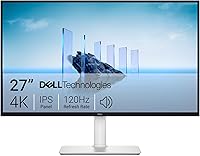
A single 27 inch 16:9 screen fits one main window plus a sidebar. That suits writing, email, simple spreadsheets and video calls.
Two windows fit side by side on a 27 inch screen, but each gets a narrower column. Long documents wrap more and spreadsheets need more scrolling.
If you already own a second monitor, adding a 27 inch next to it is often easier than replacing both with one wide screen. Our guide on ultrawide vs dual monitor for work covers that trade-off in detail.
When the 34 inch ultrawide earns its width
The ultrawide suits people who work in three columns at once. Editors, developers, analysts and anyone who compares documents all day get the most from it.
The Sceptre 34 inch has a 1500R curve. That bend keeps the far edges of the 21:9 panel closer to your eyes, so you turn your head less to read the ends of the screen.
Skip the ultrawide if your desk is short or your chair sits close to the wall. A wide screen that pushes you to sit near one end loses the benefit of the extra space.
27 inch monitor vs 34 inch ultrawide: how sharp is each screen?
The 27 inch models here are 1080p; the 34 inch models are 3440 x 1440. That resolution gap changes how sharp text looks and how much detail you can fit on screen.
A 1080p 27 inch screen spreads 1920 x 1080 pixels across a larger area than a 24 inch 1080p screen. Text and icons look softer when you sit close.
Our post on whether 1080p is good for a 27 inch monitor explains when it's fine and when it isn't.
The 34 inch ultrawide is not simply a stretched 1080p screen. Its 3440 x 1440 resolution adds pixels in both directions, so it's closer to a 1440p 27 inch screen in sharpness while staying wide.
Sceptre describes it as five million pixels, well above the 1080p standard.
What 1080p means for desk work on 27 inches
For a first monitor at an arm's length, 1080p on 27 inches is usable. Video, web pages and large interface elements look fine.
Small text is where it shows. If you read long documents or work with dense spreadsheets, a 1440p screen at the same size is the sharper choice.
The Dell 27 Monitor and the Sceptre 27 inch both run 1920 x 1080. Neither one fixes the sharpness limit of that resolution at this size.
What 3440 x 1440 adds on the ultrawide
The wider resolution keeps two full windows at a comfortable size and still leaves room for a third narrow panel. You can park chat or a to-do list on the edge without stealing space from your main window.
Pixel density on the 34 inch is lower than on a 1440p 27 inch screen, so text is not quite as crisp as the smaller high-resolution option. The payoff is width, not maximum sharpness.
If you want both sharp text and extra width, plan for a 1440p 27 inch screen or a 34 inch ultrawide, and skip the 1080p 27 inch. Our 27 vs 32 inch monitor for office work comparison covers how size and resolution interact at the next step up.
Which size fits your desk and room?
The 27 inch fits almost any desk; the 34 inch needs a wide, deep surface and some space for its curve. Measure before you buy, because width is the limit most people hit.
The Sceptre 27 inch measures 24.13 inches wide and 7.66 inches deep with its stand. The Dell 27 Monitor is almost identical at 24.06 inches wide.
Either fits a 48 inch desk with room to spare.
The Sceptre 34 inch measures 31.8 inches wide and 8.6 inches deep. The LG 34WR55QK-B is about 31.9 inches wide.
A 48 inch desk can hold one, but you'll have little space left for speakers or a laptop.
Check depth and viewing distance
A wide screen works best when you can sit centered and far enough back. The curve helps, but it doesn't remove the need for distance.
The Sceptre ultrawide's stand adds depth behind the screen. If your desk is shallow and sits against a wall, the front edge of the monitor can end up close to your keyboard.
Measure from your chair to the screen before you order. A 34 inch screen viewed too close forces you to move your head to read both ends.
Consider the second-screen path
If you already own a 27 inch monitor, adding another one costs less than buying an ultrawide and gives you two full screens. Our comparison of 23 inch vs 27 inch monitor sizes can help if the second screen is smaller.
The catch is the seam down the middle and the extra cables. An ultrawide removes the bezel between windows and keeps one cable run to the desk.
Which refresh rate and ports matter for work?
All four models refresh fast enough for office work; the ports decide how easily a laptop connects. Refresh rate matters more for gaming than for spreadsheets.
The Sceptre 27 inch runs up to 100Hz with AMD FreeSync. The Dell 27 Monitor runs 144Hz.
The Sceptre ultrawide reaches up to 180Hz, and the LG ultrawide runs at 100Hz.
For documents and email, anything from 60Hz up looks smooth. Higher refresh rates help motion in video and games, and they make scrolling feel lighter.
Ports and connections
The Sceptre 27 inch gives you two HDMI ports and one DisplayPort, so a desktop and a laptop can both stay connected. The Dell 27 Monitor offers HDMI only.
The Sceptre ultrawide has two DisplayPort and two HDMI ports, which suits a desktop plus a work laptop. The LG 34WR55QK-B adds USB Type-C with up to 65W power delivery, so one cable can carry the picture and charge a laptop.
If you move between a work laptop and a home desktop, count the ports you need. A single-cable USB-C setup is the neatest desk, and only the LG offers it here.
Speakers, mounting and adjustability
The Sceptre 27 inch, the Sceptre 34 inch and the LG 34 inch all have built-in speakers. The Dell 27 Monitor does not, so it needs separate speakers.
All four monitors are VESA wall mountable. A monitor arm frees desk space and makes it easier to center a wide screen.
The LG 34WR55QK-B has a height and tilt adjustable stand. The Sceptre 27 inch and the Sceptre 34 inch adjust by tilt only, so check whether the top of the screen lands at a comfortable height for you.
Who should buy the 27 inch monitor?
Buy the 27 inch if this is your first dedicated monitor, your desk is modest, or your laptop has limited graphics output. It covers everyday work without asking for extra width or a new desk.
The Sceptre 27 inch is the best pick in this size. It runs 1080p at 100Hz with two HDMI ports and one DisplayPort, plus built-in speakers.
That combination keeps a first setup simple and leaves room for a second device.
The Dell 27 Monitor is the alternative when color and viewing angles matter more. Its IPS panel keeps color steady across a 178 degree view, and the 144Hz refresh rate is the highest in this size class.
Choose it if you sit off center or share the screen.
Skip both 27 inch models if sharp text is your main concern. Their 1080p resolution is the weak point at this size.
Who should buy the 34 inch ultrawide?
Buy the 34 inch ultrawide if you work in several windows at once and have the desk width for it. It replaces a dual-monitor setup with one wide screen.
The Sceptre 34 inch is the ultrawide to buy for most people. Its 3440 x 1440 panel is sharp enough for long documents, and its 180Hz refresh rate covers gaming after work hours.
Two DisplayPort and two HDMI ports keep a desktop and a laptop connected.
The LG 34WR55QK-B is the better ultrawide for laptop users. USB Type-C with 65W power delivery means one cable for video and charging, and its height adjustable stand helps with posture.
It's the pick when a tidy desk matters more than the highest refresh rate.
Skip the ultrawide if your desk is under about 40 inches wide or your laptop can't output 3440 x 1440 at a usable refresh rate. Check the laptop's display output before you buy.
Verdict: which monitor should you buy?
For most people who multitask, the Sceptre 34 inch curved ultrawide is the best buy. The 27 inch monitor vs 34 inch ultrawide choice comes down to windows and desk space, and the ultrawide gives you more of both in one screen.
The 34 inch wins on screen space, resolution and ports. Its 3440 x 1440 panel fits two or three windows side by side, and the Sceptre model adds a high refresh rate and four video inputs for a mixed work and play setup.
The 27 inch is still the right buy in three cases: a first monitor on a tight budget, a small desk, or a laptop that can't drive a wide screen. The Sceptre 27 inch keeps that setup simple with two HDMI ports and speakers.
Pick the Dell 27 Monitor instead if color accuracy across wide angles is your priority. Pick the LG 34WR55QK-B if you want one USB-C cable for a laptop and an adjustable stand.
Either size works as the base of a two-screen plan. If you're still weighing a wide screen against two separate monitors, read our ultrawide vs dual monitor comparison before you spend.
Frequently asked questions
Is a 34 inch ultrawide better than a 27 inch monitor for work?
A 34 inch ultrawide is better for work when you keep several windows open at once. Its 21:9 panel holds more side by side without a second screen.
A 27 inch 16:9 monitor is easier to fit and cheaper to drive, so it suits one or two windows.
How much wider is a 34 inch ultrawide than a 27 inch monitor?
A 34 inch 21:9 ultrawide is about 8 inches wider than a 27 inch 16:9 monitor and gives around 30% more screen area. The extra width is horizontal, so the height stays close to a 27 inch screen.
Can a laptop drive a 34 inch ultrawide monitor?
Yes, most modern laptops with USB-C, HDMI or DisplayPort output can drive a 3440 x 1440 ultrawide. Check the laptop's maximum output resolution and refresh rate first.
A 100Hz ultrawide is easier to drive than a 180Hz model.
Is 1080p on a 27 inch monitor too low resolution?
1080p on a 27 inch monitor is usable but less sharp than on a 24 inch screen. The pixel density is lower, so text looks softer when you sit close.
If sharp text matters more than desk space, a 1440p 27 inch screen is the better fit.
Do I need a curved monitor for an ultrawide?
No, but a curve helps on a 34 inch 21:9 screen because the edges sit farther from your eyes. A gentle curve like the 1500R on the Sceptre keeps the ends of the screen at a similar distance to the center.
Which uses more desk space, a 27 inch or 34 inch ultrawide?
A 34 inch ultrawide needs more desk width. The Sceptre ultrawide measures 31.8 inches wide against 24.13 inches for the Sceptre 27 inch.
Both need room behind the stand and space for cables.