4K vs 1440p Monitor for Work: Which Is Better? (October 2026)
Choose 4K for finer detail and more workspace, or 1440p for a sharp 27-inch picture with less demanding scaling. Your eyesight, apps and preferred text size can matter as much as resolution.
On this page (5 sections)
Choose 4K for finer detail and more workspace, or 1440p for a sharp 27-inch picture with less demanding scaling. In a 4K vs 1440p monitor for work comparison, the right choice depends on text size, the apps you use and how much detail you need.
At the same screen size, 4K packs more pixels into the display. That can make small text and detailed images look finer, but you may want scaling to keep menus and words easy to read.
A 1440p monitor offers fewer pixels than 4K while still giving a 27-inch screen a clear work picture. If you want to compare more QHD options, see our guide to 1440p monitors for work.
4K vs 1440p for work: which should you choose?
Choose 4K if fine detail and more potential workspace matter most; choose 1440p if you want a clear image with a simpler balance of text size and screen space. Neither resolution is automatically better for every desk or task.
A 4K UHD display has 3840 x 2160 pixels. A QHD, or 1440p, display has 2560 x 1440 pixels.
That pixel difference is useful for image detail and placing windows. It doesn't guarantee that every app shows more useful content, since scaling and interface layout affect the result.
What does 4K add to office work?
4K can make small text, diagrams and detailed images look finer, especially when you zoom in or work with high-resolution source material. It also gives you more pixels for arranging windows side by side.
On a 27-inch screen, the increased pixel density can make interface elements look small at the default setting. Display scaling can make text and controls larger while preserving the panel's resolution.
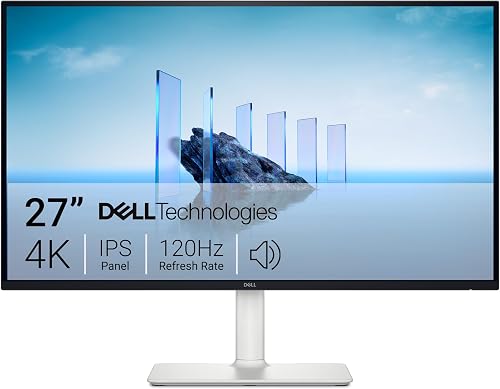
The Dell S2725QS pairs 27-inch 4K UHD resolution with an IPS panel and a stand that adjusts for height, pivot, swivel and tilt. It's a fit for someone who wants detailed text and images and plans to adjust the display to a comfortable position.
What does 1440p add to office work?
1440p offers a useful middle ground for everyday work on a 27-inch monitor. Text and windows have more room than on a 1080p screen, while the display has fewer pixels than 4K.
If you prefer larger text without scaling, or mainly work in documents, email and browser tabs, QHD may be the easier fit. Our comparison of 1440p and 1080p for office work explains where that step up can help.
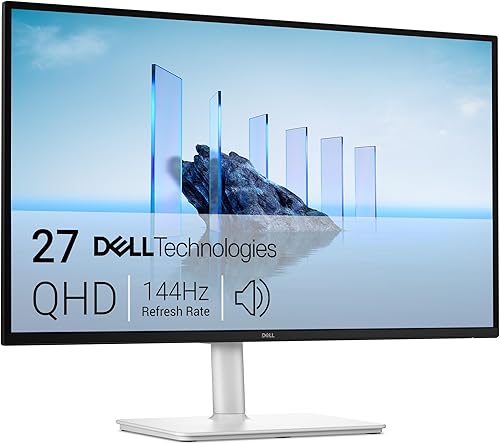
The Dell S2725DSM has a 27-inch QHD IPS panel and an adjustable stand. Its 144Hz refresh rate is also a stated feature, though office work alone doesn't require a high refresh rate.
Does screen size change the resolution choice?
Yes, screen size changes how tightly the pixels are packed and how much room you have for windows. Think about both resolution and diagonal size rather than treating either number on its own as a quality score.
On a 27-inch monitor, 1440p is a common balance between detail and readable interface size. 4K offers a finer pixel grid at that same diagonal, but may need scaling.
A larger screen can make either resolution more comfortable by spreading the image over more area. It also takes up more desk space, so measure before choosing.
If you're weighing a larger display, our guide to whether a 32-inch monitor is too big for office work covers viewing distance and desk fit. A 32-inch 4K monitor can also give you more physical room for windows, while its text size still depends on scaling.
Is 4K worth it on a 27-inch monitor?
4K can be worthwhile at 27 inches if you value fine detail and don't mind adjusting scaling. The Dell S2725QS and Samsung ViewFinity S7 27 are both 27-inch 4K options in this comparison.
The Samsung ViewFinity S7 27 (S71H) has a 3840 x 2160 IPS panel and a 60Hz refresh rate. It includes HDMI and DisplayPort connections, so check that your computer has a compatible output and cable.
Consider the Samsung if 4K clarity is your priority and 60Hz suits your work. The Dell S2725QS is another 4K choice, with a refresh rate up to 120Hz and an adjustable stand.
How much text and window space do you need?
Choose resolution based on the content you can comfortably read, not only the number of windows you can fit. A dense screen can offer more workspace but still feel cramped if text appears too small.
For writing, email and video calls, a single large window may be all you need. For spreadsheets, coding or research, you may keep several panes or documents visible at once.
4K gives you more pixels to work with, but scaling and zoom affect what fits. A 1440p display may show fewer fine details while keeping controls and text easier to read without adjustment.
Our guide to monitors for spreadsheets and Excel covers screen area, size and practical layouts for table-heavy work. It can help you decide whether a higher resolution or a physically larger monitor would help more.
Will your computer support 4K or 1440p?
Check your computer's video output, cable and supported resolution before choosing a monitor. The monitor's maximum resolution doesn't confirm what your laptop or desktop can send at a given refresh rate.
The 4K models here have HDMI and DisplayPort connections, as does the Dell QHD option. Your computer needs a compatible port and enough graphics support for the resolution and refresh rate you plan to use.
If you connect a laptop over USB-C, don't assume the display will charge it. The product details for these three monitors don't specify USB-C connectivity or laptop charging.
For a separate screen-and-connection comparison, see our guide to USB-C vs HDMI for a monitor. Match the monitor's inputs to your computer's outputs before you buy.
Which monitor fits your work best?
Pick the Dell S2725QS for 27-inch 4K and an adjustable stand, the Dell S2725DSM for QHD, or the Samsung ViewFinity S7 27 for 4K at 60Hz. Make the decision based on readable text, available desk space and the connection your computer supports.
If you want more fine detail and are comfortable setting scaling, choose 4K. If you want a simpler 27-inch setup for everyday office apps, choose 1440p.
For another size comparison, read 27 vs 32 inches for office work.
Frequently asked questions
Is 4K better than 1440p for office work?
4K gives you more pixels for fine text, detailed images and extra workspace, while 1440p can be easier to use at a comfortable text size on a 27-inch screen. Pick based on what you do and whether you prefer more detail or simpler scaling.
Is 1440p sharp enough on a 27-inch monitor?
Yes, 1440p is a common fit for a 27-inch work monitor and offers a clear picture for documents, browser tabs and spreadsheets. If you work with fine design details or want more room for windows, compare it with 4K at the same size.
Do you need scaling on a 4K monitor?
Many people use display scaling on a 27-inch 4K screen so text and controls remain comfortable to read. Scaling makes interface items larger while keeping the panel's pixel detail, though the exact setting depends on your operating system and eyesight.
Does 4K show more spreadsheet columns?
A 4K monitor has more total pixels than a 1440p screen of the same size, which can provide room for more columns or windows. Scaling, application layout and text size affect how much you can use comfortably.
Which resolution is better for a laptop monitor?
Either can work with a laptop if its video output supports the monitor's resolution and refresh rate. Check your laptop's ports and graphics support, then choose 4K for more detail or 1440p for a simpler balance of clarity and workspace.