8 Best Monitors for a MacBook Air (October 2026)
The best monitors for MacBook Air include the Dell S2725QC for a balanced 4K desk setup, the Dell S2725DC for QHD and extra ports, and the Samsung ViewFinity S7 27 (S71H) for a simple 27-inch 4K screen.
On this page (4 sections)
The best monitor for a MacBook Air for most people is the Dell S2725QC, a 27-inch 4K IPS display with USB-C power delivery up to 65W. For a larger Mac-matched screen, choose the BenQ MA320U; for more charging headroom and ports, consider the LG 27UP850K-W.
A monitor can give your MacBook Air a larger workspace while keeping the laptop available as a second screen. Your main choices are screen resolution, USB-C power, color needs and how much room your desk has.
If you want a single cable for video and charging, start with our guide to monitors that charge a laptop over USB-C. For a general laptop desk setup, see our roundup of monitors for a laptop home office.
Our picks at a glance
-
1

-
2
-
3
 Best for a simple 27-inch 4K screen
Samsung ViewFinity S7 27 (S71H)
8.4/10 our score
See it on Amazon
Which monitor is best for a MacBook Air?
The Dell S2725QC is the best all-around fit here because it combines 27-inch 4K resolution, USB-C power delivery up to 65W and an adjustable stand. The BenQ MA320U is the more Mac-focused option, while the Samsung ViewFinity S7 is a straightforward 4K choice if you plan to connect another way.
We compared resolution, USB-C charging, color features, ports and stand adjustments. Our score weighs specs, features and buyer feedback against what you're shopping for.
| Product | Best for | Resolution | USB-C power | Stand | Our score |
|---|---|---|---|---|---|
| Dell S2725QC | a balanced 4K desk setup | 4K UHD (3840 x 2160) | Up to 65W | Height, pivot, swivel and tilt adjustment | 8.7 |
| Dell S2725DC | QHD and extra ports | QHD (2560 x 1440) | Up to 65W | 8.5 | |
| Samsung ViewFinity S7 27 (S71H) | a simple 27-inch 4K screen | 4K UHD (3840 x 2160) | 8.4 | ||
| LG 27UP850K-W | USB-C power and more ports | 4K UHD (3840 x 2160) | Up to 90W | Height and pivot adjustment | 8.3 |
| LG 27US500-W | a basic 4K workspace | 4K UHD (3840 x 2160) | Tilt adjustment | 8.2 | |
| BenQ MA320U | a large Mac-matched workspace | 4K UHD (3840 x 2160) | Up to 90W | 8.1 | |
| ASUS ProArt PA278CGRV | color-focused QHD work | QHD (2560 x 1440) | Up to 96W | Height, tilt, swivel and pivot adjustment | 8.0 |
| ASUS ProArt PA279CV | calibrated 4K work | 4K UHD (3840 x 2160) | Up to 65W | 7.9 |
The best MacBook Air monitors for different desks
The right monitor depends on how you use your MacBook Air and what you need from its connection. These picks range from 4K and Mac color matching to simpler HDMI and DisplayPort setups.
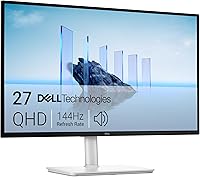
Dell S2725QC: Best for a balanced 4K desk setup
- 27-inch 4K UHD IPS
- USB-C power delivery up to 65W
- 99% sRGB
- Height, pivot, swivel and tilt adjustment
A 27-inch 4K IPS screen and one-cable USB-C connection make this a strong all-around desk monitor for a MacBook Air. It also has an adjustable stand and built-in speakers.
Pros
- 4K IPS display
- USB-C power delivery up to 65W
- Adjustable stand
Cons
- No Mac-specific color matching feature
- 65W may be less than some buyers want for laptop charging
The Dell S2725QC brings a 27-inch 4K IPS screen to a MacBook Air desk, with USB-C power delivery up to 65W. That gives you a one-cable option for video and charging when your Mac and cable support the connection.
Its 99% sRGB color coverage and 1500:1 contrast ratio suit everyday office work, browsing and media. Dell also includes height, pivot, swivel and tilt adjustment, so you can set the screen position without relying only on a riser.
Built-in speakers, HDMI and USB add flexibility for other devices. ComfortView Plus reduces harmful blue light emissions to 35% or less, according to Dell.
Choose it for a balanced 4K setup with USB-C charging and a fully adjustable stand. If your priority is Mac-specific color matching or higher USB-C power delivery, compare the BenQ MA320U and LG 27UP850K-W below.
Dell S2725DC: Best for QHD and extra ports
- 27-inch QHD IPS
- USB-C power delivery up to 65W
- USB-C port with up to 15W power
- USB-A port
This 27-inch QHD option combines laptop connection and power with USB-C and extra ports for accessories. Choose it if QHD fits your work better than 4K.
Pros
- USB-C power delivery up to 65W
- USB-C and USB-A access ports
- Height, pivot, swivel and tilt adjustment
Cons
- QHD rather than 4K
- No Mac color matching feature
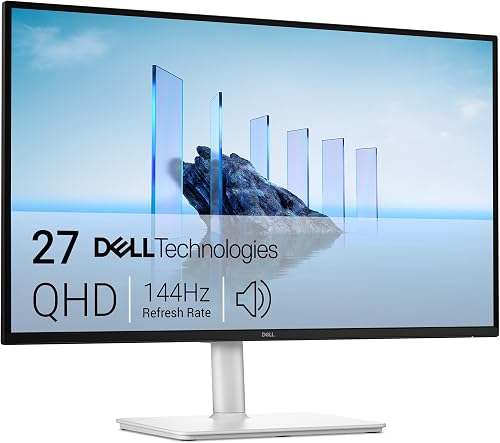
The Dell S2725DC is a QHD alternative for a MacBook Air user who wants USB-C charging and convenient accessory ports. Its 27-inch IPS display runs at 2560 x 1440, rather than 4K.
USB-C delivers up to 65W to a connected device, and a pop-out access port offers another USB-C connection with up to 15W power delivery alongside USB-A. The stand adjusts for height, tilt, pivot and swivel.
The built-in dual 3W speakers can help keep a basic desk setup compact. Dell also describes the display as TÜV 4-star certified for eye comfort.
Pick it if QHD is enough and you want ports close at hand. For more detail on the resolution choice, read our guide to 1440p monitors for work.
Samsung ViewFinity S7 27 (S71H): Best for a simple 27-inch 4K screen
- 27-inch 4K UHD IPS
- HDMI and DisplayPort
- HDR10
- Eye Saver Mode
This 27-inch 4K IPS monitor offers detailed workspace and HDMI or DisplayPort connections. It suits a MacBook Air setup where USB-C charging through the monitor isn't required.
Pros
- 4K IPS display
- HDMI and DisplayPort
- Eye Saver Mode
Cons
- No USB-C connection
- No adjustable stand features are specified
The Samsung ViewFinity S7 offers a 27-inch 4K UHD IPS panel for a MacBook Air setup that doesn't need monitor-based USB-C charging. Its HDMI and DisplayPort connections keep the monitor flexible for other computers and devices.
Samsung specifies a 60Hz refresh rate, HDR10 and Eye Saver Mode. The 4K resolution gives you a detailed desktop for documents, photos and multiple open windows.
This option has fewer connection choices for a MacBook Air than the USB-C models above. Plan to charge the laptop separately and check whether your MacBook Air or adapter supports the video connection you intend to use.
Choose it for a simple 4K screen when separate laptop charging works for your desk. Consider the LG 27UP850K-W if you want USB-C power and additional ports.
LG 27UP850K-W: Best for USB-C power and more ports

- 27-inch 4K UHD IPS
- USB-C power delivery up to 90W
- 95% DCI-P3
- DisplayPort, 2 HDMI and 2 USB 3.0 ports
The USB-C connection supports data transfer and up to 90W power delivery, while the monitor also includes several other ports. Its 4K IPS panel and adjustable stand suit a MacBook Air used for varied desk work.
Pros
- USB-C power delivery up to 90W
- Multiple video and USB ports
- Height and pivot adjustment
Cons
- No Mac-specific color matching feature
- USB-C power needs may vary by MacBook Air setup
The LG 27UP850K-W combines a 27-inch 4K IPS screen with USB-C power delivery up to 90W. Its USB-C connection supports data transfer, and the monitor also has DisplayPort, two HDMI connections, two USB 3.0 ports and a headphone jack.
LG specifies up to 95% DCI-P3 color gamut expression and DisplayHDR 400 compatibility. The stand adjusts for height and pivot, while built-in stereo speakers provide sound without a separate speaker set.
That mix makes it useful if your MacBook Air shares the monitor with other devices or you want extra power capacity through USB-C. Check the power needs of your specific MacBook Air before treating any monitor as its only charger.
Pick it for USB-C power and a broad port selection. If you want Mac color matching and a bigger panel, compare the BenQ MA320U.
LG 27US500-W: Best for a basic 4K workspace

- 27-inch 4K UHD IPS
- HDMI and DisplayPort
- HDR10
- Tilt-adjustable stand
This LG gives you a 27-inch 4K IPS screen with HDMI and DisplayPort connections. Pick it if you want 4K resolution and don't need the monitor itself to charge your MacBook Air.
Pros
- 4K IPS display
- HDMI and DisplayPort
- Tilt-adjustable stand
Cons
- No USB-C connection
- Stand adjustment is limited to tilt
The LG 27US500-W is a 27-inch 4K IPS monitor with HDMI and DisplayPort. It suits a MacBook Air desk where you want a detailed screen and don't need USB-C charging built into the monitor.
Its HDR10 support and up to 90% DCI-P3 color gamut expression add color features for compatible content. The stand adjusts for tilt, and LG's Onscreen Control software can split the display or adjust basic monitor settings.
Because it doesn't include USB-C, plan for a separate charging connection and confirm how your MacBook Air will output video. An adapter may be needed, depending on your MacBook Air model and the cable you have.
Choose it for straightforward 4K work with a tilt-adjustable stand. For USB-C charging, the Dell S2725QC is a closer fit.
BenQ MA320U: Best for a large Mac-matched workspace

- 32-inch 4K display
- Mac color matching
- USB-C power delivery up to 90W
- Adjustable height, tilt, swivel and pivot
The 32-inch 4K screen is designed for MacBook Pro and MacBook Air, with Mac color matching and USB-C power delivery up to 90W. Its larger size needs a desk with enough depth and width.
Pros
- Mac color matching
- USB-C power delivery up to 90W
- Height, tilt, swivel and pivot adjustment
Cons
- 32-inch screen takes more desk space
- No resolution beyond 4K
The BenQ MA320U is the most Mac-focused pick here: it is designed for MacBook Pro and MacBook Air, with Mac color matching and a 32-inch 4K screen. Its USB-C ports deliver up to 90W to a MacBook and up to 15W for an iPad or iPhone.
BenQ says you can adjust brightness and volume from a MacBook keyboard. The stand adjusts for height, tilt, swivel and pivot, giving you several ways to place the larger screen.
Its size calls for a desk with enough room, so measure the available width and viewing distance first. The dual HDMI and dual USB-C ports also give you more ways to connect devices.
Choose it for a large screen with Mac-specific color features. If your desk is smaller or you prefer 27 inches, the Dell S2725QC offers a more compact 4K setup.
ASUS ProArt PA278CGRV: Best for color-focused QHD work

- 27-inch QHD IPS
- MacBook P3 color temperature match
- USB-C power delivery up to 96W
- 97% DCI-P3 and 100% sRGB
The ProArt pairs QHD resolution with MacBook P3 color temperature matching and USB-C power delivery up to 96W. Its color coverage and adjustable stand may suit creative work that doesn't call for 4K.
Pros
- MacBook P3 color temperature match
- USB-C power delivery up to 96W
- Height, tilt, swivel and pivot adjustment
Cons
- QHD rather than 4K
- Its feature set may exceed basic office needs
The ASUS ProArt PA278CGRV is a QHD option for color-focused work, with MacBook P3 color temperature matching and USB-C power delivery up to 96W. Its 27-inch IPS screen has 97% DCI-P3 and 100% sRGB gamut coverage.
ASUS says the display is Calman Verified and factory calibrated to Delta E < 2. The stand adjusts for height, tilt, swivel and pivot, and the monitor includes HDMI, DisplayPort and a USB hub.
The main tradeoff is resolution: this is QHD, not 4K. Choose it if its color and connectivity features suit your work, and compare it with our guide to 4K vs 1440p monitors for work if you're deciding between those resolutions.
Pick it for color-focused QHD work and high USB-C power delivery. For a 4K ProArt option, consider the PA279CV.
ASUS ProArt PA279CV: Best for calibrated 4K work

- 27-inch 4K UHD
- USB-C power delivery up to 65W
- 100% sRGB and 100% Rec. 709
- Height, pivot, swivel and tilt adjustment
The PA279CV combines 27-inch 4K resolution, USB-C power delivery up to 65W and factory calibration. It also has an adjustable stand and a USB hub for a more involved work setup.
Pros
- 4K resolution
- USB-C power delivery up to 65W
- Factory calibration and adjustable stand
Cons
- Product details conflict on display size and resolution
- The feature set may be more than a basic desk needs
The ASUS ProArt PA279CV is a 4K monitor with USB-C power delivery up to 65W, a USB hub and factory calibration. ASUS specifies 100% sRGB and 100% Rec.
709 color gamut, features aimed at color-conscious work.
Its stand adjusts for height, pivot, swivel and tilt, offering more placement options than a tilt-only stand. The listed connectivity includes USB-C, DisplayPort and HDMI.
There is conflicting product information about its screen size and resolution: the name and description identify a 27-inch 4K monitor, while a bullet describes a 23.8-inch Full HD display. Confirm the exact model details before buying.
Choose it if you want a 4K ProArt monitor with USB-C charging and a USB hub. If you want clearer Mac-specific matching, the ASUS ProArt PA278CGRV includes a MacBook P3 color temperature match.
What should you check before choosing a MacBook Air monitor?
Check the connection and charging needs first, then choose a screen size and resolution that fit your desk and work. A 4K monitor can show more detail, while QHD models may be enough for office tasks and can cost less to run at a preferred scaling level.
Does USB-C power delivery matter?
USB-C power delivery matters if you want one cable to connect your MacBook Air and charge it through the monitor. The Dell S2725QC and S2725DC offer up to 65W, the LG 27UP850K-W and BenQ MA320U offer up to 90W, and the ASUS ProArt PA278CGRV offers up to 96W.
Check your MacBook Air's charging needs and the display's USB-C capabilities before you choose. Read our USB-C vs HDMI monitor guide if you need help deciding which cable path to use.
Is 4K worth choosing over QHD?
Choose 4K if you value extra detail for text, photos or creative work on a 27-inch screen. QHD can be a practical fit for everyday work if you don't need 4K resolution, as shown by the Dell S2725DC and ASUS ProArt PA278CGRV.
A 32-inch 4K monitor, such as the BenQ MA320U, spreads that resolution across a larger screen. For a deeper comparison, see our 4K vs 1440p monitor guide.
How much desk space does a MacBook Air monitor need?
A 27-inch monitor is a common middle ground for a desk, while a 32-inch display needs more width and viewing distance. Measure your desk and check the monitor's footprint before buying, especially if you plan to keep the MacBook Air open beside the screen.
If you plan to use the laptop display alongside the monitor, our guide to setting up dual monitors with a laptop covers the basic layout choices. For more size advice, browse our monitor size and sharpness guides.
Which MacBook Air monitor should you choose?
Choose the Dell S2725QC if you want a balanced 27-inch 4K screen with USB-C power delivery up to 65W. Pick the BenQ MA320U for a larger screen with Mac color matching, the LG 27UP850K-W for more USB-C power and ports, or the Samsung ViewFinity S7 if you plan to charge the MacBook Air separately.
A MacBook Air monitor should fit both the way you work and the connections you already have. If your setup is mostly laptop-based, compare these picks with our guide to monitors for a laptop home office.
Sources:
Our top 3 picks at a glance
-
1
-
2
-
3
Best for a simple 27-inch 4K screen
Samsung ViewFinity S7 27 (S71H)
8.4/10 our score
See it on Amazon
Frequently asked questions
Can a MacBook Air connect to a monitor with USB-C?
Yes, a MacBook Air can connect to a compatible monitor over USB-C. If you want one cable for video and charging, check that the monitor supports USB-C video and power delivery, then compare its wattage with your needs.
Our guide to monitors that charge laptops explains what to check.
Is 4K or QHD better for a MacBook Air monitor?
4K gives you more pixels than QHD at the same screen size, while QHD can be a sensible fit if you don't need as much detail. The right choice depends on the work you do, your viewing distance and how you prefer text and app controls to appear.
See our guide to 1440p monitors for work for more on QHD.
Does a MacBook Air need a special monitor?
No special monitor is required, but check the connection, resolution and charging needs before you choose. USB-C can carry video and power on some monitors, while HDMI or DisplayPort may need an adapter or a separate charging cable.
Our USB-C vs HDMI monitor guide covers the connection tradeoffs.
How much power should a monitor provide to charge a MacBook Air?
The right wattage depends on your MacBook Air model and workload. These picks offer USB-C power delivery from 65W to 96W, while the Samsung, LG 27US500-W and ASUS ProArt PA279CV lack a listed USB-C connection for charging.
Check your MacBook Air's power needs before relying on a monitor as its charger.