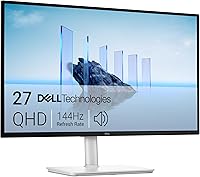
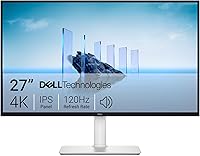
Dell S2725QC vs S2725QS: Which Monitor to Buy? (November 2026)
Pick the Dell S2725QC if you want one USB-C cable to carry video and charge your laptop; pick the Dell S2725QS for a plain DisplayPort or HDMI desktop setup. Both are 27-inch 4K IPS panels with 120Hz FreeSync Premium, so the port choice decides it.
On this page (8 sections)
Pick the Dell S2725QC if you want one USB-C cable to carry video and charge your laptop; pick the Dell S2725QS for a plain DisplayPort or HDMI desktop setup. The Dell S2725QC vs S2725QS choice is not about the picture, because both use the same 27-inch 4K IPS panel with 120Hz AMD FreeSync Premium.
The port set and the USB-C power delivery decide which one belongs on your desk.
Both are part of Dell's 27 Plus line in an ash white finish with ultra-thin bezels. Neither one is a specialist gaming or color-critical display.
They're work monitors that happen to handle 4K video and light gaming well.
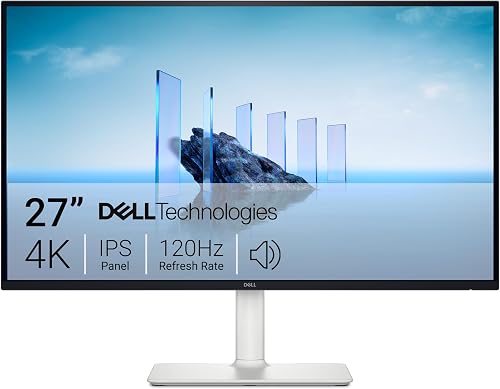

Dell S2725QC vs S2725QS at a glance
The S2725QS is the better value for a desktop, and the S2725QC is the better fit for a laptop desk. The table below lines up the specs that actually differ.
| Feature | Dell S2725QS | Dell S2725QC |
|---|---|---|
| Panel | 27-inch 4K UHD IPS | 27-inch 4K UHD IPS |
| Resolution | 3840 x 2160 | 3840 x 2160 |
| Refresh rate | Up to 120Hz, FreeSync Premium | Up to 120Hz, FreeSync Premium |
| Response time | 5ms (0.03ms rated) | 4ms (0.03ms rated) |
| Brightness | 350 nits | 350 nits |
| Contrast | 1500:1 | 1500:1 |
| Color | 99% sRGB | 99% sRGB |
| Ports | DisplayPort, HDMI | HDMI, USB Type-C |
| USB-C power | None | Up to 65W |
| Speakers | Built-in, re-engineered | Built-in, re-engineered |
| Stand | Height, tilt, swivel, pivot | Height, tilt, swivel, pivot |
| Weight | 14.3 lb | 14.8 lb |
The numbers that matter for most buyers are the port row and the power row. Everything above them is close enough that you won't notice a difference at your desk.
One small gap: the S2725QS lists a 5ms response time and the S2725QC lists 4ms. Both also quote an ultra-low 0.03ms figure in their marketing, so treat the millisecond difference as noise for office work.
The weight gap of half a pound is worth a second look only if you plan to hang either screen on a light arm. Both are close to 14.5 lb with the stand included, and both list the same 7.89 in depth, so the footprint on the desk is identical.
The USB-C cable is the real difference
The S2725QC's single USB-C cable carries video and up to 65W of power to a laptop, and the S2725QS has no USB-C input at all. That one feature is the whole reason the QS costs less.
On the S2725QC you plug the included USB-C to C cable into your laptop and the monitor, and the desk stays clear of a separate charger and video cable. Dell includes a 1 m USB-C to C 10Gbps 100W cable in the box, so you don't need to buy one.
The S2725QS connects over DisplayPort or HDMI and includes an HDMI cable. A laptop still works with it, but you'll run a video cable and keep the laptop's own power brick on the desk.
That matters most on a small desk or a shared table where cable clutter builds up fast. It matters less on a tower PC that already sits under the desk with its own cables.
When 65W is enough and when it isn't
65W covers most thin-and-light laptops and MacBooks for everyday work. It's enough to keep a browser-and-docs machine topped up through a workday.
High-power gaming laptops and mobile workstations often draw more than 65W under load. Those will charge slowly or hold their level while plugged into the S2725QC, and they'll still want their own adapter for heavy sessions.
The cable rating is one thing to check too. Dell ships a 100W-rated USB-C to C cable with the S2725QC, so the cable itself has headroom above the monitor's 65W output.
The limit is the monitor's power delivery, not the cable.
A USB-C laptop that already sits on a powered dock also gets less from this port. The dock may already handle charging and extra ports, and in that case the USB-C input on the monitor is a convenience rather than a need.
Picture quality is a tie between the two
Both monitors give you the same 4K IPS image, so don't pick between them on color or sharpness. The S2725QC vs S2725QS picture argument ends in a draw.
Each has a 3840 x 2160 native resolution on a 27-inch panel. That works out to a high pixel density that keeps text crisp for spreadsheets, code and long documents.
Both cover 99% of sRGB, with a 1500:1 contrast ratio and HDR readiness. Dell rates both at 350 nits of brightness.
For a bright office or a home desk near a window, that's a workable level without pushing into HDR-monitor territory.
The IPS panel keeps colors stable when you look from an angle, which helps when two people review a document together. Both also include Dell's ComfortView Plus, which the company says reduces harmful blue light to 35% or less without hurting color accuracy.
If color accuracy for print or video grading is your main need, neither of these is the right class of monitor. A dedicated color-critical display is the better path.
For everything else on a desk, the two Dell panels look the same.
What the panel spec means on a desk
The 27-inch size at 4K is the sweet spot for most desks. Big enough for two windows side by side, small enough to sit at normal viewing distance without turning your head.
The anti-glare screen matters as much as the panel numbers. Both models list it, and it keeps reflections from washing out the picture when a window or lamp sits behind you.
Dell also lists both as 4-star certified for eye comfort in the product description. That pairs with ComfortView Plus, so long work sessions are easier on the eyes than a plain office panel.
Work and play on a 120Hz 4K panel
The 120Hz refresh rate and AMD FreeSync Premium make both monitors smoother than a standard 60Hz office screen. Fast scrolling and light gaming both benefit.
A 120Hz panel updates twice as often as a 60Hz one, so mouse movement and window dragging look cleaner. FreeSync Premium lets an AMD graphics card match the refresh rate to the frame rate and cut tearing.
The rated 0.03ms response figure in the marketing is an extreme best case. The 5ms and 4ms numbers in the spec list are the more useful guide for real use.
Either way, neither monitor is built as a competitive-gaming display first.
For a mixed desk, that's a good balance. You get 4K sharpness for work and a smoother panel for video and casual games without buying a separate gaming monitor.
One practical point: 4K at 120Hz needs a cable and a port that can carry the bandwidth. DisplayPort on the S2725QS and USB-C or HDMI on the S2725QC are the routes to check, and the graphics card has to support the mode too.
If gaming is the priority and you also want USB-C, the Dell S2725QC vs U2725QE comparison looks at the step-up model in the same family. It helps if you're weighing a higher-tier panel against this one.
Sound, stand and desk fit
Both monitors ship with re-engineered built-in speakers and a stand that adjusts in four directions. The desk footprint is the same on both.
Dell says the new speakers have more output, deeper frequency response and a wider range than the previous generation. For video calls and background audio, they're enough to skip a cheap soundbar.
Music and movies still sound better through separate speakers.
The stand supports height, tilt, swivel and pivot adjustment on both models. You can raise the screen to eye level, turn it toward a second seat or rotate it to portrait for long documents and code.
Both measure 24.08 in wide, 7.89 in deep and 15.3 in high with the stand, so a monitor arm or a VESA mount fits the same way on either one. The S2725QC weighs slightly more at 14.8 lb against 14.3 lb for the S2725QS, a gap you won't notice on a desk.
If you're planning a dual-screen setup, both are light enough for a twin arm. The Dell vs Samsung monitor comparison is worth a read if you're deciding between brands for a two-screen desk.
What comes in the box
The two boxes differ by one cable. The S2725QS ships with a 1.80 m HDMI cable, the monitor with stand, a power cable, the QR card, the safety and regulatory paperwork and the side I/O and VESA covers.
The S2725QC swaps the HDMI cable for the 1 m USB-C to C cable and keeps the rest of the bundle the same. A DisplayPort cable is not included with either, so a desktop on DisplayPort needs one bought separately.
Both include the VESA cover, which matters if you plan to remove the stand and mount the screen on an arm. The cover tidies the back of the panel once the stand is off.
Who should buy the S2725QC?
Buy the S2725QC if your laptop connects over USB-C and you want a one-cable desk. It's the cleaner choice for a MacBook, a USB-C Windows ultrabook or a hybrid worker who unplugs and takes the laptop home.
The single cable carries the 4K picture and up to 65W of charge. That removes the laptop charger from the desk and cuts the cable count to one.
For a small home office or a hot-desk setup, that's a real daily improvement.
It also suits anyone who wants to add a 4K screen to a laptop without buying a separate dock. The monitor does the docking job for video and power in one step.
Skip it if your laptop doesn't charge over USB-C, or if it needs more than 65W. In those cases the USB-C port adds cost without solving the cable problem.
Who should buy the S2725QS?
Buy the S2725QS if your video comes from a desktop, a console or a dock you already own. It's the better value when USB-C power delivery wouldn't change your desk.
A tower PC with a graphics card connects over DisplayPort, and a console or streaming stick uses HDMI. Both inputs are on the S2725QS, and an HDMI cable comes in the box.
The score reflects that most desk setups don't need USB-C on the monitor. You get the same 4K IPS panel, the same 120Hz refresh and the same stand for less money.
If you already have a laptop dock, the dock handles the cable and the S2725QS just shows the picture.
A second machine is another case where the S2725QS holds up. With DisplayPort and HDMI both on the back, a desktop on one and a console or spare laptop on the other means you switch inputs rather than cables.
Skip it if you want to cut the laptop charger out of your bag and desk routine. That's the one job only the S2725QC does.
Which Dell 27-inch 4K monitor should you buy?
For most desks, buy the Dell S2725QS: it's the same 4K 120Hz panel for less, and the 9 score reflects the better value. Pick the Dell S2725QC when a single USB-C cable and up to 65W of laptop charging will genuinely tidy your desk.
The Dell S2725QC vs S2725QS decision is simple once you know your video source. Laptop over USB-C: S2725QC.
Desktop, console or existing dock: S2725QS.
If you're still weighing the smaller 27-inch Dell models, the Dell S2725DSM vs S2725QS comparison covers the QHD option. And if you want to see how this panel stacks up against another brand at the same size, the Dell S2725QS vs LG 27US500 comparison puts them side by side.
Frequently asked questions
Is the Dell S2725QC worth it over the S2725QS?
The S2725QC is worth it if your laptop connects over USB-C and you want one cable for video and charging up to 65W. If your desktop uses DisplayPort or HDMI, the S2725QS gives you the same 4K panel for less.
Do both monitors have the same 4K resolution and refresh rate?
Yes. Both are 27-inch 4K UHD IPS panels at 3840 x 2160 with AMD FreeSync Premium up to 120Hz.
The main differences are the ports and the USB-C power delivery on the S2725QC.
Can the Dell S2725QC charge a laptop?
It delivers up to 65W over USB-C. That's enough for many thin laptops and MacBooks, but a high-power gaming or workstation laptop may need its own charger or a higher-wattage dock.
Which monitor is better for a Mac?
The S2725QC is the easier fit for a Mac with USB-C, since one cable handles the picture and charging. The S2725QS works too, but you'll need a separate video cable and the Mac's own charger.
Are the built-in speakers good enough to skip a soundbar?
Dell re-engineered the speakers on both models for more output and deeper response than the previous generation. For calls and casual video they're fine, but a separate speaker set still wins for music and movies.