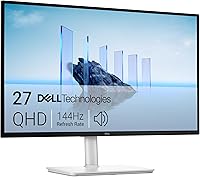
Dell S2725QS vs LG 27US500: Which Is Better? (October 2026)
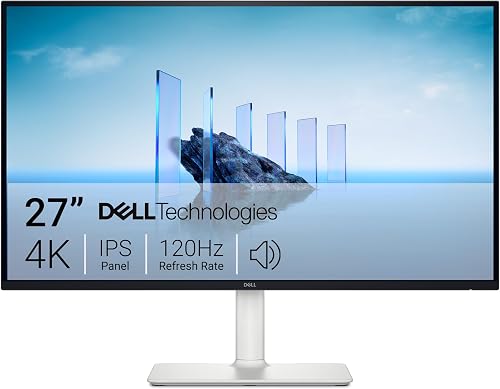
Choose the Dell S2725QS for up to 120Hz and a height-adjustable, pivoting stand; choose the LG 27US500-W for a simpler 4K display with OnScreen Control. Both are 27-inch 4K IPS monitors with HDMI and DisplayPort.
On this page (8 sections)
- Dell S2725QS vs LG 27US500: what sets them apart?
- Which monitor is better for everyday work?
- Which stand gives you more positioning options?
- What do their picture features offer?
- Which monitor works better for a flexible desk?
- Is the Samsung ViewFinity S7 worth considering?
- Which 4K monitor should you choose?
- FAQs
Choose the Dell S2725QS for up to 120Hz and a stand with more adjustment; choose the LG 27US500-W if you want OnScreen Control and tilt adjustment. Both are 27-inch 4K IPS monitors with HDMI and DisplayPort, so your decision can focus on how you position the screen and which features you'll use.
The Dell adds built-in speakers and lists a refresh rate up to 120Hz with FreeSync Premium. The LG lists a 60Hz refresh rate and offers software for splitting the workspace.

Dell S2725QS vs LG 27US500: what sets them apart?
The Dell stands out for its higher listed refresh rate and adjustable stand, while the LG offers OnScreen Control. Both provide 3840 x 2160 resolution on a 27-inch IPS display.
| Feature | Dell S2725QS | LG 27US500-W |
|---|---|---|
| Resolution | 3840 x 2160 | 3840 x 2160 |
| Refresh rate | Up to 120Hz | 60Hz |
| Stand adjustments | Height, pivot, swivel and tilt | Tilt |
| Display features | FreeSync Premium, 99% sRGB, HDR readiness | HDR10, up to 90% DCI-P3 |
| Other features | Built-in speakers, ComfortView Plus | OnScreen Control |
| Connections | HDMI and DisplayPort | HDMI and DisplayPort |
Both are 16:9 displays. Their shared resolution and connection types make either one a reasonable starting point for a 27-inch 4K desk setup, but their additional features are different.
We compared their listed specifications and features against common desk needs. Our score weighs specs and features against what you're shopping for.
Which monitor is better for everyday work?
Either monitor can show detailed 4K content; choose by the features that fit your work and setup. The Dell adds more stand adjustments, while the LG offers a software tool for changing the display layout.
A higher refresh rate can make movement look smoother on screen. The Dell lists up to 120Hz and FreeSync Premium, while the LG is described as 60Hz.
If your work is mostly documents, spreadsheets and static pages, you may care more about resolution, screen position and text size than refresh rate.
Both displays use IPS technology and have the same 3840 x 2160 resolution. For more context about whether 4K fits your desk and viewing distance, see our guide to 4K vs 1440p monitors for work.
Is 4K sharp enough on a 27-inch monitor?
Both monitors provide 4K resolution on a 27-inch screen. Whether that feels comfortable depends partly on how you set text and app scaling on your computer.
Higher resolution gives you more pixels to work with, but very small text can be hard to read if you sit far away or leave scaling too low. Try your operating system's display settings and adjust text size to suit your eyes and distance.
If you're deciding between this size and a larger screen, our 27 vs 32 inch monitor comparison covers desk space and viewing needs. The Dell and LG here are both 27-inch models.
Which stand gives you more positioning options?
The Dell offers height, pivot, swivel and tilt adjustments; the LG stand adjusts by tilt. If precise screen positioning matters, that difference may decide the comparison.
You can raise or lower the Dell to match your seated position, swivel it toward someone beside you, or pivot the display. These adjustments can help you fit the screen to your desk without changing the desk or adding a monitor arm.
The LG's stand offers tilt adjustment. If your preferred screen height already matches the stand, tilt may be all you need.
If you need to raise the monitor or turn it sideways, check how you'll achieve that before you choose.
Think about your desk and chair together. A screen that tilts but sits too low can leave you with an awkward viewing position, while a fully adjustable stand is useful only if you'll use those movements.
What do their picture features offer?
The Dell lists 99% sRGB and HDR readiness; the LG lists HDR10 and up to 90% DCI-P3. Those details describe different features, so choose according to the content and color work you do.
The Dell also lists a 1500:1 contrast ratio and 350 brightness. Its ComfortView Plus feature is described as reducing harmful blue light emissions to 35% or less without sacrificing color accuracy.
The LG lists a 1000:1 contrast ratio and 300 cd/m² brightness. LG describes HDR10 and up to 90% DCI-P3 color gamut expression for this display.
These figures alone don't determine how a screen will look in your room or with your settings. For color-critical work, check whether the display's color coverage and your calibration needs match your workflow.
Which monitor works better for a flexible desk?
The Dell is a stronger fit if you want built-in speakers and adjustable positioning; the LG may fit if you want software-based workspace controls. Both have HDMI and DisplayPort, so compare your computer's available ports with the connection you plan to use.
Dell lists built-in speakers and describes re-engineered sound. That could suit a simple desk where you want audio from the monitor, though the details don't specify a separate speaker setup or sound controls.
LG's OnScreen Control can split the display or adjust basic monitor options with a few mouse clicks. LG says you need to install the software, so check that your computer supports it before counting on that feature.
Neither model lists USB-C in its connections. If you need a monitor that connects to and charges a laptop over one cable, read our guide to whether a monitor can charge a laptop.
Is the Samsung ViewFinity S7 worth considering?
The Samsung ViewFinity S7 27 is another 27-inch 4K IPS choice with HDR10, Eye Saver Mode, HDMI and DisplayPort. Its listed refresh rate is 60Hz, so the Dell remains the higher-refresh option among these three.
The Samsung has a 3840 x 2160 resolution and includes an HDMI cable, DisplayPort cable and power cable. Its Eye Saver Mode is described as reducing blue light and preventing screen flicker.
Choose it if those features make sense for your desk and you don't need the Dell's listed 120Hz refresh rate or the LG's OnScreen Control. See our Samsung ViewFinity S7 review for a closer look.
Which 4K monitor should you choose?
Pick the Dell S2725QS if you want up to 120Hz, built-in speakers and more stand adjustments; pick the LG 27US500-W if its OnScreen Control and tilt stand match your setup. Consider the Samsung if you want a third 27-inch 4K option with HDR10 and Eye Saver Mode.
Before choosing, check the height and viewing angle you need, the connections on your computer and whether you'll use the software or speaker features. For more advice by brand, see our guides to Dell monitors for a home office and LG monitors for work.
FAQs
Is the Dell S2725QS better than the LG 27US500?
The Dell suits you better if you want up to 120Hz and a stand with height, pivot, swivel and tilt adjustment. The LG suits you if OnScreen Control and its tilt-adjustable stand meet your needs.
Both have 27-inch 4K IPS displays, HDMI and DisplayPort.
Do the Dell S2725QS and LG 27US500 have the same resolution?
Yes. Both are 27-inch 4K UHD monitors with a 3840 x 2160 resolution and IPS technology.
Their shared resolution means the choice is more about features such as refresh rate, stand movement and workspace controls.
Which monitor has the higher refresh rate?
The Dell S2725QS lists a refresh rate up to 120Hz with AMD FreeSync Premium. The LG 27US500-W is described as a 60Hz monitor.
If you want the higher listed refresh rate for work or play, the Dell is the clearer fit.
Can the LG 27US500 split the screen?
LG's OnScreen Control software can split the display and adjust basic monitor options with a few clicks. The software must be installed.
Consider whether you want that desktop control feature, and check that it works with your computer before relying on it.
Frequently asked questions
Is the Dell S2725QS better than the LG 27US500?
The Dell suits you better if you want up to 120Hz and a stand with height, pivot, swivel and tilt adjustment. The LG suits you if OnScreen Control and its tilt-adjustable stand meet your needs.
Both have 27-inch 4K IPS displays, HDMI and DisplayPort.
Do the Dell S2725QS and LG 27US500 have the same resolution?
Yes. Both are 27-inch 4K UHD monitors with a 3840 x 2160 resolution and IPS technology.
Their shared resolution means the choice is more about features such as refresh rate, stand movement and workspace controls.
Which monitor has the higher refresh rate?
The Dell S2725QS lists a refresh rate up to 120Hz with AMD FreeSync Premium. The LG 27US500-W is described as a 60Hz monitor.
If you want the higher listed refresh rate for work or play, the Dell is the clearer fit.
Can the LG 27US500 split the screen?
LG's OnScreen Control software can split the display and adjust basic monitor options with a few clicks. The software must be installed.
Consider whether you want that desktop control feature, and check that it works with your computer before relying on it.